Jump to content
Zum Start hinzufügen

Weitere Informationen

3D-Modellbahn Studio

Eine Vollbild-App auf Ihrem Startbildschirm mit Push-Benachrichtigungen und mehr.

So installieren Sie diese App auf iOS und iPadOS
  1. Tippen Sie auf das Teilen-Symbol in Safari
  2. Scrollen Sie durch das Menü und tippen Sie auf Zum Startbildschirm hinzufügen.
  3. Tippen Sie oben rechts auf Hinzufügen.
So installieren Sie diese App auf Android
  1. Tippen Sie auf das 3-Punkte-Menü (⋮) in der oberen rechten Ecke des Browsers.
  2. Tippen Sie auf Zum Startbildschirm hinzufügen oder App installieren.
  3. Bestätigen Sie durch Tippen auf Installieren.

Empfohlene Beiträge

Geschrieben

Hi, me again!

I have a little problem, that I may have solved, but I'm wondering if there might be a better solution?

A three-way point, with overhead electrification catenary. The standard boom will do single (default), long, short, and two varieties of double with long and short in opposite orders. But there is no "triple".

At first I thought, use a double for the two outer tracks and have the wire for the central track go straight through to a seperate boom and mast. but that mast then gets in the way of the tensioner mast when I want to end the catenary on that side. Plus it looks messy. I also tried the transverse hangers, but the one on the same side as the middle one overlaps it.

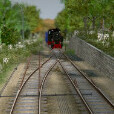
What I eventually came up with is this: A single boom sat right in the middle of a double boom. It works, and it looks neat. I just wonder if there is a better way, or if I stumbled onto the correct way, because the single boom fits exactly between the two arms of the double boom, which makes me wonder if t was designed like that?

Incidentally, I also found that track flicker can be reduced to almost nothing my lowering the angled track on a junction by 0.001 (or 1mm at 1:1 scale, which is well within the tolerance of a prototype wheel!) This can also be done on everything else that flickers, except for pre-made models that have a built-in flicker!

3-WayCatenary.thumb.jpg.f3e7d8c3ab01bb1360eab19d683022c8.jpg

Erstelle ein Benutzerkonto oder melde dich an, um zu kommentieren

Push-Benachrichtigungen konfigurieren

Chrome (Android)
  1. Tap the lock icon next to the address bar.
  2. Tap Permissions → Notifications.
  3. Adjust your preference.
Chrome (Desktop)
  1. Click the padlock icon in the address bar.
  2. Select Site settings.
  3. Find Notifications and adjust your preference.