Jump to content
Zum Start hinzufügen

Weitere Informationen

3D-Modellbahn Studio

Eine Vollbild-App auf Ihrem Startbildschirm mit Push-Benachrichtigungen und mehr.

So installieren Sie diese App auf iOS und iPadOS
  1. Tippen Sie auf das Teilen-Symbol in Safari
  2. Scrollen Sie durch das Menü und tippen Sie auf Zum Startbildschirm hinzufügen.
  3. Tippen Sie oben rechts auf Hinzufügen.
So installieren Sie diese App auf Android
  1. Tippen Sie auf das 3-Punkte-Menü (⋮) in der oberen rechten Ecke des Browsers.
  2. Tippen Sie auf Zum Startbildschirm hinzufügen oder App installieren.
  3. Bestätigen Sie durch Tippen auf Installieren.

Empfohlene Beiträge

Geschrieben

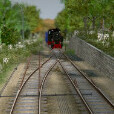
A train of hopper waggons comes up a slope, moving slowly. As it reaches the top it passes across a bridge with a receiving bin underneath. The locomotive moves on, and the first waggon comes onto the bridge. As soon as it is fully on, a mechanism opens the dump chutes on the waggon and the content pours out into the hopper. By the time the waggon is about to exit the bridge it is empty. The mechanism closes the chutes and as the train continues to move the waggon is replaced by the one behind it.

So I have a "waterfall" particle effect attached to each chute of the waggon. There are ten waggons in the train.

I could do this with ten track contacts, each of which holds a list of particle effect objects to be activated, and set a delay to deactivate them, but it feels clumsy to have the locomotive trigger the same event ten times. What I would prefer would be for the waggon itself to trigger the event when it is fully over the receiving hopper, have the list of P.E.s on the waggon, and save ten extra objects on the layout (because the event could be triggered by the waggon leaving the track before). But I can't see a way to access the individual waggons within a train in that way.

Is there a way to achieve this, or will I just have to use ten track contacts?

Bearbeitet von simonjackson1964
typo

Geschrieben
vor 18 Minuten schrieb simonjackson1964:

Is there a way to achieve this, or will I just have to use ten track contacts?

There's no way for a track contact to sense the change from one vehicle of your consist to the next.
The entire consist is seen as one large object with one beginning and one end. 

The technical reason behind this is in how train consists are formed.

An alternative method in addition to the one you suggested might be to set up a cycle and inquire in short intervals which vehicle sits on the contact. That inquiry will give you the individual object. But the method is "kinda clumsy" too and probably more strenuous on your PC than your alternative.

Geschrieben
  • Autor

Fair enough.

Thanks as always! I've got it working with a single track contact and a single wagon with four chutes, now to copy everything 9 times and see if it works. Going to back up the layout first!, just in case!

Geschrieben
  • Autor

There's probably a way to do it using the iteration "for all vehicles in a train", but I suspect that would require 10 calls to a user-defined event and some very careful timing to get the delay right for each wagon! The contacts are easier!

Erstelle ein Benutzerkonto oder melde dich an, um zu kommentieren

Push-Benachrichtigungen konfigurieren

Chrome (Android)
  1. Tap the lock icon next to the address bar.
  2. Tap Permissions → Notifications.
  3. Adjust your preference.
Chrome (Desktop)
  1. Click the padlock icon in the address bar.
  2. Select Site settings.
  3. Find Notifications and adjust your preference.