
hmclay
Mitglieder
-
Benutzer seit
-
Letzter Besuch
Alle erstellten Inhalte von hmclay
-
Goetz ... thanks for the reply. I have just started using/understanding layers. I also should have studied them earlier and made my life easier. Your help is appreciated, and I will try that technique!
-
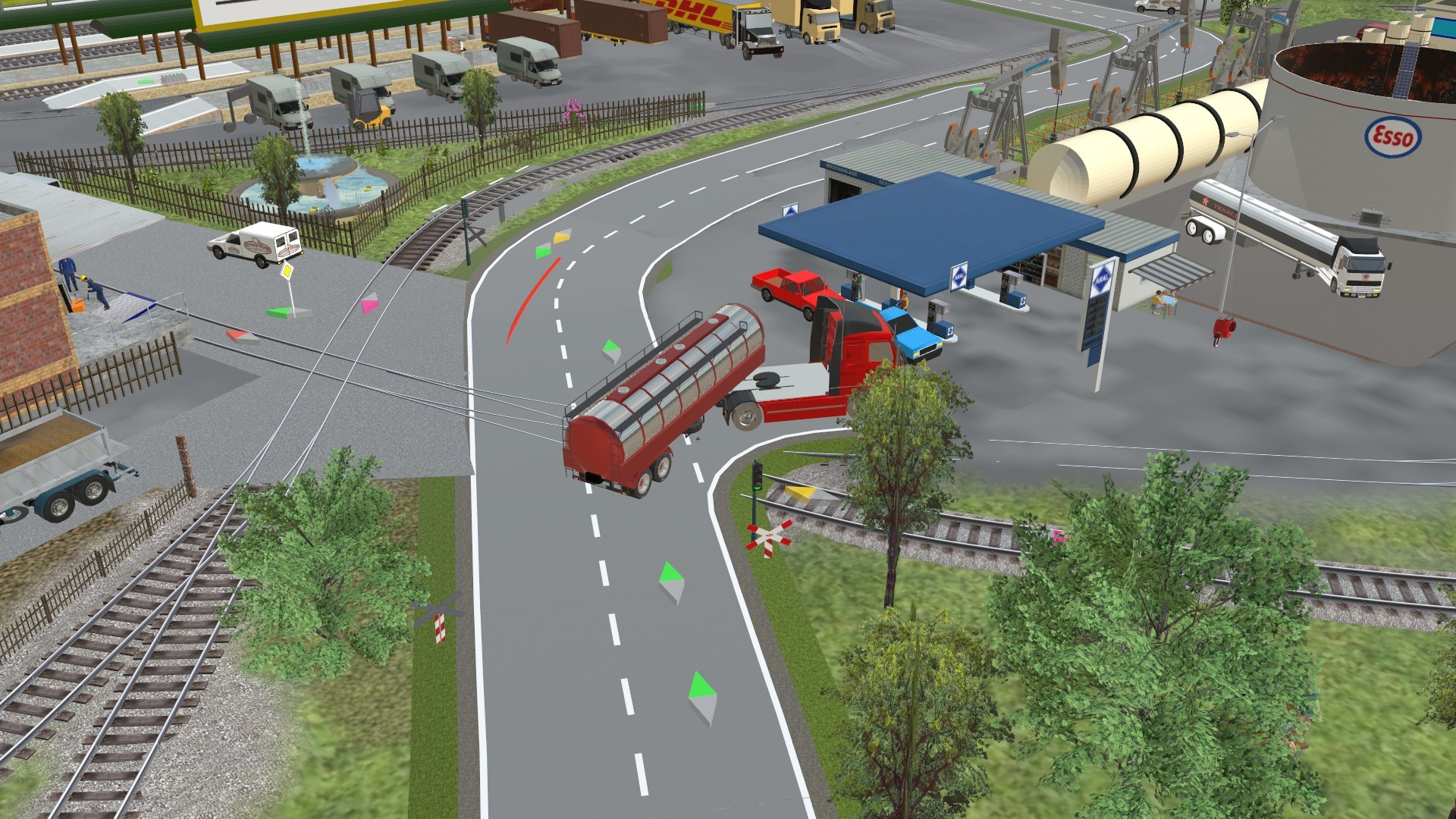
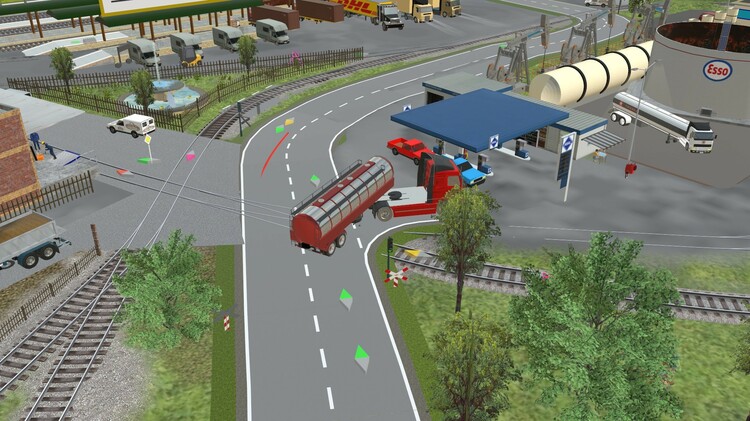
simonjackson196 .... thanks for your effort and replies. I tried to make a demo to simulate my problem, but couldn't get the truck to decouple. When back and looked at my layout to see what was going on. Oh my gosh, what a junction .... I could't even explain it with any degree of coherence, so here is a picture. I will need to do some re-arranging if I want to make that work.
-
Trying to publish a train sound demo into the draft layouts to get feedback/help form the forum. First I need to "share" the files. Neo has kindly given me permission to upload layouts with sound, but I have not been successful getting files to show up in the correct directory. I can get them in "my Layouts" for some reason, but that will not work. Also I have been using abc.wav files for sound (claims of better quality than mp3), they work OK with the Sound application, but not supported by the listing command. I must manually do the search using the traditional *.* for them to show up. Since they work, any reason to limit the type?
-
That is a neat trick for the driver in the car. Sort of like reverse engineering. I would still like to turn the outlines off in certain situations. I have a terminal consisting of an elevated platform above a platform, made up with varying sizes (scaled) platforms held up by scaled stone/brick columns. ( as only one example). Putting items on and beneath is a chore. Would be nice to use the gizmo and place them. Same problem putting virtual tracks beneath for people to walk on. And I have not mastered putting virtual tracks in the air for aircraft. They go everywhere, especially when trying to make the aircraft bank in a turn. Got any tricks up your sleeve to help me? I need all the help I can get. Thanks
-
Thanks for the post and information. I have not even tried going left or cross traffic yet, the guidelines presented will certainly help if and when I do. I realized my explanation was quite vague, so I will explain further. No other traffic .... because I had trouble with cars behind. Right turn only from country road 2+1 immediately connected ... not to another country road item ... but directly to a virtual Thorofare going straight ( the wire type). Just trying to get into a gas station, and other country road items don't fit the scenario. Cars and trucks without a trailer attached, are not a problem. Going to the virtual "wire" does cause a little "Step down" when the vehicle crosses ... maybe that's too much for the trailer to handle ... will investigate further.
-
The title is the post. Tried several tractor-Trailer combinations with same results, Half way through the turn the trailer detaches from the truck. I can make sharper turns using the virtual Throughfare. Anyone else experiencing the same, or know of a solution?
-
simonjackson196 ..... Thanks for the reply and information ... I sure didn't know about the buffer at 90 degrees from the track. As for putting Achim on the top of the platform canopy, he goes there automatically using the stack option. Thats a problem for me, because above that is an elevated train. Then I try to use the gizmo to put him on the platform, and the white lines are a nuisance. If I knew the height of everything involved, I could type the height in, but that may even take more effort to determine. Sure would be nice to see around/through the white lines. Isn't that what the gizmo is designed for ... lining things up ? I would like the option to turn that feature off! Still a great program, just some things that require a work around.
-
Now that I understand what the program does, I can work around it as I did by switching the locomotive engine off on the long train. I just didn't know why I had to do that. From the info I received here, now I know ... and it will not take me as long to correct the situation! Just another thing my mom forgot to teach me. Thanks for the responses!
-
Thanks for the contact problem and solution. I didn't think about a car attached being on a contact ... I only thought about where the engine was located ... since that is what pulls the train! Never imagined a car pushing the engine. As for lining up ... an example of difficulty ... putting people on a platform or in a cable car etc. The white lines obscure exactly where their feet or "behind" is. I must get out of the gizmo to see, then try to judge just how far to move the object and get out of the gizmo again.... may take several tries. Not a big fan of the thick white lines ... but like some of V8's new features.
-
I've been chasing some problems since changing over to V8 ... The train does NOT stop at a contact with Decel set to zero. Remove the cars attached, and the Engine stops as it should. Re-couple cars and the train Decels to zero speed, then continues on as if the Accel is set (it is not). Now I remove the last car, and it stops. Re-attched last car .... continues on. I'm going from 6 to 7 cars, all Boxcars .... seven created the problem. This is the second instance, the first instance (different engine and a variety of cars) had 12 to 14 cars, and I could only solve the problem by stopping the engine when the contact was entered. Strange. Have changed engine type, but same behavior! Routes are not consistently working. Although a route is free, the program does not think so. Manually set speed, and train follows the route perfectly. Anyone else having difficulty with the bright white border around selected objects. I have trouble lining items up because of it.
-
Thank you very much !!!
-
Have a layout from V7 that does not show up in My Layouts when using V8. How can I fix this.
-
I have a 'suspicion' on why the attached people are displaced occasionally. In an above post SIMONJACKSON1964 recommended pausing the program before hitting save. I normally just hit save anytime. I now pause before saving and have not experienced moving "yet'. 'Maybe' if the figures are moving during save, the X-Y-Z is saved incorrectly. Just a thought! (Hope)
-
Thanks for the reply's .... whatever I'm doing wrong, I'm still doing wrong. Using V8 now, and the engineers moved outside the cab, and the passengers moved outside the cablecar when I saved the layout, and opened the next morning. (Not the first V8 save) "somehow on a different scale" ... don't understand exactly what that means or how to know, or what to do about it. I have other people attached to other vehicles that do not exhibit this problem, so maybe it is a scale issue. As for undo ... don't know what I'm doing wrong, but it sure is inconvenient. I almost have to save the file after each successful edit. That way, when I do something naughty and can't undo, I can reopen the file and continue. When I said random, I meant that the movement doesn't happen on every reopening of the file. (Computer read problem?) I also made a mistake not learning to use layers. I have tracks over tracks winding up a mountain. Oh my, what an editing nightmare that causes for "select'. Major job now switching to layers ... but I should ! Didn't learn portals soon enough either, but I'm learning.
-
I thought I may have to learn Lua eventually ... guess with what I want to do, the time has come. That is a lot easier than what I was pursuing. The reading of the position I did not explain well. I was wondering if it could be read within the software to know current position before issuing commands. But on second thought, maybe I don't need that info. Thanks Again
-
Thanks Goetz ... so the number is a starting number not a position you want to go to. So if I'm currently at 0.3 and want to stop at 0.75, other than using a defer time, can you initiate a stop automatically at 0.75? Also, is there a way to read the position ?
-
When using start animation, there is an item labeled position. If I give a number, the vehicle (crane etc.) jumps to that position immediately. Can a smooth action be accomplished without using script ? The only way I use this command is issue the action then defer action until it arrives where I want it .... ends up trial and error until I get the results desired.
-
Wow, nice crane!
-
Ok, that explains alot. Thanks!
-
I'll try to explain a case that happens frequently. 1.) Normally I have the layout running, watching and looking for anything needing attention. 2.) Without stopping (normally) , I click on an item I may want to move/edit. I accidentally click the wrong item, and move it .... then can't just hit undo ... even once. Do I need to pause the program first ? ... I'll experiment. 3.) I do a lot of editing ... ground, moving, adding, correcting (still learning. I get done and save the work ( I must have 3 dozen versions or more). The next session, I open the program, and the figures in the trucks, trains etc. are outside the vehicle. Not all at once, but sort of random. Sometimes an event I added is missing. I must be using the interface incorrectly, but don't know exactly how, because it happens regularly. I must have put the engineers in their train 2 dozen times. Sometimes I just let them ride outside for awhile. They are allways attached and move correctly. Once they move, it doesn't appear that they move the second time,
-
I'm having trouble with Items moving when opening up the layout , particularly people/things attached to a moving object. What might cause that? My suspicion is automatic height or automatic snapping being used incorrectly. Also of concern is undo doesn't always work, either the Ctrl-Z of the edit command. Very inconvenient for me ... I need it alot !!!!!
-
Thanks Goetz for your reply and wishes. Another question .... when I clicked file, the program ask for a xxx.mbe extension. When I used export, a file with xxx,mbp was created. How do I created an mbe file? Was successful importing from layout ... thanks ... I'll be experimenting with that!
-
Is it possible to share content from one layout/example into another layout. I see headings with these labels, but have not been successful using them. Thanks in advance
-
Thanks for the info. This late reply is due to spending the last 3 months in and out of the hospital. Recuperating now, and will digest the material as I get back into the software. Thanks again !
-
Thank you for the info. I 'm now looking for a way to get the speed into a variable I can process. I can as text so far. This Studio program is powerful, and I'm a little surprised controller/regulator info is not accessible. Much to learn, but enjoyable !