.JPG.60f131f7d73de70dfed09e53715d9cf1.JPG)
220hotwheels
Mitglieder
-
Benutzer seit
-
Letzter Besuch
Alle erstellten Inhalte von 220hotwheels
-
.thumb.JPG.db71e80c18a1e29c0c0c755d8e11cccd.JPG) Thank you so much Sualokink, the list of right hand drive vehicles gets ever larger thanks to you and it does provide so much more flexibility when considering building a layout. The added bonus is that they are all such great models. Best regrads Pete
Thank you so much Sualokink, the list of right hand drive vehicles gets ever larger thanks to you and it does provide so much more flexibility when considering building a layout. The added bonus is that they are all such great models. Best regrads Pete -
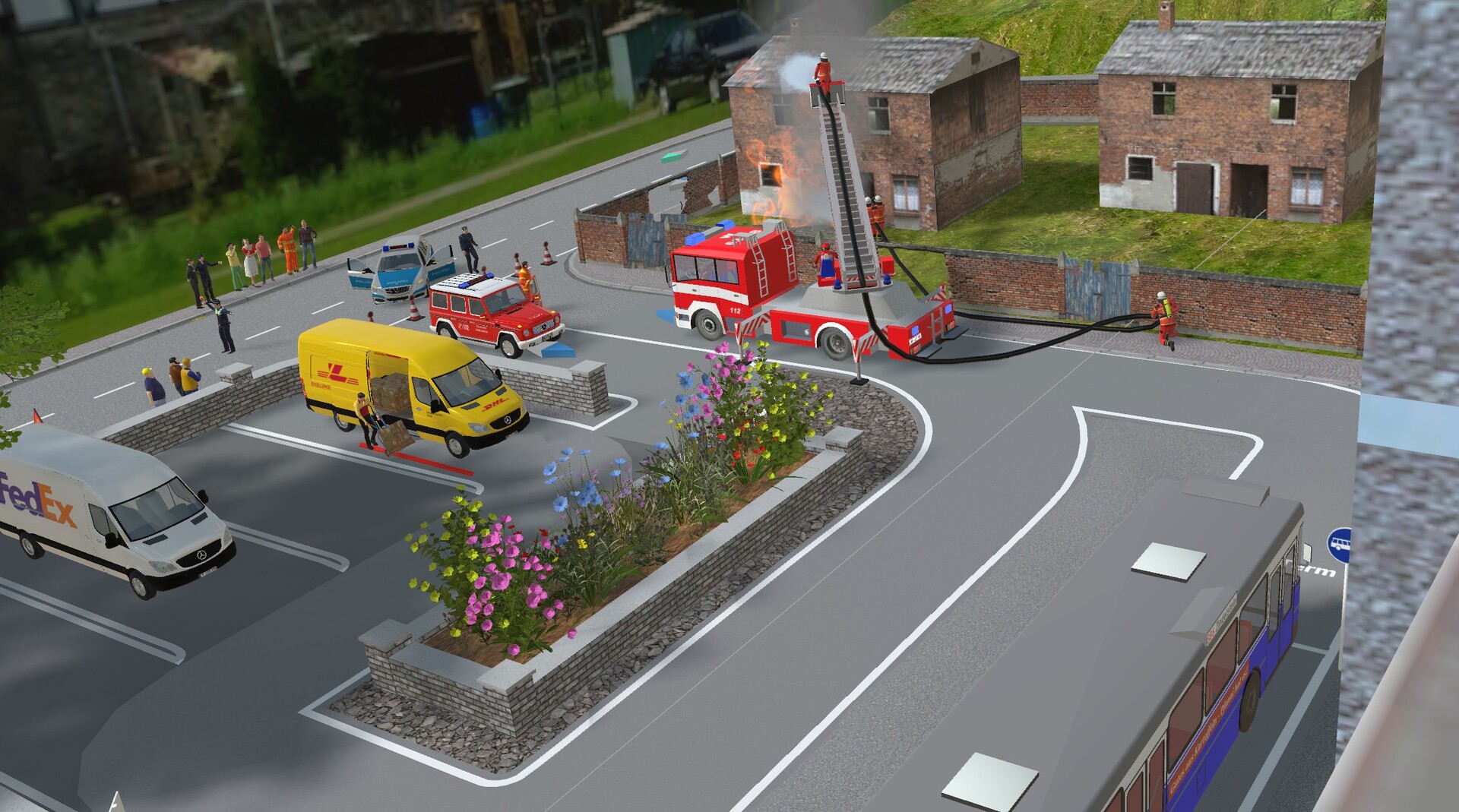
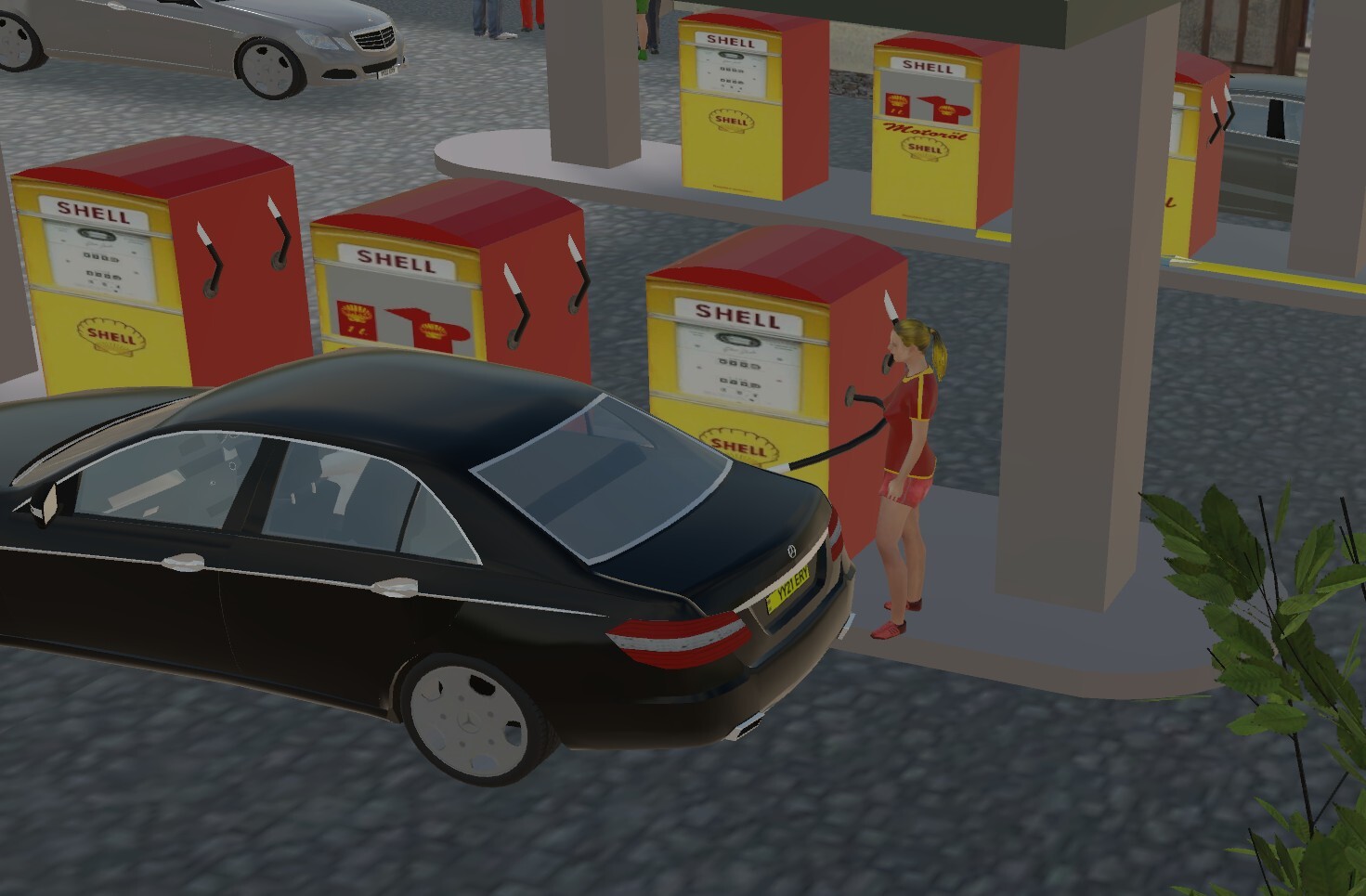
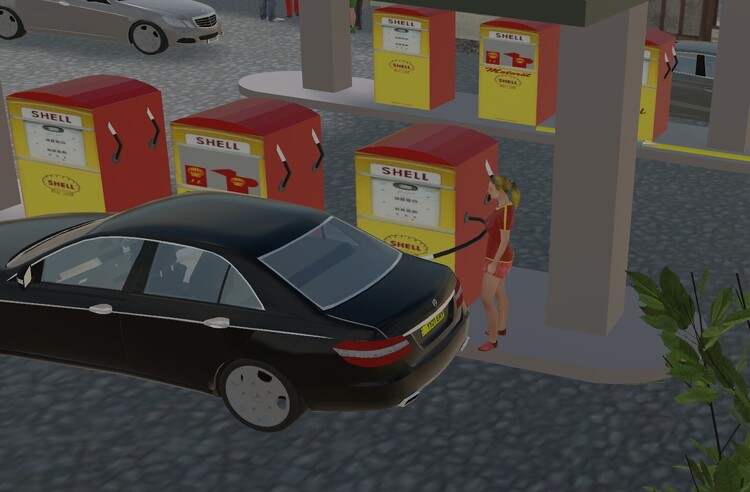
Hi Leslie Many thanks for that. I have just sent an email to a good friend of mine, Sualokink, to ask if he would consider adding such a model to his ever expanding list of models. If he is unable to undertake this due to so many other commitments then I would be eternally grateful for your assistance. I have attached a couple of screenshots to show how I intend to use such an item. Clearly using the current virtual track has it's drawbacks. All joins have to be made manually, which can leave them looking a bit messy, and of course as soon as you switch to simulaton mode they disappear. As the saying goes, watch this space. Kind regards Peter
-
Thank you for getting back to me on this subject. Clearly it is disappointing that you are not considering this as an extra in the primitives section. I will however take your advice and follow this up with others who I know are familiar with Blender. Thank you. Peter
-
@Neo Hi Back in July I posted a request under the above heading and wonder if you have been able to give any consideration to this which might possibly be included in the next update. I look forward to your views on this. Kind regards Peter
-
I agree with both @Thomas_103 and @RoniHB . Being rather selfish one might hope that the weather remains very inclemant if it persuades you to spend more time making your wonderful models. The only drawback that I can forsee with the speed with which you have produced the rail workers, is that we are all going to be putting in requests for models and expect them to be available very quickly. Haahaa. I also like the wheel loader with the graple for logs. Is there no end to your tallents!!!! Best regards Pete
-
Thank you Sualokink. This nicely completes the scope of people that you have produced earlier thus enabling continuity especially when linking them to walking too and from a car and then sitting in the car, a theme, that I have to say, you excel at with most of your models. Best regards Pete
-
Hi @Neo Good evening Neo and all of my fellow members who may have been following the tale of my difficulty running my MBS program. It has been somewhat of a long road but without a doubt a brilliant learning curve. I now know more about my compouter than I ever thought possible and yes the issue is fully resolved. This has come about in 2 ways. Firstly the the help from my friends at Netgear in San Jose who, after sending me the new router, suggested that I should look very carefully at the wireless channels that were set on my router and select the channels that were used the least for my location. Secondly the guys at Dell and Intel who, after checking my system sent me updated graphics drivers. After completing all of this and rebooting my computer I have to say that it is now lightening fast with folders from the catalogue opening almost faster than ever before. I hope no one else experiences the issues that I did but if you ever do then clearly take your time to check everything and don't be afraid to seek help form the big boys!!! Happy constructing. Pete
-
Hi Sualokink That is one neat bit of kit and like most other members I too would vote for the blue version. I've said it before and it seems I must keep on saying it, "is there no end to your vertsatility and skill in model making. . Can't wait to see what you have up your sleave next. Best regards Pete
-
@Neo I continue my investigation into the delays experienced at various places within the MBS program. My internet speed has now been increased to 300mbps download and upload. The new Orbi router is working very well. There are however still issues with the program. I did find in my system display graphics an entry for MBS but it was for version 8.5. I have since removed this and replaced it with V9's exe file. This does seem to have made a difference when loading items from the catalogue. However there is still an unacceptable delay when getting onto the forum from the program. Click on the browse the community online at the bottom of the screen and then the forum button and both can take between 18 and 25 seconds for each element. My I.T. guy is still looking into various aspects on my PC and laptop but thus far has found nothing out of the ordinary. One aspect that I would greatly appreciate you clarifying, if you don't mind, is the process by which items pulled from the catalogue into a layout are subsequently stored. I am aware of the file "catalog" in the MBS directory and have thus far assumed that these items are stored in that folder, but that does not explain why on occasions the catalogue will open quickly and on other occasions it needs to populate them all first. In much the same vein when a layout is stored in a folder on my computer why does it takes so long to load, at times. As a layman I am drawn to conclude that there must be a conflict somewhere but so far I have been unable to find one. I look forward to your comments on this matter in due course. Kind regards Peter
-
Hi @Neo As promised I said I would let you know the outcome with the new Orbi mesh router. It is now fully connected and there is certainly an improvement in the internet speed. Loading items from the catalogue that have already been opened have so far been almost instantaneous. Any that have not as yet been opened do take a while to populate but the issue connecting to the forum, for example, still takes circa 18 seconds. So Netgear were right when they advised that it might not solve my problems entirely but I feel it has provided me with a better connection and so I have agreed to keep the new router and satellites. Once again I have checked my internet speeds and they remain constant at 104mbps download and 102mbps upload. I have no issues with the actual program, it runs perfectly and on layouts of 4500kb to 5800kb my frame rate is between 32fps and 50fps. The issue still persist, but not all the time, in connecting to the MBS server. It really is a strange issue which may or may not only be resolved when I apply a faster internet speed. For now all I can do is monitor and hope for an improvement. Kind regards Peter
-
Hi @Neo After some extensive testing the conclusion would seem to suggest that for some unexplained reason I am having difficulty, as a general rule, but not all of the time, in connecting to the MBS server. I have listed a few example below. As far as my computers go nothing untoward has been found, they work perfectly with no issue other than with MBS. My internet provider has checked all their systems and they are working as expected delivering 104 download and 102 upload speeds. I have checked the router with nothing untoward showing there. I have spoken directly to Netgear who have agreed to send me their latest Orbi, with 3 satellite's, router to test, this should arrive by the 8th October so I will see if that makes any difference. At the moment I am reluctant to increase my internet speed from 100mbps to 500mbps as I would have penalties to pay to my present provider. So to a few examples of the issues. As I have mentioned I completely uninstalled V9 and all components and then reinstalled it. I imported one layout from my backup drive. Loading the layout took 35 seconds. Each time thereafter it loads in around 8 seconds. If I receive an email from a member it can take upto 18 seconds to log into the forum via Gmail in order to read and reply to said message. If I am on a layout and move to browsing community on line, this too can take upto 18 seconds before I am actually connected. When I come to make my backups to your server this can either be instant or take upto 12 seconds to connect. Trying to extract models from the catalogue is the most time consuming and there is no definite pattern to this. For example if I click on the online catalogue button this moves me instantly to the next folder, if I then select Motor Vehicles, this too with either load immediately or it will take upto 18 seconds to load. Moving on from that if I then select cars and them the limo button the models might load immediately or they will take many seconds to load with some models taking even longer. No model can be selected until all of the models have been populated. This happens with all folders selected. None of these issues were present a week ago. I have run antivirus checks on everything and no viruses appear. My conclusion is one of total confusion. The MBS program on my old laptop runs perfectly away from my home with only 50mbps or 800mbps and a less than a top of the range graphics card but all other programs have no issues at my home. I'll see if the new router system makes any difference, my current one is 4 years old, but Netgear are sceptical. I will let you know the outcome. Kind regards Peter
-
Hi Thanks for that. Having downloaded the program I ran it and it found 16 drivers to be out of date. They are now sorted but unfortunately it hasn't solved my basic issue. If all else fails then I will perhaps have to do a factory reset on my router. Kind regards Peter
-
I have done as you suggested. logging into the forum still took circa 18 seconds. I checked my internet speeds and download was 103mbps, upload was 96mbps.
-
Hi Neo Yes I do use Wifi on my mobile phone and no the connection speed does not change. The system that I use is Netgear Orbi with separate satellites around the house so there is no loss of signal anywhere. The main router is in my study and only 3 mtrs away from my PC. So far I have had no issues with anything other than MBS and these issues have only manifested themselves since Sunday last.
-
@Neo Good morning I am still waiting for my I.T. guy to look over my PC but another interesting fact. Having received an message a few moment ago from another forum member I went to the "Go to this Post" and it too took some time to open on my mobile phone. I know you have said that the link to the MBS server is not an issue but it does seem very strange that the only issues that I have with either my PC, laptop and now mobile phone are only when I try to connect to the MBS server. Most puzzling!! Kind regards Peter
-
I've cleared the cache, reloaded the program, still the same issue. It is much quicker to load a layout from File Manager and my saved directory than it is to load it from the program but still some of the catalogue folders take too long to load.
-
Thanks Herman
-
Thank you, my apologies for the next question but where do I find the app setting for the MBS program. I have right clicked on the app icon but non of the items shown suggest how to locate the cache.
-
Hi @Neo @streit_ross After some exhausting checks it would seem that the issue can only be with my internet connection although just what it might be escapes me. I have come to this conclusion because my son took my old laptop to a house with only 50mbps download and everything ran perfectly. So in conclusion my PC, my gaming laptop and my old laptop all have issuers at my home but no where else. As a result of this I have made extensive checks on my internet connection. Download and upload speeds are fine. I have connected my PC to the router via an ethernet cable, rebooted the router and checked all settings, I can see nothing out of the ordinary. Having loaded the MBS program and one of my layouts I noted that it did load slightly quicker but not as quickly as before. Once in the program I have found that by selecting a folder in the catalogue each element takes some time to load all of the models. This is true for each of the folders that I open. Once opened if I return to any of these they seem to open immediately. Having saved the layout, shut the program down and then gone back in each of the folders previously opened they do so almost immediately. Any that have not been opened still take some time to do so. Clearly if that is all it takes to sort out this issue then I will continue to work through each catalogue folder, but I am still left to ponder why this has happened to my gaming laptop, which rarely uses MBS and why also on my old laptop all three of which recently performed Windows updates. Moving from a layout to connect to the forum still takes around 18 seconds and once there about the same amount of time to open the forum folders. No other programs on any of the machines are experiencing any issues. I have an I.T. specialist phoning me either this afternoon or tomorrow and he will connect remotely to my PC and see if he can find any faults. Once again I will let you know his findings. Kind regards Peter
-
I've completed my uninstall and reinstall. A layout now loads much quicker however when selecting folders in the catalogue some will open very quickly others are very slow. Tomorrow I will check my gaming laptop at my son's house and see if there are any issues with it and 800mbps internet speeds. If there are not then perhaps my answer is to get my own internet speed increased to 300mbps. I will let you know the outcome. Kind regards Peter
-
No I've already checked. I have just remembered that Windows did an update on Sunday. Whether this is part of the issue I do not know. I am now going to do a complete uninstall of both the program, layouts and catalogue, I have everything saved on another hard drive, and will then reload the program and see what that does.
-
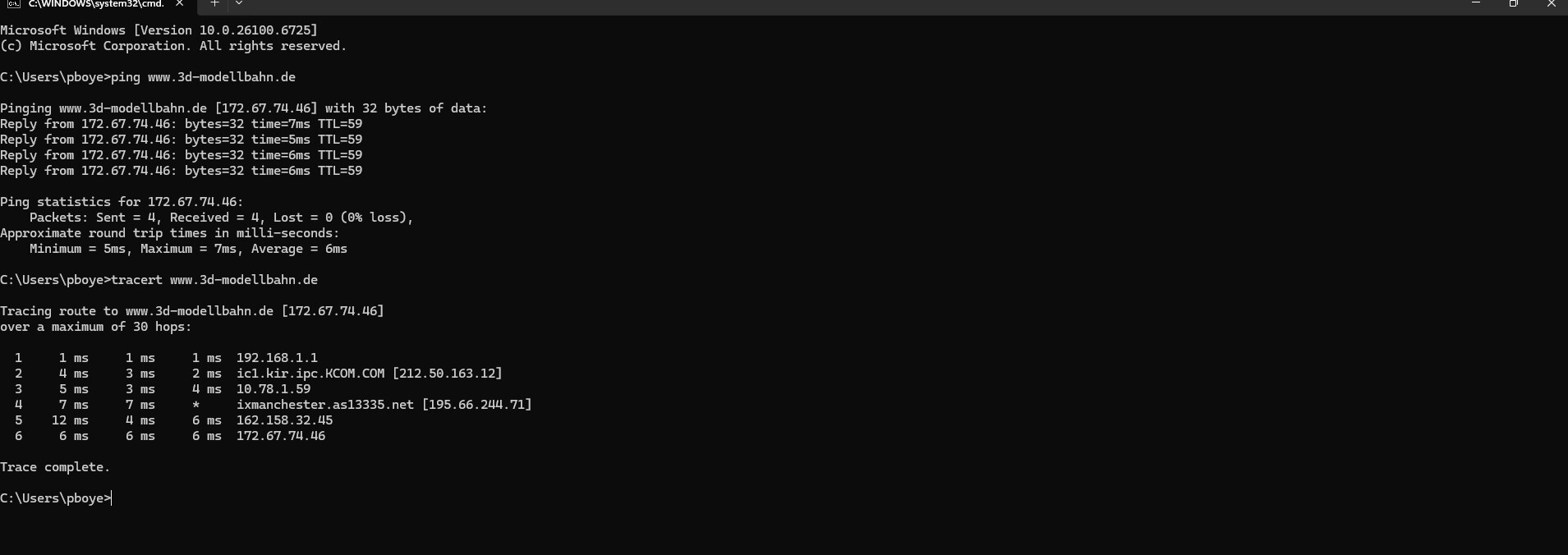
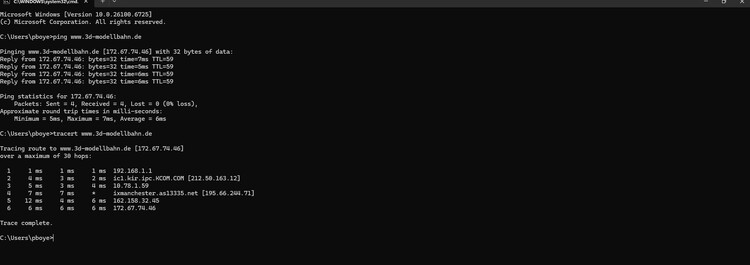
Thank you. I've attached the results
-
When you say terminal what exactly do you mean?
-
Just had a call from my son along with a video. He loaded the program and ran it without incident at 800mbps so clearly 104mbps is not coping. Now I have uninstalled V9 but retained the layout files and the catalogue. After reinstallation the same issue was present. As I have all my layouts backed up I think a full uninstall is now an option just to see if it is the catalogue file that has got corrupted. Kind regards Peter
-
Hi streit_ross Many thanks for taking the trouble to reply to my predicament. As you will see from the reply sent to Neo this issue is not quite as simple as it might first appear. I had already checked each of the elements that you have suggested and there is no issue. I've now done the same with my gaming laptop and that too has no apparent issues but MBS is not running smoothly on that either. The problem fluctuates. Sometimes things will load quickly other times they take for ever. I've just had a call from my son who took my standard laptop this evening and ran the program at his home. He has just sent me a video with no issues whatsoever. I would be interested to know what sort of download/upload speeds other members are working with. I thought 104mbps was OK, clearly 800mbps is no problem so it looks like I might have to speak to my internet provider as 104mbps is clearly now not sufficient to download items from the online catalogue with any speed. Kind regards Peter