.JPG.60f131f7d73de70dfed09e53715d9cf1.JPG)
220hotwheels
Mitglieder
-
Benutzer seit
-
Letzter Besuch
Alle erstellten Inhalte von 220hotwheels
-
.thumb.JPG.db71e80c18a1e29c0c0c755d8e11cccd.JPG) Many thanks Goetz. I'll take a look later this afternoon. I hadn't realised that this was possible or indeed that I might have inadvertently changed it on the 21st April but mistake. Kind regards Pete
Many thanks Goetz. I'll take a look later this afternoon. I hadn't realised that this was possible or indeed that I might have inadvertently changed it on the 21st April but mistake. Kind regards Pete -
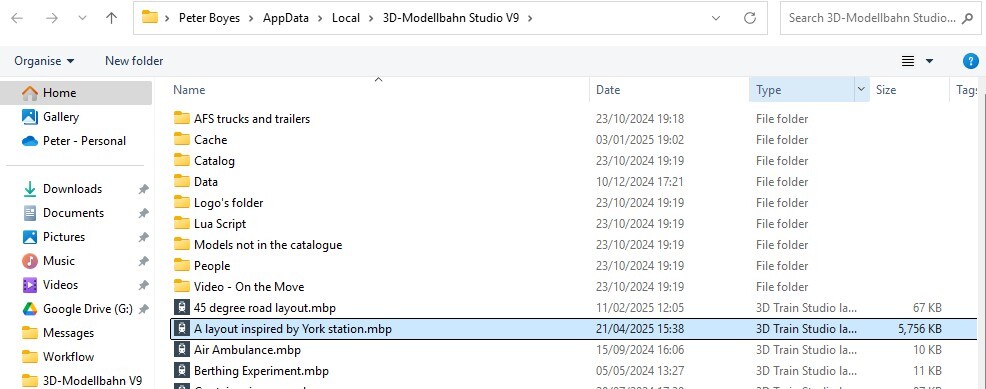
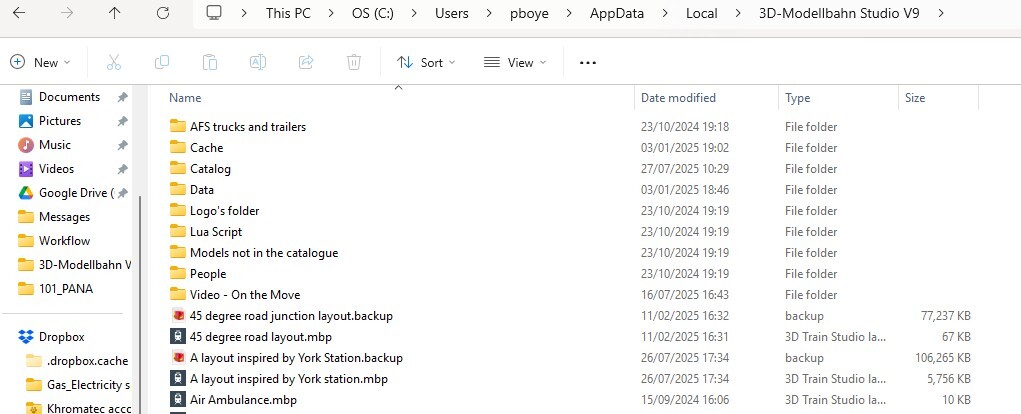
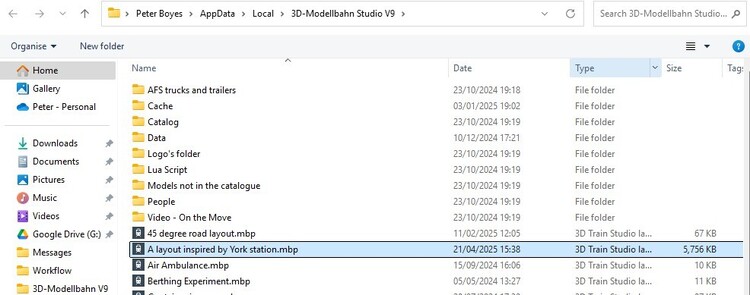
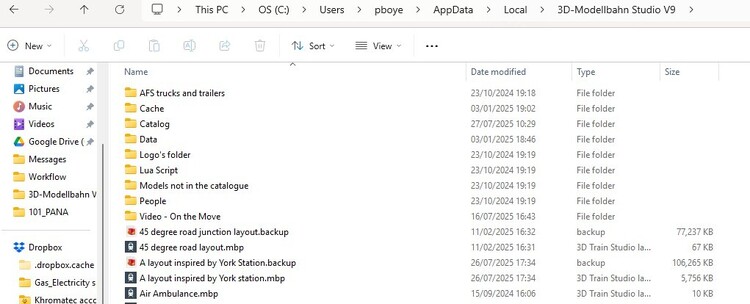
@Neo I'm curious, Several times during work on a layout I will both save and then export to the required file name. Clearly this is performed successfully because if I go into File Manager on my computer and select the file in question the information is absolutely up to date showing both the right time, date and amended file size. However if after completing the "export" save in the program I go back into "export" to check if the file has changed I can see that the file size has altered but the date and time of the save has not. For example. I might have saved the file this morning, 27/07/2025 at 10:15, but when I next go into the "export" section it is still showing a date of the 21/04/2025 15:38. In File Manager on my computer the date and time are perfectly correct. Is there a reason for this? In an effort to explain this difference I have attached 2 screenshots. I hope they help. Kind regards Peter
-
That sounds as though it would be a perfect solution. Fingers crossed that @Neo feel it a viable addition too. Cheers Pete
-
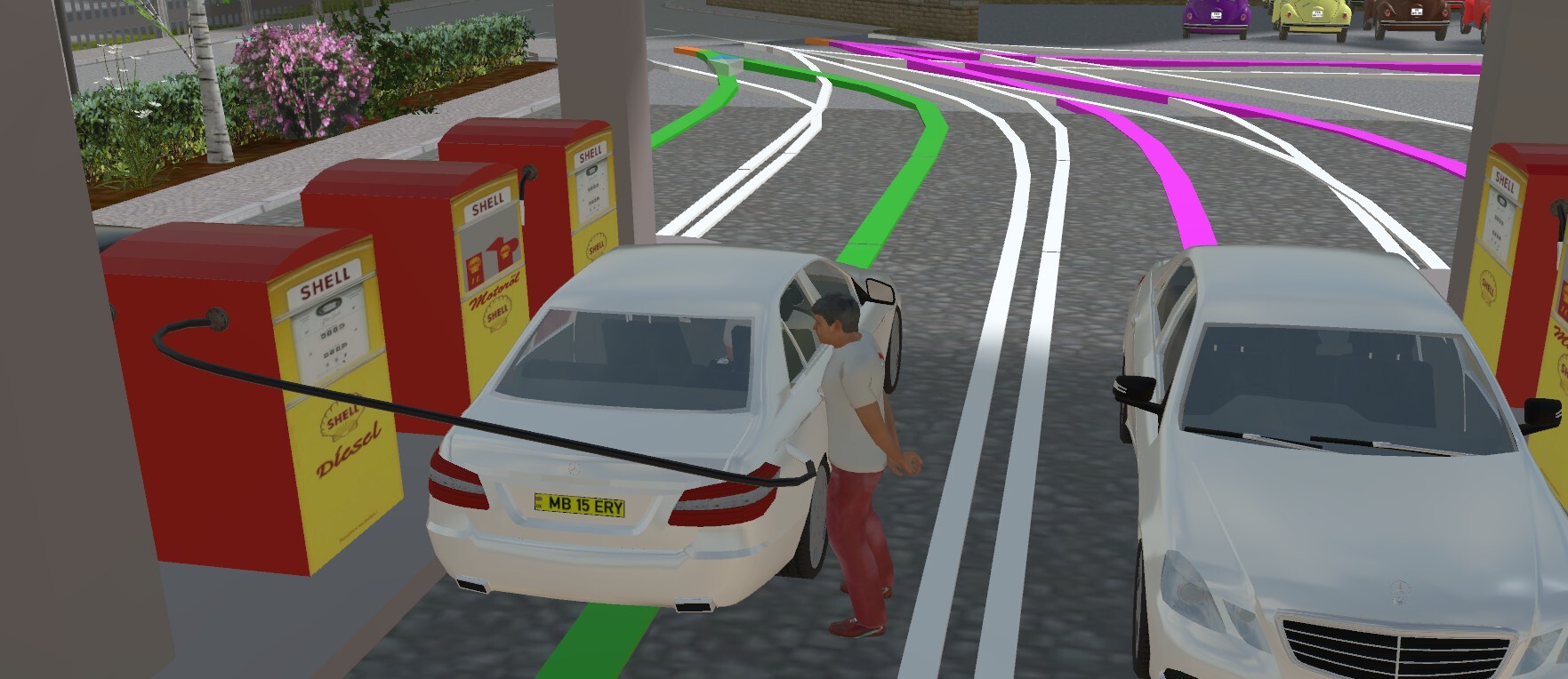
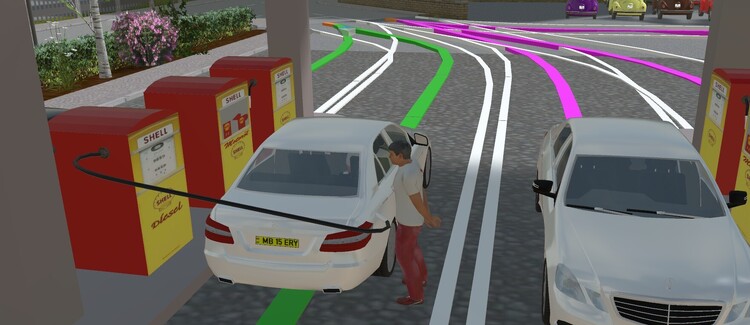
Dear fellow members In an effort to add greater realism to my layouts I have begun to use virtual track to simulate lengths of hose, either at a fuel station, see attached screenshot, or as water hose form hydrants or fire engines attending a fire. The only problem with this is that once you move from planning mode to simulation mode the virtual track completely disappears. Does anyone know if this can be reversed, or do you know of any other item in the catalogue that might be a suitable substitute. Thus far I have not been able to find an alternative. Kind regards Pete
-
Good afternoon Sualokink Very many thanks for taking the trouble to produce these stunning models in particular in right hand drive versions. Added to all of the other models you have created in right hand drive they help greatly to produce more realistic layouts for we minority members who drive on the left. The AEC Routemaster is iconic as you have mentioned, and as such lends itself perfectly to that of an open top city tour bus, whilst the Nbfl provides for a modern day to day city bus. Brilliant models, thank you. Pete
-
Thanks Wolfgang. I did ponder on just what I might need to change but as I was unsure I didn't want to make a mess of things. Now I can add yet more information to the old memory banks. Kind regards Pete
-
Hi Wolfgang Very many thanks for taking the trouble to provide me with a solution to my problem. It really is brilliant. Clearly the key is knowing, understanding and being able to execute Lua, something that I have no real understanding of. One element that I would like to change in your demo is the direction of rotation of the turntable owing to the fact that in my layout there are some old garages to the left of the fire engine so if this were to turn in the opposite direction it would miss these. All of that said I should also mention that a very good friend of mine has also provided me with a solution which also works perfectly and takes account of the garages. So now I have 2 solutions, both of which offer a different approach but nevertheless each has opened my eyes to alternative possibilities which will not only come in handy with this layout but will also help me greatly with other scenarios by enlarging my knowledge of how to approach certain problems, so once again very many thanks. Kind regards Pete
-
following on from my initial request and in an effort to clarify the issue. In properties for this model I need to be able to set Neigung to a 0.2 limit in forward motion, Drehen to 0.65 in forward motion and ausfahren to 0.2 also in forward motion. In the reverse operation all 3 need to reset to 0. Clearly this can be done in the properties window but I need to be able to make this happen via my EV and as yet cannot see how this can be done. I feel it must be possible otherwise what is the point of having these elements move in the first place, setting them manually rather defeats the object somewhat. All suggestions will be gratefully received Pete
-
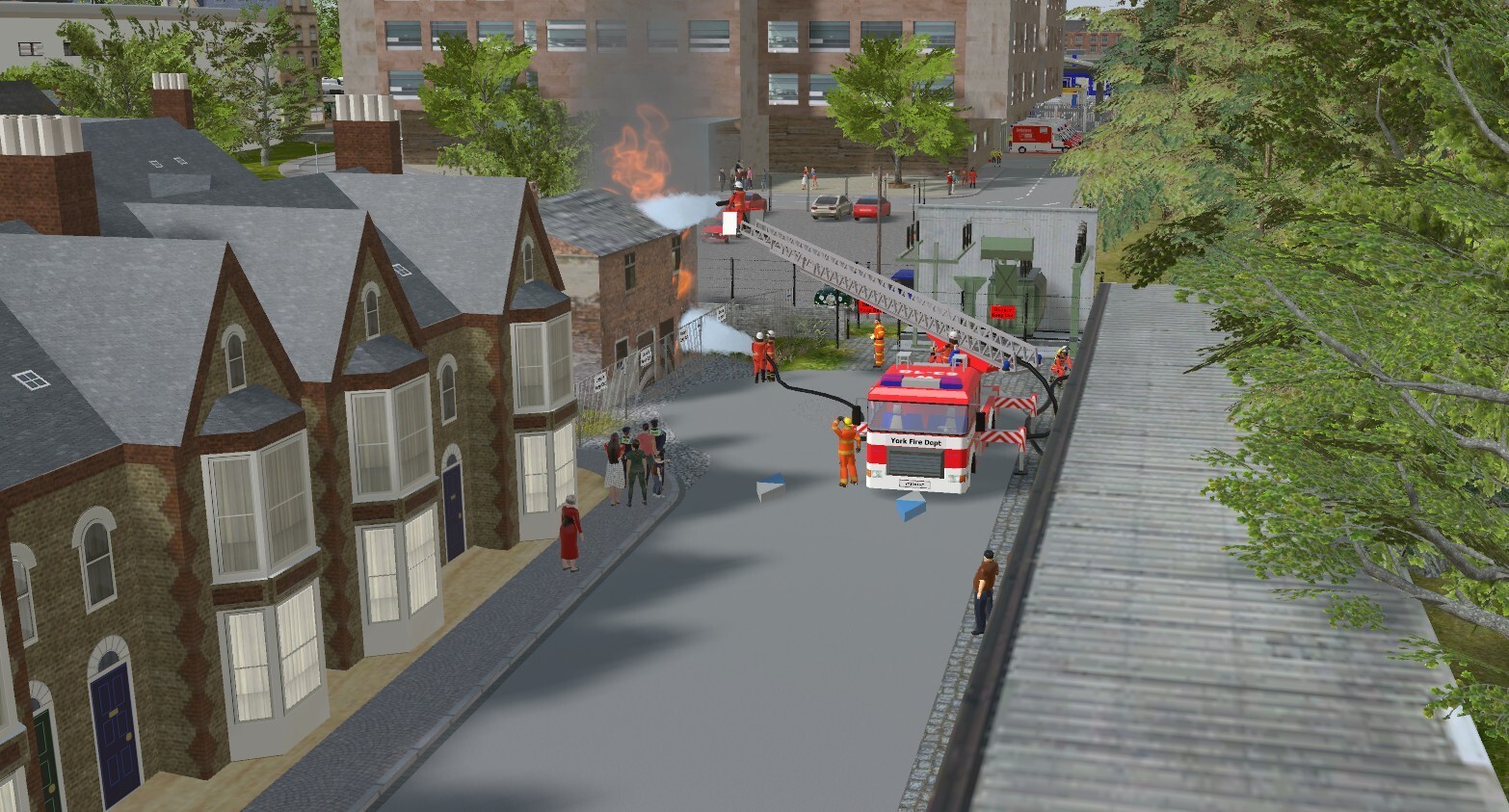
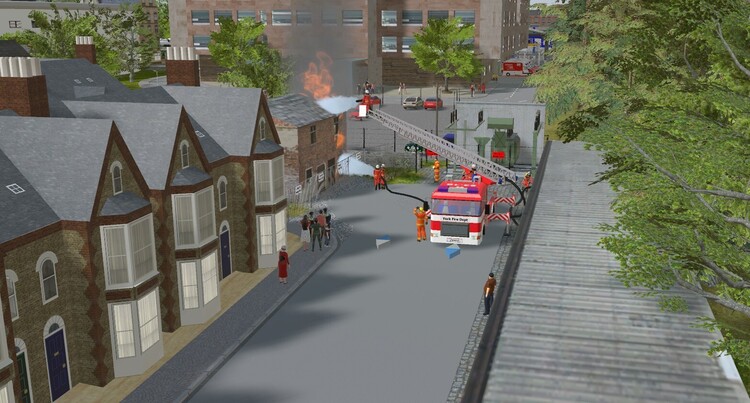
Hi In my present layout I am utilising, amongst others, model Fire Engine ladders 18 (by seehund). Whilst I can set each of the components manually to achieve the correct position for each component I cannot find out how to do this in my EV. Setting the out outriggers (stuetzen) is easy enough but I also need to set the following to specific points Drehen to 0.65, Neigung to 0.2 and ausfahren to 0.2. This then allows for everything to look right in the layout, see attached screenshot. I have attached a test layout for the purpose of getting this right but thus far without any success. If anyone can point me in the right direction I would be most appreciative. Kind regards Pete Fire engine test layout.mbp
-
Many thanks for the information. Once again I have learnt something today which will hopefully help me not to make the same mistake again. Best regards Pete
-
Hi Sualokink So I believe from HWB Berlin. I had noted that the model along with several others was accepted into the catalogue in September of last year. I am a little curious, was fmkberlin and seehund one of the same as both seem to add items to the catalogue on the same day or was that just a coincidence? Best regards Pete
-
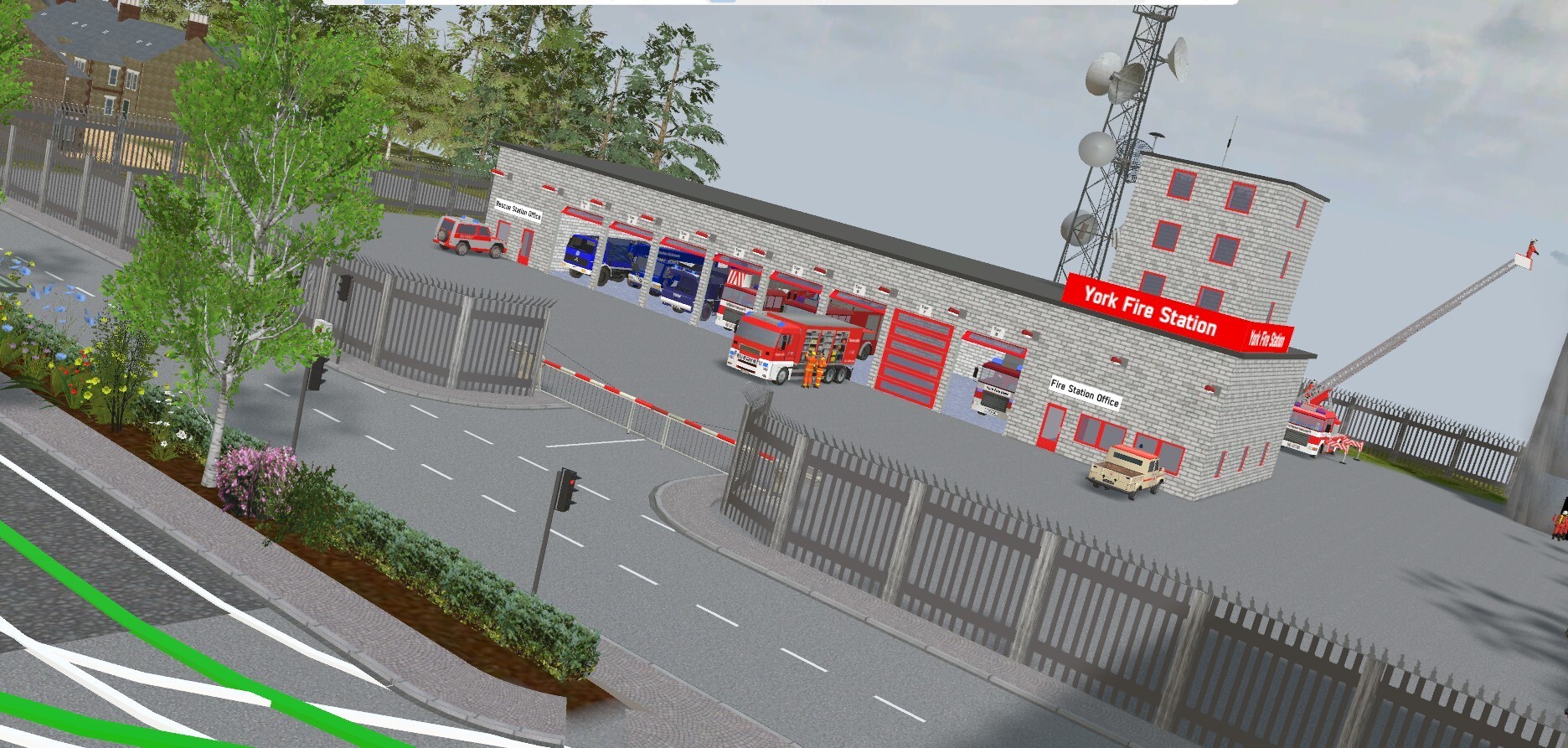
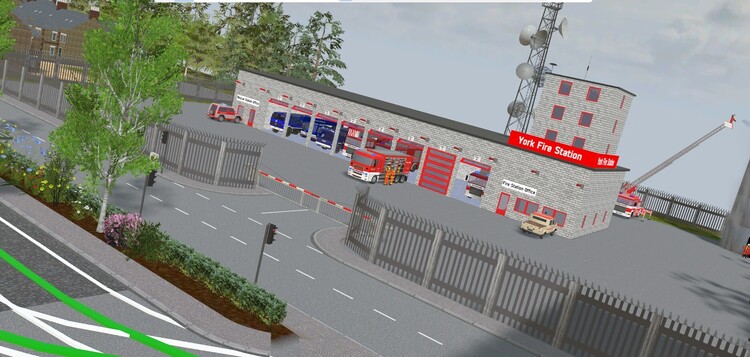
@seehund Hi I am using several of your great model fire engines in my current layout, see attached screenshot. This layout is based on road traffic utilising right hand drive and whilst I realise that I need to compromise using many of the models in the catalogue which are currently only left hand drive this is a fact that can easily live with, although @SualokinKhas very kindly provided me with several right hand drive versions of his wonderful models. Anyway I digress somewhat. The purpose for my message is to see if it would be possible for you to supply, I believe it is called "swap texture" for one of your fire engine models, the one mentioned above. I have managed to modify each of the others by using a text box below the front windscreen, as per screenshot, and to do the same for the number plates but I cannot do this for the WLF model so if there is any possibility of making the required change to this model as well that I would be most grateful. Living in hope. Kind regards Pete
-
Hi Sualokink Yet more great models from the Sualokink stable. As yet I have not had time to check them out fully but hopefully that will be rectified later this evening. I can now update my police station with additional modern equipment. As always a right had drive version would be perfect but then it's not a perfect world anymore!!!! Best regards Pete
-
Hi Goetz That's brilliant, many thanks. I thought I had looked at all possible options, clearly I had not. Anyway, onwards and upwards now, thanks. Kind regards Pete
-
Hi to all my fellow MBS enthusiasts. This may seem like a very basic question but can anyone please tell me how to enable or disable the steam particle for, example, the above loco, in Event Management. Clearly it is possible to manually do so in properties but I am wanting to do this automatically through the EV. Kind regards Peter
-
Thank you @Sualokink, thank you @Neo. All is now working perfectly. Best regards Pete
-
You and me both. I simply put it down to yet another senior moment, I have lots of those, but it does cover a multitude if things. Best regards Pete
-
Hi Sualokink I notice that the door mirrors have now been attached to the RS3 version and work perfectly when the doors open but as yet none of the doors work with the RH drive version. No doubt you have this in hand but just in case I thought it worth mentioning. Best regards Pete
-
Hi Sualokink Well you've doner it yet again. Another superb model to add to your ever growing stable of wonderful models. A special thank you for the right hand drive version which is very much appreciated. Best regards Pete
-
Hi Goetz I have also noticed that due to so much meddling with the Bentley I seem to have a train or two out of position. This has now been corrected. You will also no doubt have numerous large question marks for both 2 trains, their carriages and a couple of cars. If this is any issue I can supply the appropriate file to correct this anomaly. These are The Flying Scotsman, The Mallard, and 2 BMW cars. Kind regards Pete
-
Having looked into this I can see my mistake, it should be a number and not a keyword. The sole purpose for this TC is to stop vehicles entering the level crossing if the way ahead is not clear, i.e. if the traffic light 'A' Nunthorpe Road is red. I've now made the correction. Many thanks Pete
-
Thanks Goetz. My trouble is that I tend to get side tracked, have a great idea and then set about implementing it, not always to the best effect. Pete
-
Thanks Herman, yep I found that too by going back over everything. Kind regards Pete Thank you very much Goetz. That was meant to be the start point for the return of the Bentley to Low Wood but I will remove it for now and rethink at a later date. I am also looking into the event TC4a-additional crossing control. Kind regards Pete
-
Hi Goetz I do very much appreciate your offer of help. I do think I am beginning to overthink this problem. I have attached the layout along with the outward route shown. When I did a quick run through the Bentley failed to stop at the second junction as well as the traffic lights, but I only went that far before stopping. To start things off just set the speed for the Bentley to -8kph. Apologies for such an incomplete layout, it is very much a work in progress with alterations and improvements taking place all of the time. Kind regards Pete A layout inspired by York station.mbp
-
Hi Goetz Thank you so much for your solutions. As I'm sure you have already noticed Sualokink has also offered a similar solution and my reply to him is perhaps self explanatory. It never ceases to amaze me just how complex elements of MBS are. Having set the route in 4 parts following the advice from Herman I have found that sometimes it will work OK and on other occasions the section of route set is replaced by a route set for another vehicle. I am wondering if it might be prudent to remove the Bentley Cabrio and replace it with a completely new on to see if this might solve the confusion with the other routes. Anyway, much head scratching is now the order of the day in the hope that those little grey cells will stop dancing about and all line up with the correct, final, solution. Once again many thanks for your help. Kind regards Pete