Herman
Mitglieder
-
Benutzer seit
-
Letzter Besuch
Alle erstellten Inhalte von Herman
-
 Hello @Roter Brummer , sorry to come in, because here it works fine. It let you save/take/delete a certain brush with properties and give it a name. But maybe I'm wrong and you have another problem? Hallo Roter Brummer, entschuldige die Störung, aber hier funktioniert es einwandfrei. Man kann einen bestimmten Pinsel mit Eigenschaften speichern/aufnehmen/löschen und ihm einen Namen geben. Aber vielleicht irre ich mich und du hast ein anderes Problem? Regards, Herman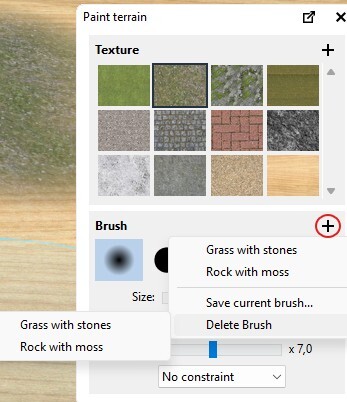
-
Hello @Rotti , Hello, if you took the original from fzonk as I did , you will see in the layers that there is an invisible one. ( with the red routes ). If you make this layer visible, and then group, if you then make the same layer invisible, the whole group will dissapear. Probably it has something to do with that ? Or not ? Greetings, Herman Hallo Rotti, Hallo, wenn Sie wie ich das Original von fzonk genommen haben, werden Sie in den Ebenen sehen, dass es eine unsichtbare Ebene gibt (mit den roten Routen). Wenn Sie diese Ebene sichtbar machen und dann gruppieren und anschließend dieselbe Ebene wieder unsichtbar machen, verschwindet die gesamte Gruppe. Wahrscheinlich hat das etwas damit zu tun? Oder nicht? Viele Grüße, Herman

-
Hallo Ralf, schön, dich wiederzusehen. Alles Gute für deine Gesundheit. Viele Grüße, Herman.
-
Herman
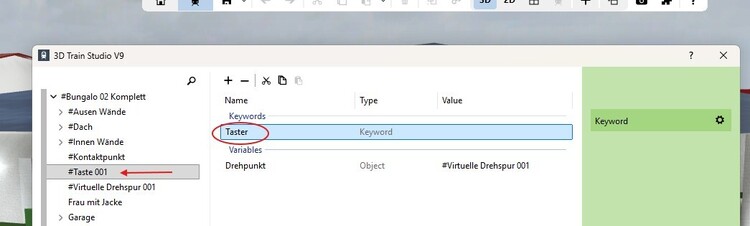
-
Hello @Leslie , they are not identical, in the upper circle the Track 1/1 and Track 1/2 are connected with the other circular tracks. In the other circle they are in overlay. So the circular tracks there are connected themselves. Greetings, Herman Upper Lower
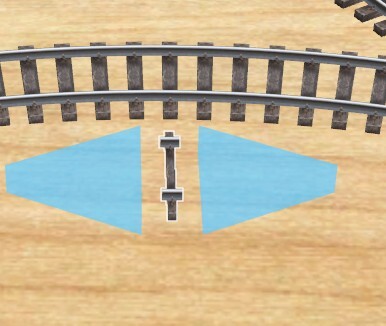
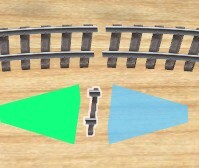
-
Wenn möglich , Herman Vielleicht gibt es eine einfachere Methode, um einen Zuggeräusch von einer bestimmten Geschwindigkeit an zu verändern. Aber warum Ihr Geräusch mit einer bestimmten Abspielzeit nicht funktioniert, kann ich nicht lösen.
-
Hallo @Leihe , Ich habe es (in V9 und V7) mit verschiedenen Sounds aus dem Katalog ausprobiert, und es scheint immer zu funktionieren. Aber Sie sagten, dass die Probleme mit Ihren Sounds auftraten – wenn sie eine bestimmte Zeit lang abgespielt werden, bevor sie sich wiederholen. Das liegt außerhalb meines Wissensbereichs. Mit freundlichen Grüßen, Herman
-
Entschuldigung, ich habe immer noch nicht genügend Informationen zu Ihrem Problem. Könnten Sie vielleicht das Layout als Entwurf beifügen? (Ich behaupte nicht, dass ich das Problem lösen kann, aber ich denke, dass auch andere Nutzer etwas mehr Informationen benötigen.) Mit freundlichen Grüßen, Herman
-
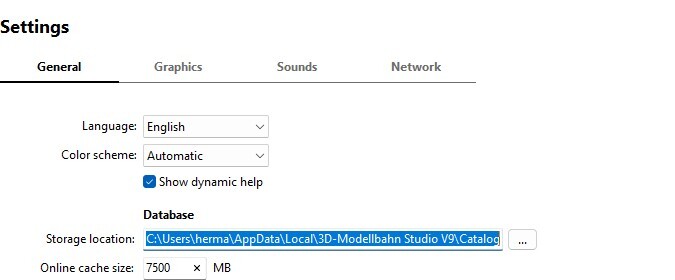
Hello @220hotwheels , Pete, C:\Users\herma\AppData\Local\3D-Modellbahn Studio V9\Cache Or start : Greetings, Herman
-
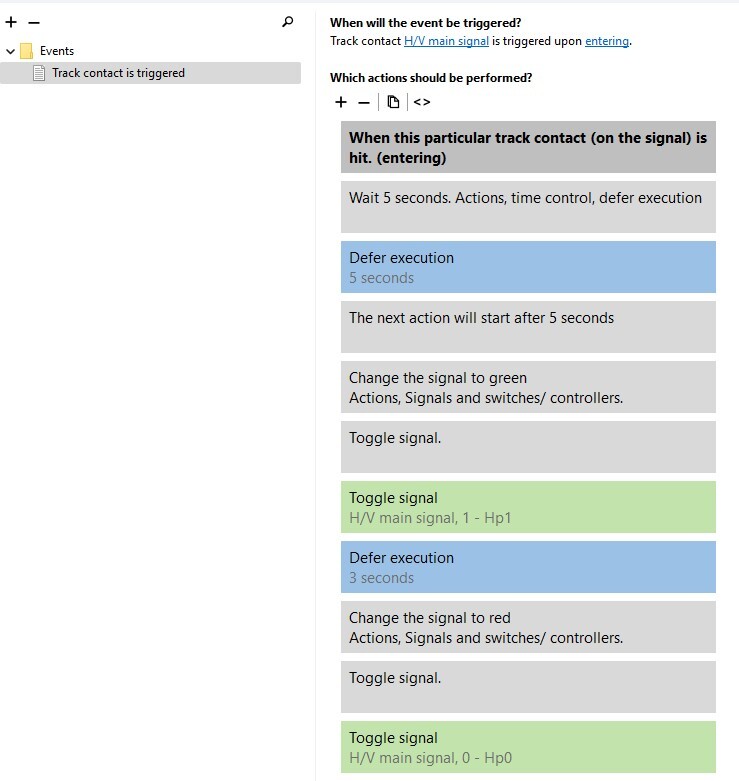
Hallo @Leihe Ist es möglich, den Ereigniscode anzuzeigen, wenn der Timer „Impuls“ abläuft? Ich vermisse dieses wahrscheinlich wichtige Ereignis in Ihren Bildern. Grüße, Herman
-
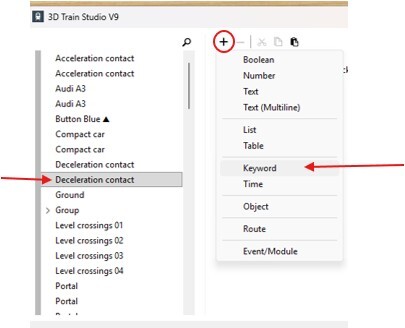
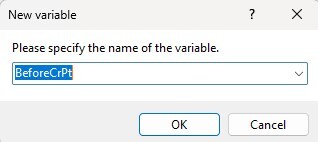
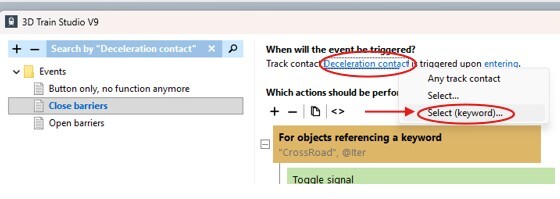
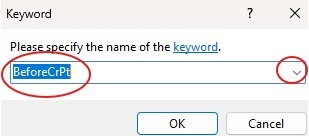
Hello members. This was finished this weekend, I hesitated to place it still , so why not? For beginners only. First take my last layout; rename and save. Something about keywords. We have seen that a keyword is used in the repetition “for objects referencing a keyword”. But the power of a keyword goes beyond this. In stead of let the event management check if something is happening on an object ( example Track Contact is triggered ), it is possible to let it work on all objects with a certain keyword. The following is an illustration of this principle, we will use in our barriers problem. Give the deceleration contact a keyword. Name it BeforeCrPt. Give the acceleration contact a keyword. Name it AfterCrPt. Go to the event in the EM ( EV in German ), Close Barriers. Click on the object (Deceleration contact ) , choose select keyword, then choose the correct keyword name. Do the same for for Open Barriers, with the correct keyword. ( AfterCrPt ) Copy the deceleration contact and paste it on the other rail far enough from the crossing. Copy the acceleration contact and paste it on the other rail just after the crossing. Congratulations, the code that you wrote only once for closing the barriers, works now for each track contact with that keyword. The same for opening the barriers. There is only one incoming train at the same time in this layout. So it works. From the moment that an incoming train is still coming, and an outgoing train opens the barriers, it goes wrong. The solution is counting the incoming trains ( +1 to a variable when entering , -1 when leaving ), and only open the barriers if no incoming trains are there. But I'm not going to handle that for the moment. Kind regards, Herman Stephen 04 Barriers.mbp
-
Hello @Neo , in this locomotive the pantograph goes up and down if you use the integrated switch, because that switch restarts every time the repetition in animation. Only reporting, not urgent. Kind regards Herman B16C0ED5-2A74-4596-A16F-B0DC54BD7F40
-
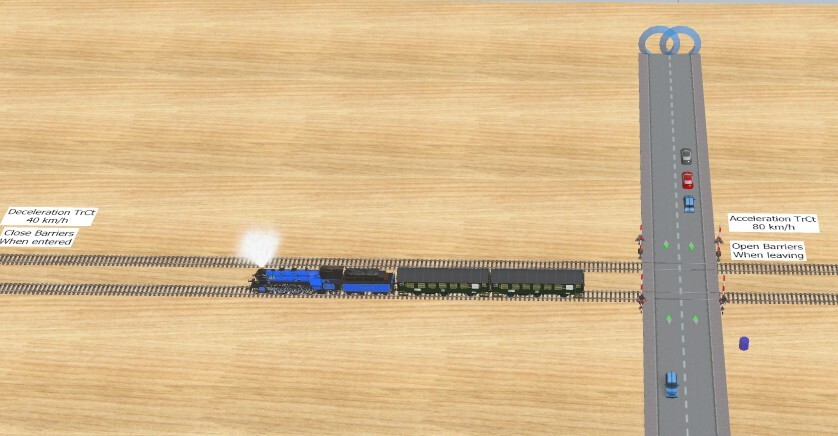
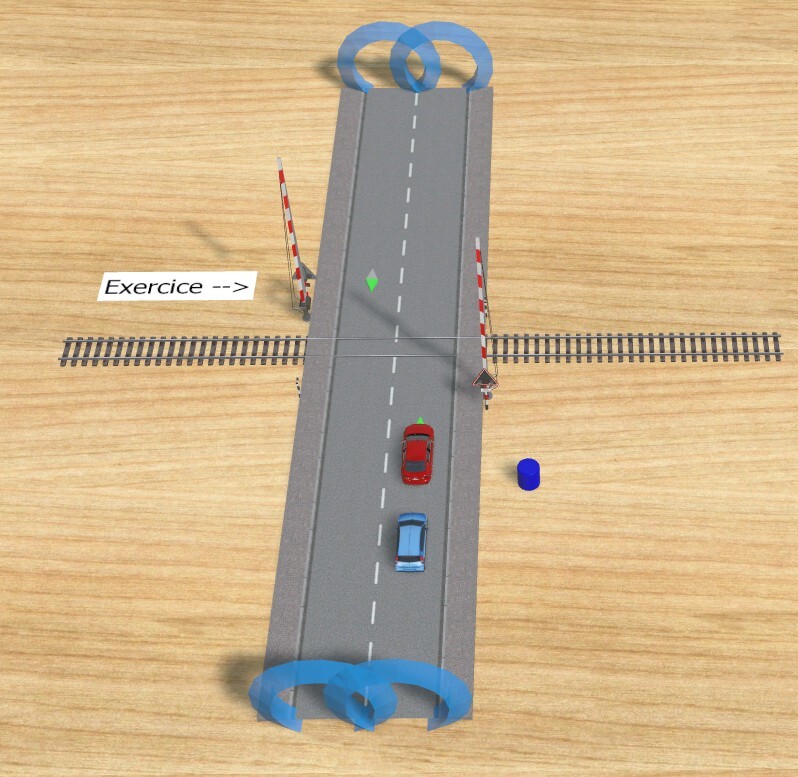
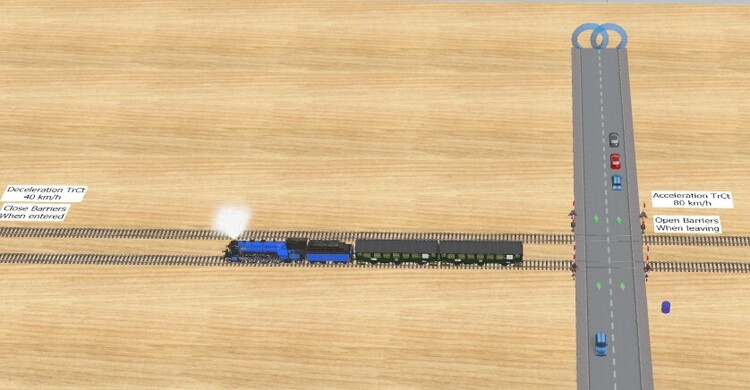
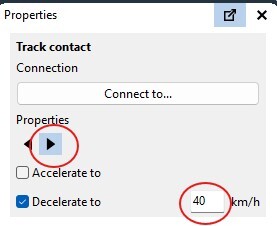
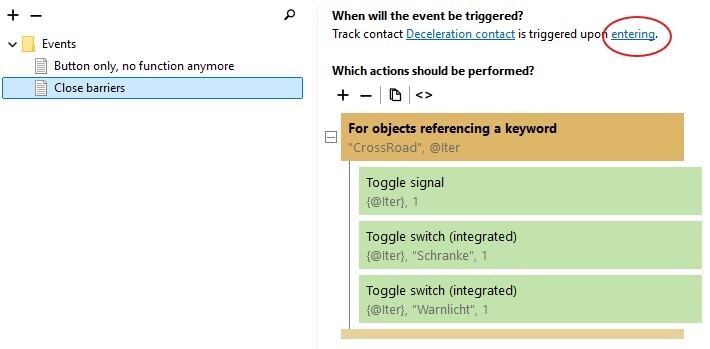
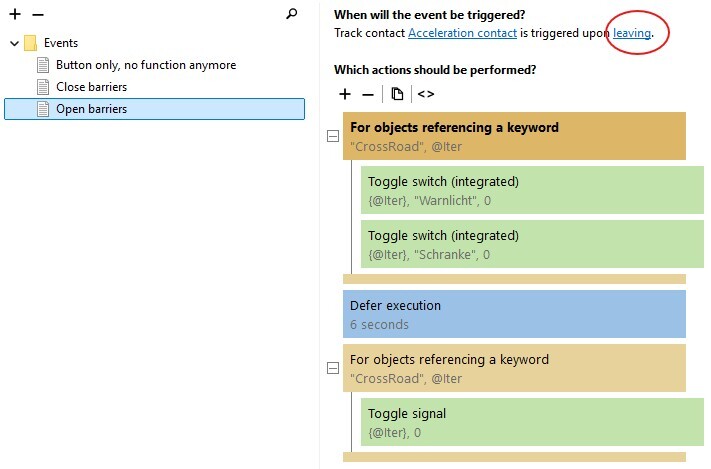
Hello @220hotwheels Pete, thanks for the support. Hello @swcurrill , Stephen. It is always ok you come back to the forum with a question. You certainly get help here. I go on with my step by step approach. And will even explain how we can get the job done with two rails later. So I prepared this next, I will come back with more. Here we go. --- First take my last layout; rename and save. Place a second rail on the crosspoint and adjust the barriers. Connect the rails by portals on both sides. ---- Place a deceleration contact long before the crossing ( 3D models – Online Catalog – Keywords – Track Contact ) Open the properties of that contact, change to Decelerate to 40 km/h. We want only one side of the contact to work, so use the correct side. This is only to decelerate the incoming train, so the barriers have all the time to close. ( the further the contact, the less you need this, even a normal TrCt can be used ) Code for the deceleration contact. Right click on that contact and choose events, new, track contact is triggered. If the train triggers this contact when entering the barriers should close. Go to the code already there for opening/closing the barriers (button). The closing is the second part of the condition. Clik left on “For objects referencing a keyword” hold down the left mouse button and drag this to your new event. Change the name of the event in Close Barriers, and done. Did you see by moving the title, the inner part of the repetition moves also. ---- Place an acceleration contact on the rail just after the crossing. This is default on Accelerate to 80 km/h, leave it like that for now. If you did not use the deceleration before, a normal TrCt could do the job also. Code for the acceleration contact. Right click on that contact and choose events, new, track contact is triggered. If the train triggers this contact when leaving the barriers should open. Go to the code for opening/closing the barriers (button). The opening of the barriers is the first part of the condition. This time you have to move the "for" (brown), the time delay (blue) and the second "for" in that order to your new event. Change the name of the event in Open Barriers, and done. Put a train on the rails and test. For now only one side is working. Kind regards Herman Stephen 03 Barriers.mbp That's a pity, said a nearly 75 years old Herman. Posted this and then saw your decision later. I respect your decision. The 3D studio has so much to learn, and the learning curve is steep and takes a lot of time. But it is worth learning. Have a nice sunday, Some advice: Start with little things on an empty layout and try them out. Problems with German, use Google or Deepl translate to look something up. Always try out the possibilities of objects manual, before programming in the EV.
-
Hello @swcurrill , Stephen. It is difficult to know how far you already are at this moment. Opening closing one barrier with a button, Ok ? Opening closing 4 barriers with a button, Ok ? If both "Ok", do you only want how you can replace the button with track contacts for an incoming/outgoing train? But they are essential to react on an incoming/outgoing train. I think it is better that you export your system or the part with the crossing, and share it on the forum, so we can see what goes wrong. I see in the picture that you already have two rails on the cross road. Well that is of course beyond the beginners level. I can give you an easy to use solution, 08C870F5-EF37-4E02-A5B6-0454D1E4EBAC but is that what you want ? I thought you are also looking at understanding. However to help, I shall made a little demo that does this for a crossing with one rail. ( but not this evening) Kind regards, Herman Do not use Animations as in your second picture, use integrated switches.
-
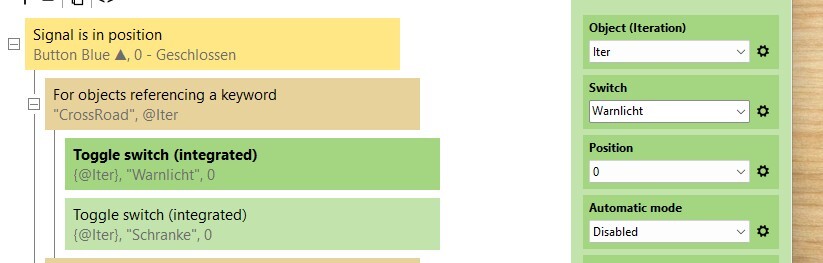
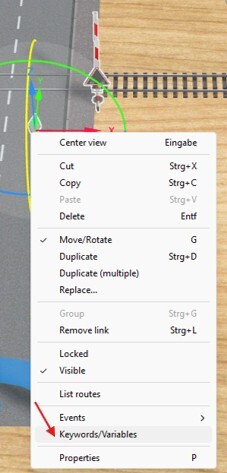
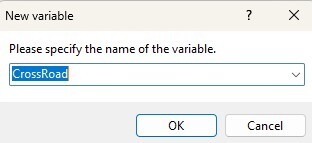
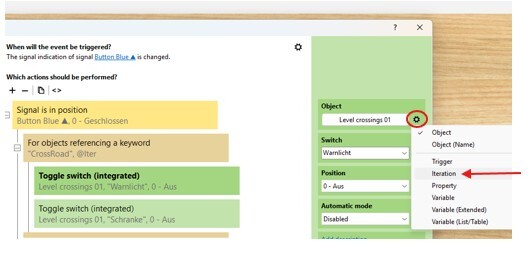
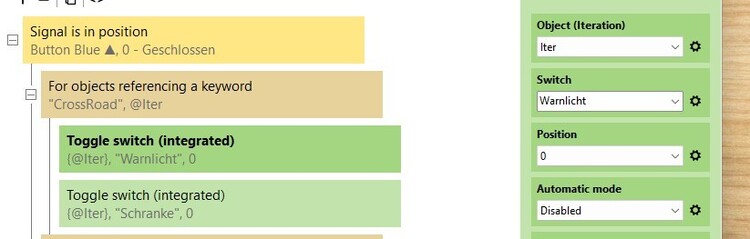
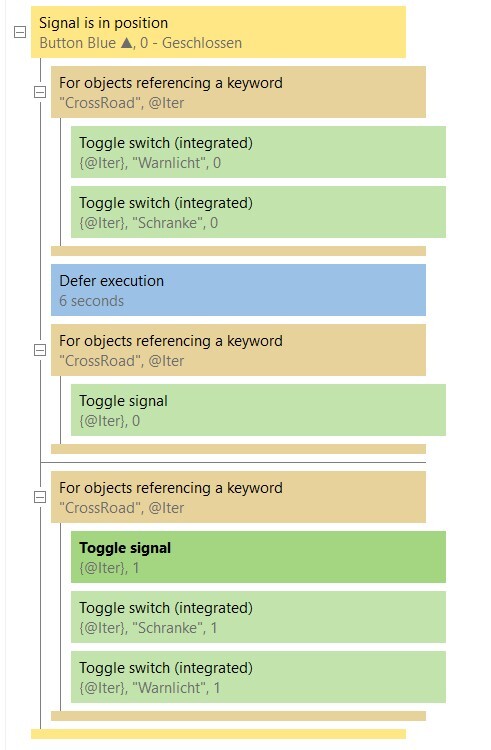
Hello @swcurrill , Stephen, Hello Stephen, only read this if you are ready understanding the previous code above. This is an answer to your main question : handle 4 barriers together. --- This solution uses a keyword. A keyword is a special variable on an object. It can be used in a repetition, so that all actions are done on objects with the same keyword. And you have to write those actions only once inside the repetition. -- Take my demo above, save it under a new name, and delete the second barrier. Keep the EV. Change in the properties of the barrier the variation , so that it is an half barrier. --- Click right (mouse button) on the barrier and choose keyword and variables, give it a name. --- Done. --- Now use duplicate multiple to create 3 other simular barriers. The keyword is copied automaticly. Now all four have the same keyword. Change Variations (2x right, 2x left) --- You need a repetition (iteration). For objects referencing a keyword. And an iteration name, here Iter. For objects referencing a keyword, starts a repetition, that handles each object with that keyword one by one, until all are done. The name of the iteration is given. (here Iter, you can take another name, leave it for now). In each repetition, the iteration Iter is replaced by an object with the specific keyword. The system does that. A repetition has a start (title) and end (end line) in brown. The actions between are subject of the repetition. Change all objects (Level Crossing 01 ) in the actions (for the repetition) by the iteration name Iter. Alert !!! Since defer execution is not allowed inside a repetition, we need the "For objects referencing a keyword" more than once in this case. Result: Just place the four barriers on the road. Have fun testing. Stephen 02 Barriers.mbp Greetings, Herman



-
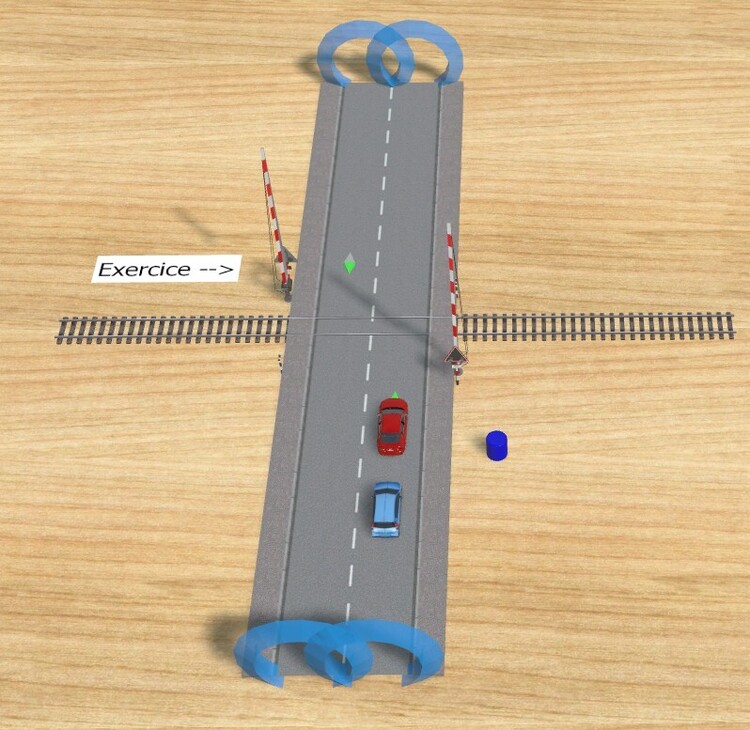
Hello @swcurrill , Stephen. You asked me in P.M. for some help to open/close barriers on a crossing. I made this one. ( I cannot attach something in P.M, but who knows some other beginner can also benefit from it here in the forum.) Of course you can always come to the forum directly. Many members are here to help you. Here we go. For start I used a button, and took the crossing barriers made by @Roter Brummer as an example. Stephen Barriers.pdfRead this one as explanation. Stephen Barriers.mbp Good luck, and always happy if you can give feedback if it works. Kind regards, Herman
-
Hello @RoniHB , I do like your crane very much, and hope it makes it to the catalogue. I tested it manual and with a little demo. Thank you for the model RoniHB Crane.mbp Hallo RoniHB mir gefällt Ihr Kran sehr gut und ich hoffe, dass er es in den Katalog schafft. Ich habe ihn manuell und mit einer kleinen Demo getestet. Vielen Dank für das Modell. Regards, Herman
-
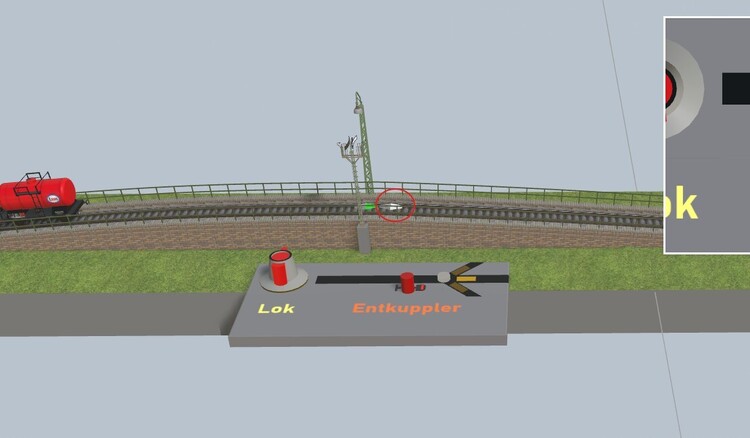
Hello, I do not say this is an optimal solution for what Phrontises mentioned. But no EV needed, and you can stop the whole train when you want to. A second track contact connected to the same signal, with specification for delerate. (none for accelerate). --- Hallo, ich sage nicht, dass dies eine optimale Lösung für das ist, was Phrontises erwähnt hat. Aber es wird kein EV benötigt, und man kann den ganzen Zug anhalten, wann man will. Ein zweiter Gleiskontakt, der mit demselben Signal verbunden ist, mit der Spezifikation für Verlangsamung. (keine für Beschleunigung). Entkuppler.mbp Kind regards, Herman

-
Hallo, Sie werden seit V9 abgebaut. Die vorhandenen sind dazu da, mit früheren Versionen kompatibel zu bleiben, die Animationen enthalten. Kind regards, Herman
-
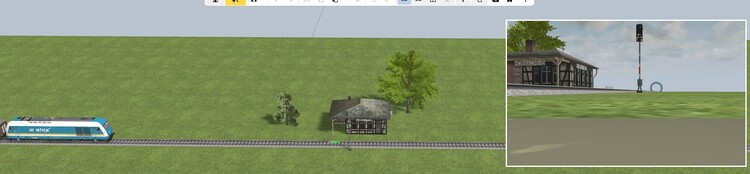
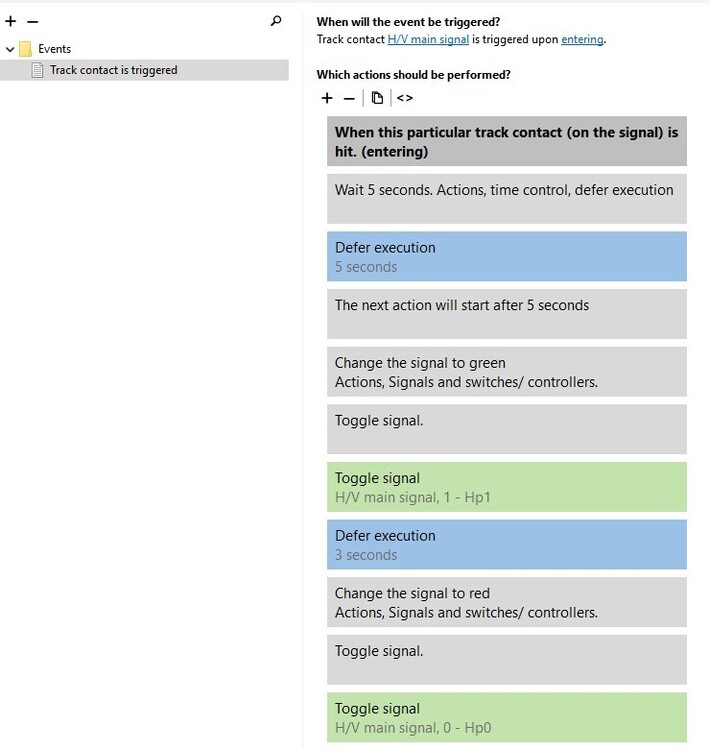
Hello @swcurrill , as Goetz said you can use a signal for that purpose. Since you are a beginner, here an example, with a signal. Try to study this. It is a pure beginners solution + explanation inside. Feel free to ask more, the members here will certainly help you. Stop and start with signal.mbp Kind regards, Herman
-
Thank you @Neo , and so quick. And of course I will use the house again. Kind regards, Herman
-
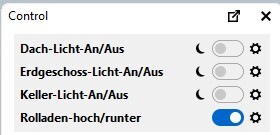
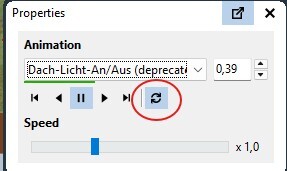
Hello, I saw that @fmkberlin was last here in nov 2023 so I come to the forum. I want to use the new light effects on this house, so that the lights go on automaticly at night. Because of the existing animation, there are unwanted blinking lights. So I set the repeat sign off. At that moment it is ok. Now switch to day. Switch back to night again blinking. Can someone change that in this model ? ( I am clearly not looking at a solution using the old animation here) I replaced the house by another in my layout. Hallo, ich habe gesehen, dass Fmkberlin zuletzt im November 2023 hier war, deshalb bin ich ins Forum gekommen. Ich möchte die neuen Lichteffekte für dieses Haus verwenden, damit die Lichter nachts automatisch angehen. Aufgrund der vorhandenen Animation gibt es unerwünschte blinkende Lichter. Deshalb habe ich die Wiederholungsfunktion ausgeschaltet. In diesem Moment ist alles in Ordnung. Jetzt wechsle ich zu Tag. Wenn ich wieder zu Nacht wechsle, blinken die Lichter erneut. Kann jemand das in diesem Modell ändern? (Ich suche hier eindeutig keine Lösung mit der alten Animation.) Ich habe das Haus in meinem Layout durch ein anderes ersetzt. Übersetzt mit DeepL.com (kostenlose Version) 1BB07A3F-81B0-4203-824C-C0566A1C2904 model Regards, Herman
-
??? Ich habe meine V9 auf Deutsch umgestellt, nicht gefunden. ??? Vielleicht kann jemand anderes helfen? Grüße Herman
-
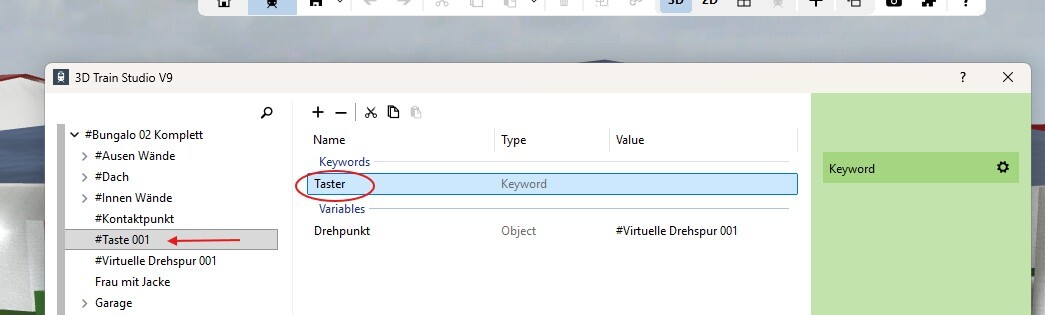
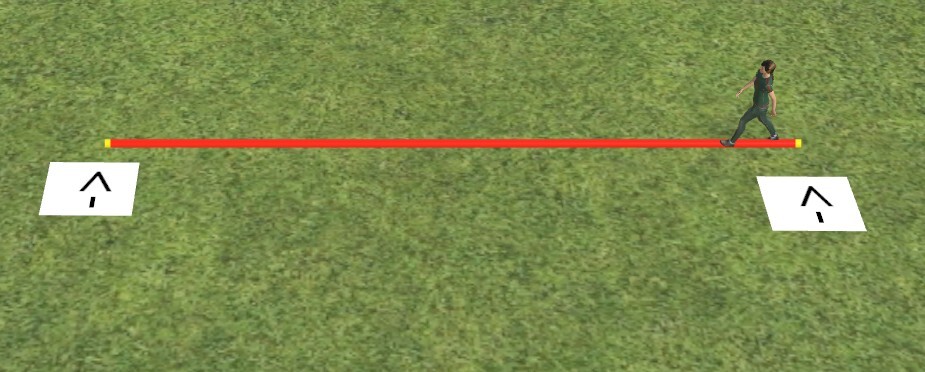
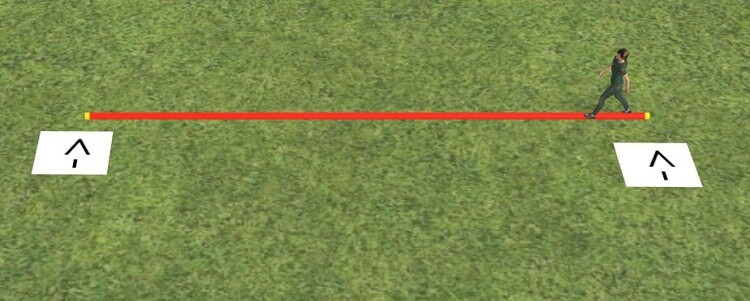
I think I learned it from Roter Brummer. Herman turn around.mbp
-
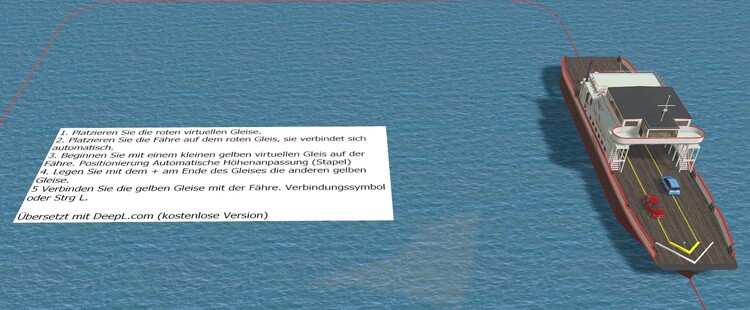
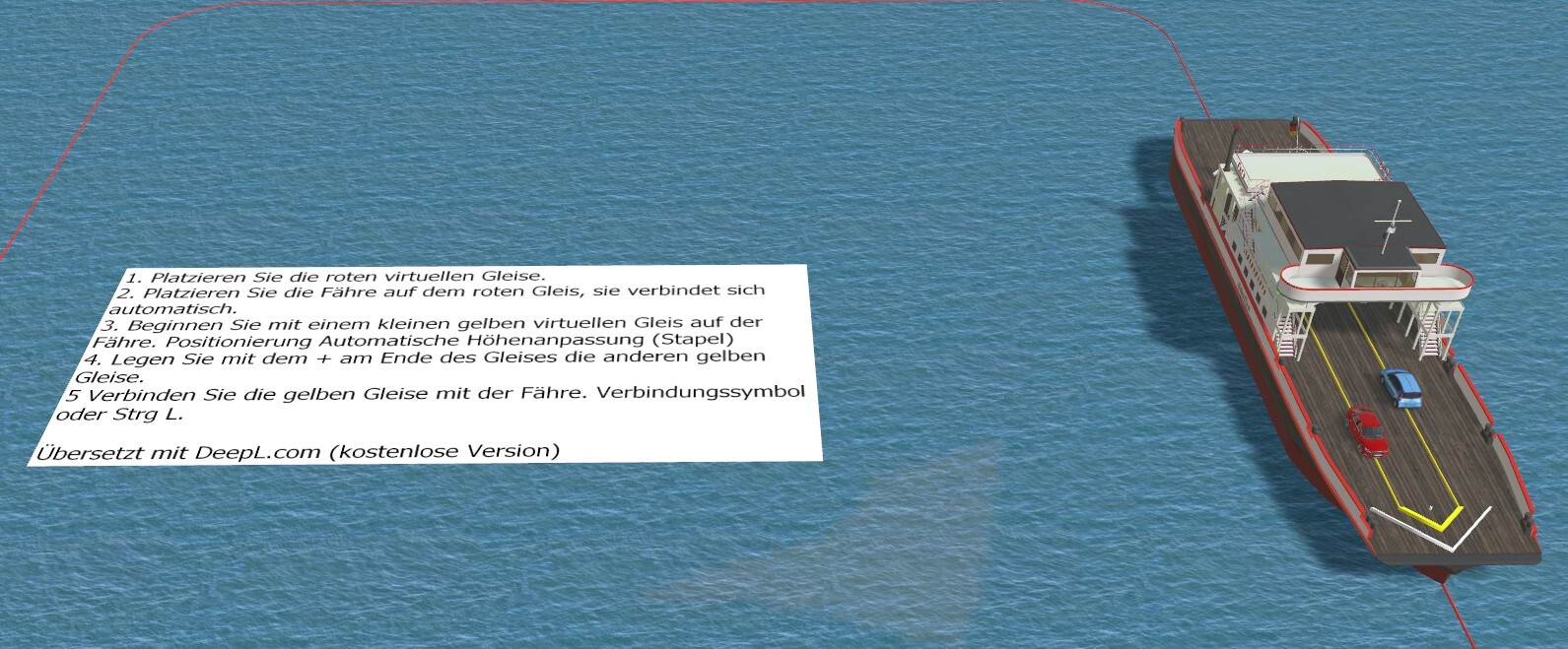
Hello @kurt-vogt , we can only guess what you are doing wrong. So please give us more information. In the mean while, does this help ? Hallo Kurt-Vogt, wir können nur vermuten, was Sie falsch machen. Bitte geben Sie uns daher weitere Informationen. Hilft Ihnen das in der Zwischenzeit weiter? Ferry.mbp Herman