Herman
Mitglieder
-
Benutzer seit
-
Letzter Besuch
Alle erstellten Inhalte von Herman
-
 Thank you @Goetz It is the hard stop indeed that caused this in pause mode. But even if we wait after the hard stop sufficient time the effect remains. Danke @Goetz Es ist tatsächlich der harte Stopp, der dies im Pausenmodus verursacht. Aber auch wenn wir nach dem harten Stopp genügend Zeit warten, bleibt der Effekt bestehen. Regards, Herman Just saying. How did I came to this : I was testing, 3 trains running. But some of them came to a critical test point. So I paused, then gave the hard stop ... I did not want to restart global animation because they then are not in the right place anymore. Then I wanted some of them to go in the other direction, before running again. Ich sage es nur. Wie ich dazu gekommen bin: Ich war am Testen, 3 Züge liefen. Aber einige von ihnen kamen an einen kritischen Testpunkt. Also habe ich eine Pause gemacht und dann den harten Stopp gegeben ... Ich wollte die globale Animation nicht neu starten, weil sie dann nicht mehr an der richtigen Stelle sind. Dann wollte ich einige von ihnen in die andere Richtung fahren lassen,
 -
Hello, probably not related to this Beta release, but V8. Not important , just saying. With the tacho for vehicles speed control, you cannot change the direction if the overall animation is not on. All the other actions on the tacho work with overall animation off. Hallo, wahrscheinlich nicht im Zusammenhang mit dieser Beta-Version, aber V8. Nicht wichtig, ich sage es nur. Mit dem Tacho für die Fahrzeuggeschwindigkeitskontrolle kann man die Richtung nicht ändern, wenn die Gesamtanimation nicht eingeschaltet ist. Alle anderen Aktionen auf dem Tacho funktionieren bei ausgeschalteter Gesamtanimation. Regards, Herman

-
Hello, very nice idea. Hallo, eine sehr schöne Idee. Grüße Herman.
-
Hello V8 ( and V7 ) are more than worth it, especially for landscaping. But before your decision, take a look at WIKI, or search for some interesting videos about landscaping, when V7 was introduced. Regards, Herman Hallo V8 ( und V7 ) sind mehr als lohnenswert, vor allem für den Landschaftsbau. Aber bevor Du Dich entscheidest, schau mal ins WIKI, oder schau Dir ein paar interessante Videos über Landschaftsbau an, als V7 eingeführt wurde. Mit freundlichen Grüßen, Herman Here is another, look at this video from Roter Brummer. Splendid. You will see why V8 V7 is fantastic. And apart from landscaping there is many more to discover. Hier ist ein weiteres, sehen Sie sich dieses Video von Roter Brummer an. Hervorragend. Sie werden sehen, warum V8 V7 fantastisch ist. Und neben der Landschaftsgestaltung gibt es noch viel mehr zu entdecken.
-
Hello @Goetz , thanks for the tip. But very difficult for me. ( you mean a video capture I guess ). I can work for hours and hours and then suddenly it happens. ( regular but not often ). And I did not want an immediate answer for the error, if it seems so, well I apologize. On the other hand the strange effect I noticed with the limit, I did report it in detail how I reproduced it. So I'm still wondering if someone else can reproduce it too. Hallo @Goetz , danke für den Tipp. Ist aber sehr schwierig für mich. ( Du meinst wohl eine Videoaufnahme ). Ich kann stundenlang arbeiten, und dann passiert es plötzlich. ( regelmäßig aber nicht oft ). Und ich wollte keine sofortige Antwort auf den Fehler, wenn es so aussieht, entschuldige ich mich. Andererseits habe ich über den seltsamen Effekt, den ich bei der Begrenzung festgestellt habe, ausführlich berichtet, wie ich ihn reproduziert habe. Ich frage mich also immer noch, ob jemand anderes es auch reproduzieren kann. Glad to hear, but I surely did not doubt that. Only, I thought ( probably I am wrong ) that with the report a kind of dump code was sent to investigate. Probably not ? Kind regards, and always very happy with a reply. Herman Freut mich zu hören, aber ich habe das sicher nicht bezweifelt. Nur dachte ich (wahrscheinlich irre ich mich), dass mit dem Bericht eine Art Dump-Code zur Untersuchung geschickt wurde. Wahrscheinlich nicht ? Mit freundlichen Grüßen, und immer sehr froh über eine Antwort. Herman
-
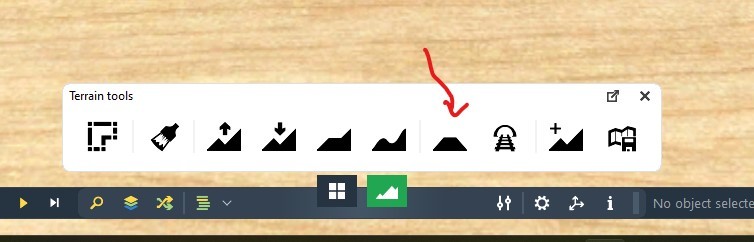
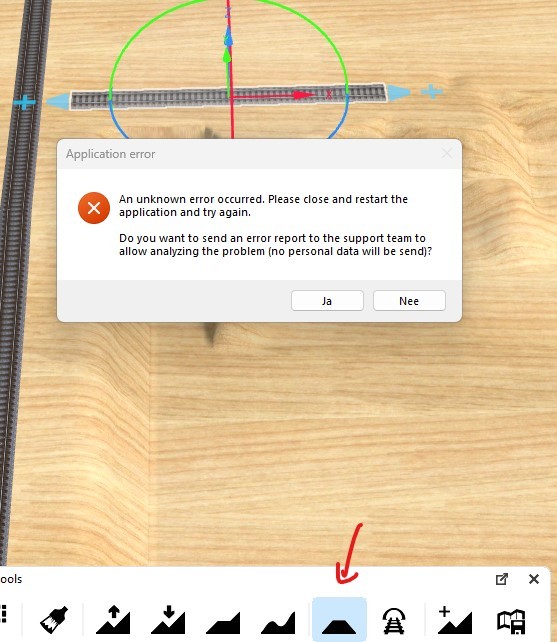
Hello members, I did send this report a few times to the studio because I have it regular when changing the terrain with terrain tools. By the best of my knowledge I used this tools in my new V8 layout, and mostly it works flawless. The V8 is not killed, and you can work in the same layout at the same place. Even if I did the same immediatly after, it works. So no clue what it is, and I cannot reproduce it either. Hallo Mitglieder, ich habe diesen Bericht ein paar Mal an das Studio geschickt, weil ich ihn regelmäßig beim Ändern des Geländes mit den Geländewerkzeugen habe. Meines Wissens nach habe ich diese Werkzeuge in meiner neuen V8-Anlage verwendet, und meistens funktioniert es einwandfrei. Der V8 ist nicht tot, und man kann im gleichen Layout an der gleichen Stelle arbeiten. Auch wenn ich das gleiche direkt danach gemacht habe, funktioniert es. Ich habe also keine Ahnung, woran es liegt, und ich kann es auch nicht reproduzieren. And it is weekend, see you again later. Have a nice evening. Regards, Herman. Und es ist Wochenende, wir sehen uns später wieder. Einen schönen Abend noch. Viele Grüße, Herman
-
Hello, am I alone with this effect ? A little reaction maybe ? I will give short a more extreme variant. If you lower an higher terrain to limit 0. Then try to raise another piece of terrain to limit 50. Does not work. The 0 overrides your 50. ( Only the detatched window has this effect - and of course you can use "ENTER" as a solution. ) Regards, Herman Hallo, bin ich allein mit diesem Effekt? Vielleicht eine kleine Reaktion ? Ich werde kurz eine extremere Variante geben. Wenn man ein höheres Terrain auf die Grenze 0 absenkt. Dann versucht man ein anderes Geländestück auf Limit 50 zu erhöhen. Funktioniert nicht. Die 0 übersteuert deine 50. (Nur das abgetrennte Fenster hat diesen Effekt - und natürlich kann man "ENTER" als Lösung verwenden. ) Mit freundlichen Grüßen, Herman
-
Hello, a strange effect. If you use terrain tools to raise or lower the terrain with a limit. If you do this with a detached window * ( brush size - strenght - limit ) the previously chosen limit will override yours. I can reconstruct it. I'm currently trying to write a scenario, so you can repeat it too. * The strange effect is not there with the fixed window. Only here at my home ? V8-Win11. Hallo, ein seltsamer Effekt. Wenn man mit Geländewerkzeugen das Gelände mit einem Limit anhebt oder absenkt. Wenn man dies mit einem abgetrennten Fenster * ( Pinselgröße - Stärke - Limit ) macht, wird das vorher gewählte Limit überschrieben. Ich kann das rekonstruieren. Ich versuche gerade, ein Szenario zu schreiben, damit man es auch nachmachen kann. * Der seltsame Effekt ist bei dem festen Fenster nicht da. Nur hier bei mir zu Hause ? V8-Win11. Greetings. Grüße, Herman Solution : if you use "enter" the new value is accepted for the limit. In the fixed window typing is enough. Lösung: Wenn Sie den neuen Wert mit "Enter" eingeben, wird er als Grenzwert akzeptiert. In den festen Fenster genügt das Tippen. Example. Fresh layout, model railroad. Terrain tools ( F8 ). Use raise terrain. ( I took the square. ) Raise a piece of terrain with a limit ( I took 50), make first sure that the window is fixed. Now detach the window and place it elsewhere. Change the limit to a lower one ( I took 25 mm ) Do not use the “ENTER”. Raise another piece of terrain -> the previous 50 override yours.
-
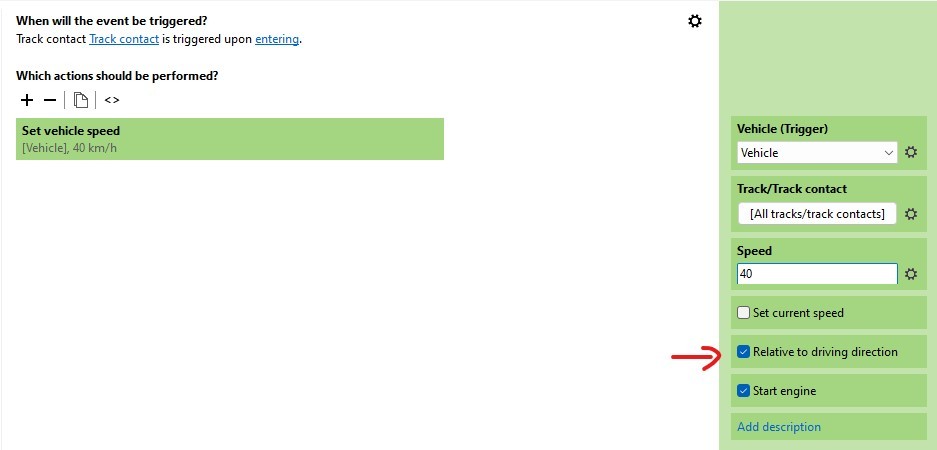
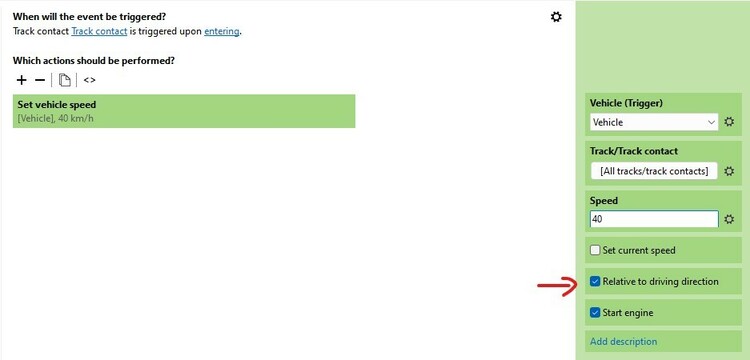
Hello @Walti , This is a guess by the lack of more information. But probably it has to do with the "relative to driving direction". Does this help you ? Hallo @Walti , das ist eine Vermutung in Ermangelung weiterer Informationen. Aber wahrscheinlich hat es mit dem "relativ zur Fahrtrichtung" zu tun. Hilft Dir das weiter? Grüße , Herman
-
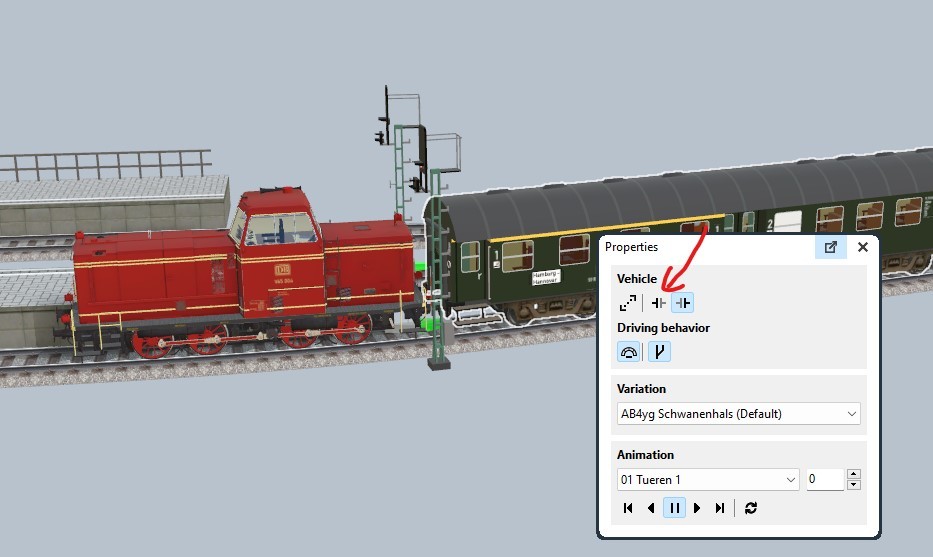
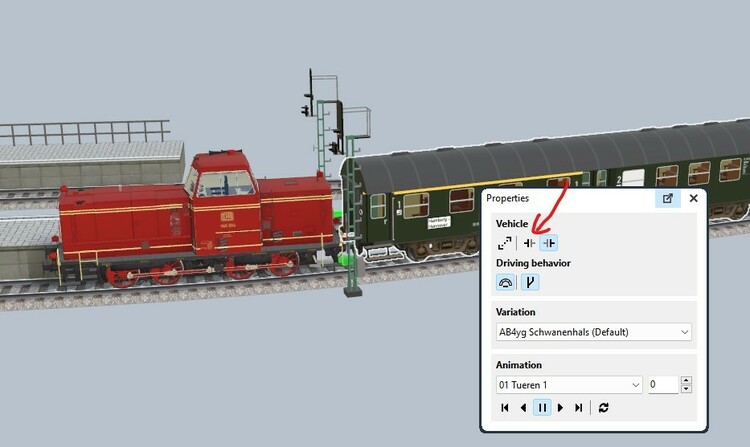
Hello @jloos , this strange behaviour comes from the coupler, set it on. Then you have back control of the vehicle. Hallo @jloos , dieses seltsame Verhalten kommt vom Koppler, schalten Sie ihn ein. Dann haben Sie wieder die Kontrolle über das Fahrzeug. Greetings, Herman
-
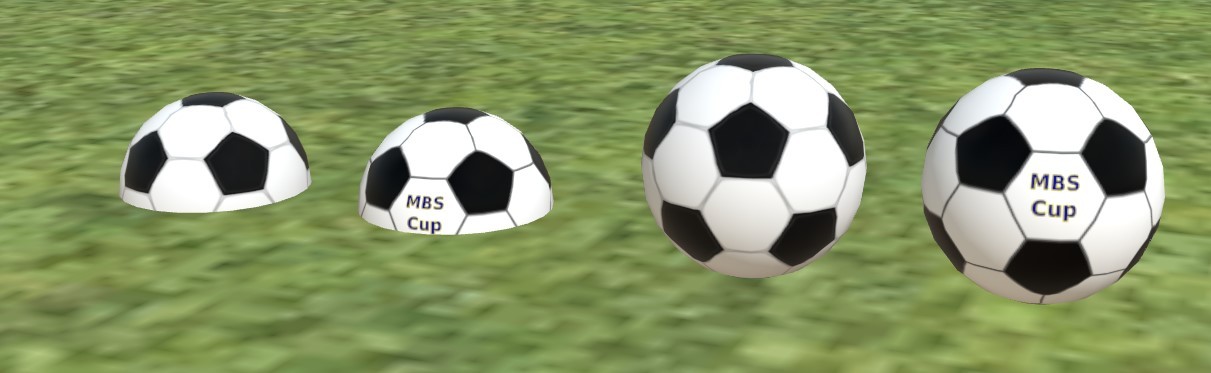
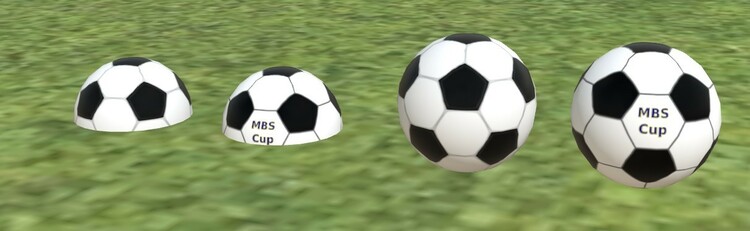
Hello Simon, of course, no problem, I think that the "Quader zentriert" is deliberately , and the box is fine for me. But since we now have the texture of a football thanks to @Eggu , if there is a warm up with x balls in play , I have to adjust the z every time. And I have that in one of my layouts. Lazy ... ! So why is the "Kugel" so different comparing to the other primitives, that behave normal. Then I will refrase it as a wish : By the way, is there a modeler that can forfill the wish of Eggu and put the football, with some texture variations in the catalog ? If so, can at least the football obey the rules ? The World Cup is coming soon. By the way I'm still a very enthousiastic fan of the studio since V5, now V8 already. Thank you @Neo for all the innovations. Kind regards, Herman Hallo Simon, natürlich, kein Problem, ich denke, dass das "Quader zentriert" absichtlich ist, und die Box ist für mich in Ordnung. Aber seit wir dank @Eggu nun die Textur eines Fußballs haben, muss ich bei einem Aufwärmen mit x Bällen im Spiel jedes Mal die z anpassen. Und das habe ich in einem meiner Layouts. Faul ... ! Warum ist die "Kugel" so anders als die anderen Primitive, die sich normal verhalten. Dann werde ich es als Wunsch auffrischen: Gibt es übrigens einen Modellierer, der den Wunsch von Eggu erfüllen und den Fußball mit einigen Texturvariationen in den Katalog aufnehmen kann? Wenn ja, kann der Fußball wenigstens die Regeln einhalten ? Die Weltmeisterschaft kommt bald. Übrigens bin ich immer noch ein sehr begeisterter Fan des Studios seit V5, jetzt schon V8. Danke @Neo für die vielen Neuerungen. Mit freundlichen Grüßen, Herman
-
Hello members, hello @Goetz, maybe we have it : try the following yourself. Take a layout and open the structure view. Select an object in the structure view, wait a little , select the name of the object and type a "p" : it works. Now go to another object in the structure view. Use the right-click mouse button ( you are distracted you want to look for rename , it is not there ) , then do as here before to change the name. "p" does not work. From this moment , each object in that layout you select in the structure view does not accept the "p". That's what I have here, and can repeat it over and over if wanted. Hallo Mitglieder, hallo @Goetz, vielleicht haben wir es: Versuchen Sie folgendes selbst. Nehmen Sie ein Layout und öffnen Sie die Strukturansicht. Wählen Sie ein Objekt in der Strukturansicht, warten Sie ein wenig, wählen Sie den Namen des Objekts und geben Sie ein "p" ein: es funktioniert. Gehen Sie nun zu einem anderen Objekt in der Strukturansicht. Benutzen Sie die rechte Maustaste (Sie werden abgelenkt, wenn Sie nach "Umbenennen" suchen, es ist nicht da), dann machen Sie es wie hier zuvor, um den Namen zu ändern. "p" funktioniert nicht. Von diesem Moment an akzeptiert jedes Objekt in diesem Layout, das Sie in der Strukturansicht auswählen, das "p" nicht. Das ist, was ich hier habe, und kann es immer wieder wiederholen, wenn gewünscht. Kind regards, Herman
-
Hello @Neo , if this is not a special wanted effect, can you change your primitive models Kugel / Quader ( zentriert ) so they obey the height adjustment terrain and stack. Kind regards, Herman
-
Hello thank you Götz. With the correct procedure no problem. But if you give for the selection a double click the selected object is also selected itself , and then the "p" problem occurs. I was very carefull to use the correct procedure, sometimes the "p" behaves correct, sometimes not. ( even in the same layout ) Hallo und vielen Dank Götz. Bei der richtigen Vorgehensweise kein Problem. Aber wenn man für die Auswahl einen Doppelklick macht, wird das ausgewählte Objekt auch selbst ausgewählt, und dann tritt das "p" Problem auf. Ich habe sehr darauf geachtet, die korrekte Vorgehensweise zu verwenden, manchmal verhält sich das "p" korrekt, manchmal nicht. ( sogar im gleichen Layout ) Kind regards, Herman
-
Maybe this can help : I have difficulties to select a name in the structure view to change it's name. Give me the correct procedure please. Vielleicht kann dies helfen: Ich habe Schwierigkeiten, einen Namen in der Strukturansicht auszuwählen, um ihn zu ändern. Geben Sie mir bitte die richtige Vorgehensweise.
-
Mouse pointer in/out structure view --> independent here, "p" gives problems. But tried it also on another layout for "soccer field" the "p" behaves normal. ??? Mauszeiger in/aus Strukturansicht --> hier unabhängig, "p" gibt Probleme. Habe es aber auch auf einem anderen Layout für "Fußballfeld" probiert, das "p" verhält sich normal. ???
-
Not so happy to say it, but I have the same here as R.B. ( English version ) I had only a new layout, not saved yet, and changed a track's name ( in structure view ) with a p -> p not typed but window with properties. And can repeat it several times. Would have another result. Greetings, Herman Ich sage es nicht gerne, aber ich habe das gleiche Problem wie R.B. ( englische Version ) Ich hatte nur ein neues Layout, noch nicht gespeichert, und änderte den Namen einer Spur ( in der Strukturansicht ) mit einem p -> p nicht getippt, sondern Fenster mit Eigenschaften. Und kann es mehrmals wiederholen. Würde ein anderes Ergebnis haben. Grüße, Herman "P" not a problem / "P" kein Problem Now I tried with a saved layout and "Bauernhof" the problem of the "p" persists. Jetzt habe ich es mit einem gespeicherten Layout und "Bauernhof" versucht, das Problem mit dem "p" besteht weiterhin.
-
Hello @HaNNoveraNer , can you see on the tacho what the active direction of a vehicle is ? ( vehicle with speed 0 ) Are we able to see it in the EV ? Hallo @HaNNoveraNer , kann man auf dem Tacho sehen, was die aktive Richtung eines Fahrzeugs ist ( Fahrzeug mit Geschwindigkeit 0 ) Kann man das auch im EV sehen ? Greetings, Herman
-
Hello, it must be that. If you give the car a speed 20 here, he will not go on. ( still backwards and on the end ). In this case I find also the tacho confusing, but that's personal. How can we see here that we are going forwards or backwards when starting ? Without using the blue bar. Hallo, das muss es sein. Wenn man dem Auto hier eine Geschwindigkeit von 20 gibt, wird er nicht weiterfahren. ( noch rückwärts und am Ende ). In diesem Fall finde ich auch den Tacho verwirrend, aber das ist persönlich. Wie kann man hier sehen, dass man beim Anfahren vorwärts oder rückwärts fährt ? Ohne den blauen Balken zu benutzen. Regards, Grüße, Herman

-
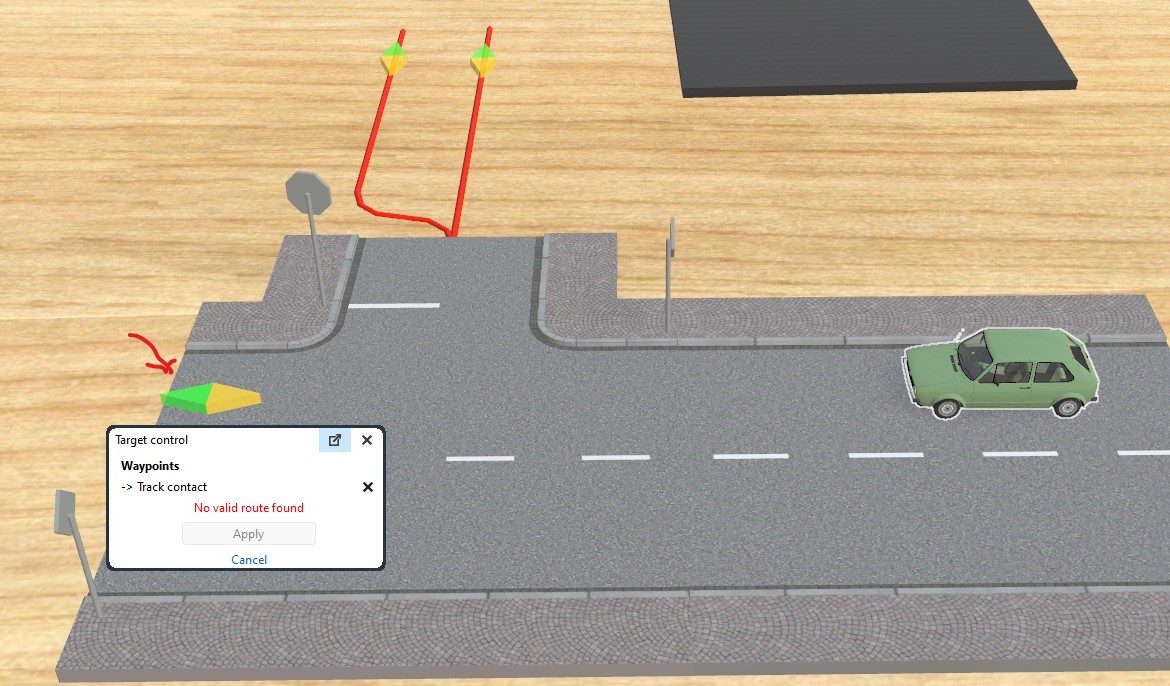
Hello, still testing. Even if the car stopped, it probably thinks it is still going backwards (*), and of course the contacts are not found as targets. So it seems a normal behaviour ? (*) Place it back, or let it run a little forward and the contacts are found. Has this to stay like that , it is confusing. Hallo, ich teste noch. Auch wenn das Auto angehalten hat, denkt es wahrscheinlich, dass es noch rückwärts fährt (*), und natürlich werden die Kontakte nicht als Ziele gefunden. Es scheint also ein normales Verhalten zu sein ? (*) Stelle es zurück, oder lasse es ein wenig vorwärts laufen und die Kontakte werden gefunden. Muss das so bleiben, ist es verwirrend. Regards, Herman
-
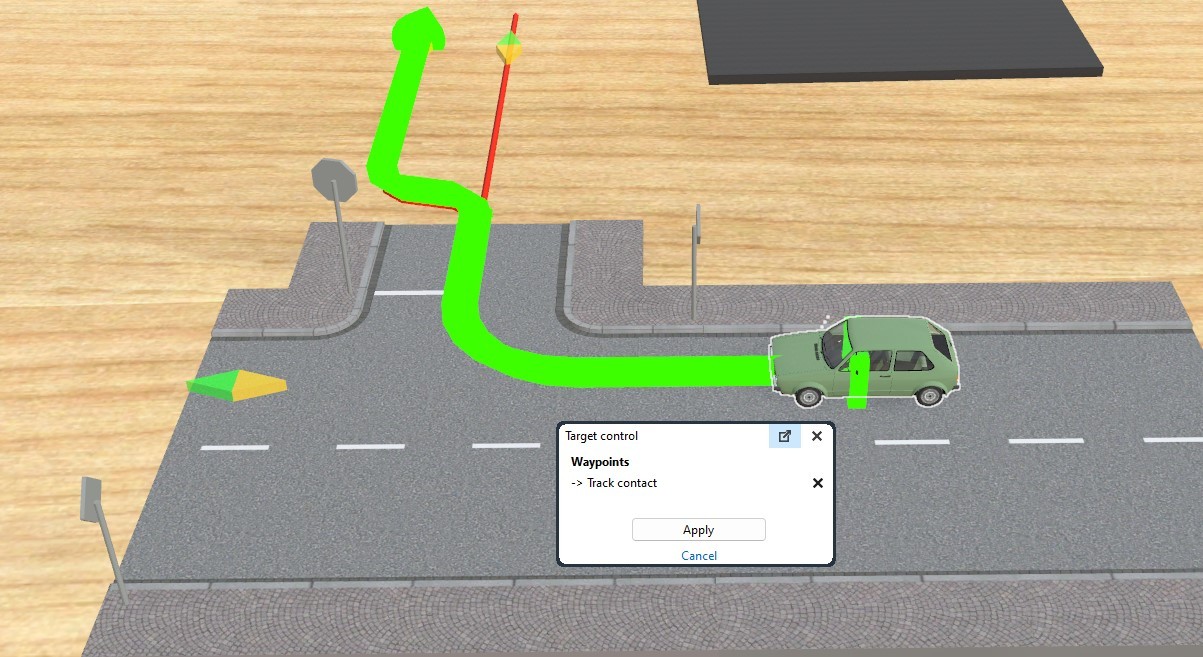
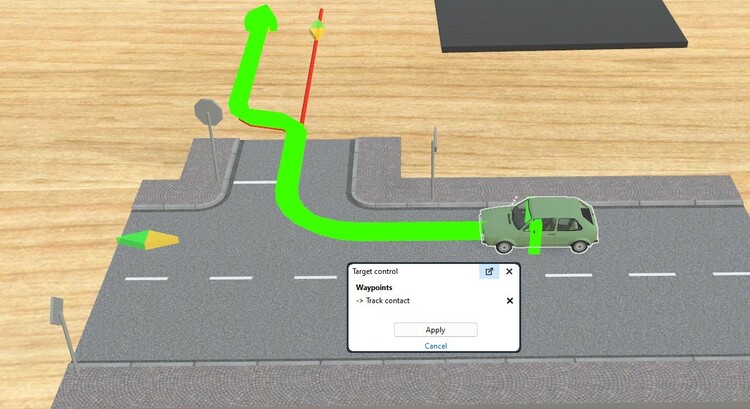
Hello dear members. I was testing this and can assure that the target was found ( for the three track contacts ). Then I let the auto run backwards from a track contact above until it stops. Then that auto cannot find any of the three contacts as target. It seems inpossible, but I can repeat this over and over. What do I wrong ? Or is there something I miss here ? I saved the layout. First I tought I did something wrong in my construction. ( red virtual tracks ) but even if I remove them the track contact on the road is not found as target. Is this only here at my home ? Hallo liebe Mitglieder. Ich habe das getestet und kann versichern, dass das Ziel gefunden wurde ( bei den drei Gleiskontakten ). Dann lasse ich die Auto von einem Gleiskontakt oben rückwärts laufen, bis sie anhält. Dann kann diese Auto keinen der drei Kontakte als Ziel finden. Es scheint unmöglich zu sein, aber ich kann das immer und immer wieder wiederholen. Was mache ich falsch? Oder gibt es etwas, das ich hier übersehe? Ich habe das Layout gespeichert. Zuerst dachte ich, ich hätte bei der Konstruktion etwas falsch gemacht. ( rote virtuelle Gleise ) aber selbst wenn ich sie entferne, wird der Gleiskontakt auf der Straße nicht als Ziel gefunden. Gibt es das nur hier bei mir zu Hause? Übersetzt mit www.DeepL.com/Translator (kostenlose Version) Even if I remove the virtual tracks, place the car and let him find the contact on the road. After going backwards until it stops, it cannot find that track contact any more as target. Selbst wenn ich die virtuellen Spuren entferne, das Auto platziere und es den Kontakt auf der Straße finden lasse. Nachdem er rückwärts gefahren ist, bis er anhält, kann er diesen Streckenkontakt nicht mehr als Ziel finden. layout test.mbp Kind regards. Freundliche Grüße , Herman

-
Hello, Kind regards, Herman
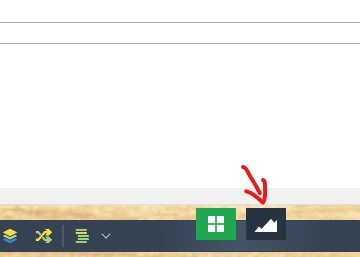
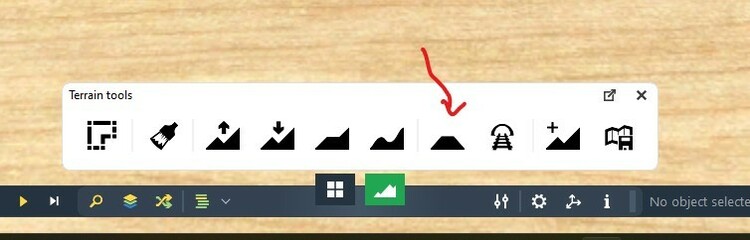


-
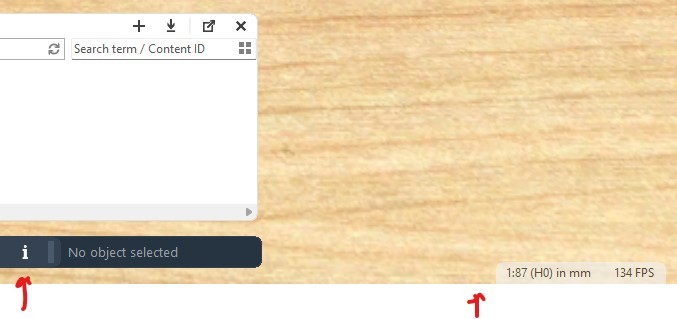
Hello @Neo , when I look to your picture there and compare in my V8 ( english version ), the "i" is missing. ( or still to come ? ) The other "i" gives info if an object is selected. What info gives the "i" next to the scale setup ? Regards, Herman
-
Hello @Neo , thank you very much. That's all I needed. Sorry I could not find it myself. Hallo @Neo , vielen Dank. Das hat mir gerade noch gefehlt. Tut mir leid, dass ich es nicht selbst finden konnte. Kind regards. Mit freundlichen Grüßen.
-
Of course, here it's the same. Natürlich ist es hier das Gleiche. Yes and no, I can go to my sounds and my textures. But not to "My 3D models" as I could in V7. How do you get to your 3 Models directory ? So yes that tree-view would help a lot. Ja und nein, ich kann zu meinen Sounds und meinen Texturen gehen. Aber nicht zu "Meine 3D-Modelle", wie ich es in V7 konnte. Wie kommst du zu deinem 3-Modelle-Verzeichnis? Also ja, die Baumansicht würde mir sehr helfen. Thank you Walter, for your trying to help. Danke, Walter, für deinen Versuch zu helfen. Kind regards, Herman.