


Curt84328
Mitglieder
-
Benutzer seit
-
Letzter Besuch
Alle erstellten Inhalte von Curt84328
-
 Update on river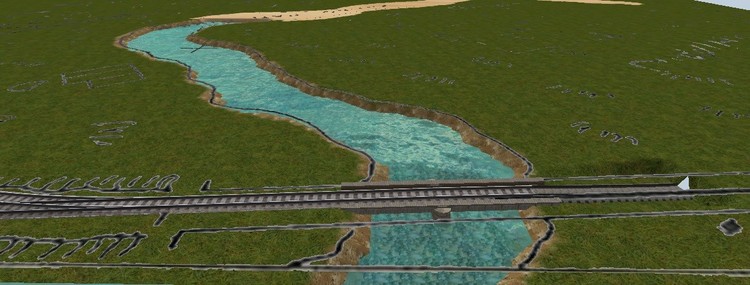
-
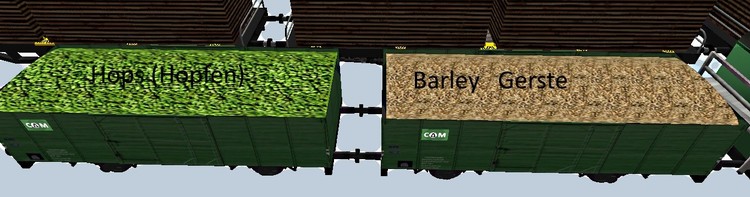
I have uploaded 4 new material textures, 2 for Beer (Barley and Hops) and 2 for copper ore.

-
These should go in the western set, they go with Reinhard's 4-4-0 Locomotives.
-
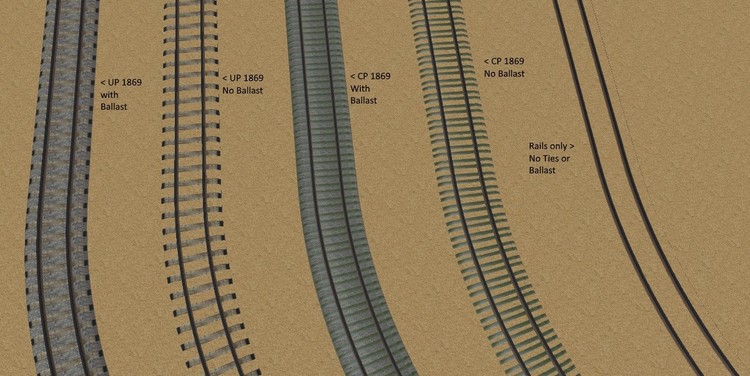
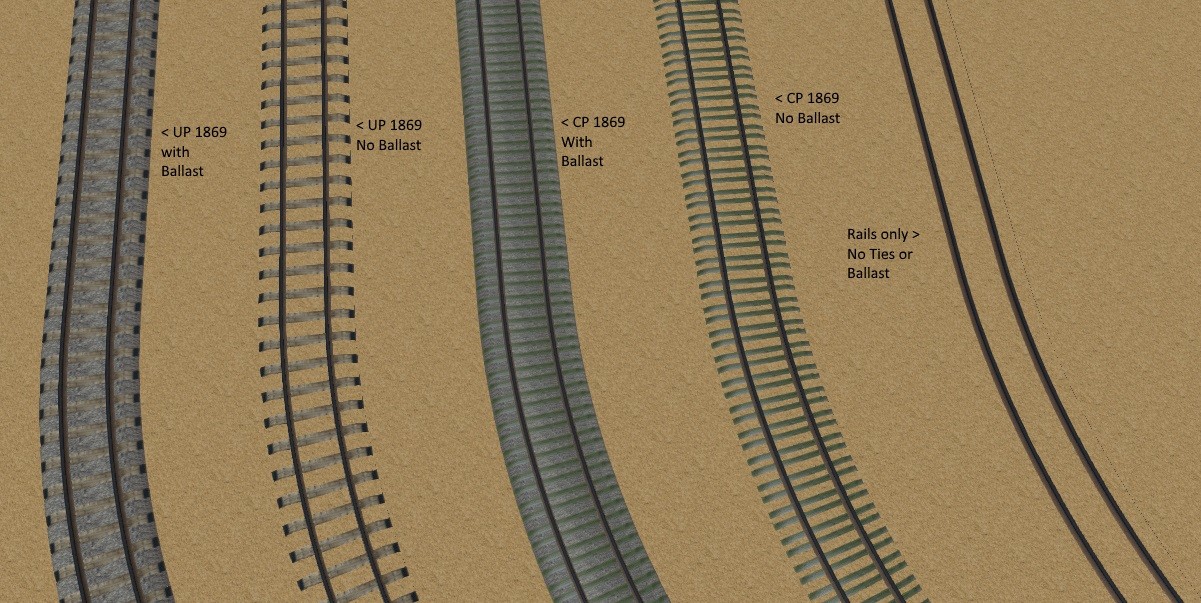
Union Pacific and Central Pacific 1869 Track Textures (5) have been uploaded to the catalog.
-
I have uploaded the river rocks and the riverbank textures. Awaiting approval. Ich habe die Flussfelsen und die Ufertexturen hochgeladen. Ich erwarte die Genehmigung.
-
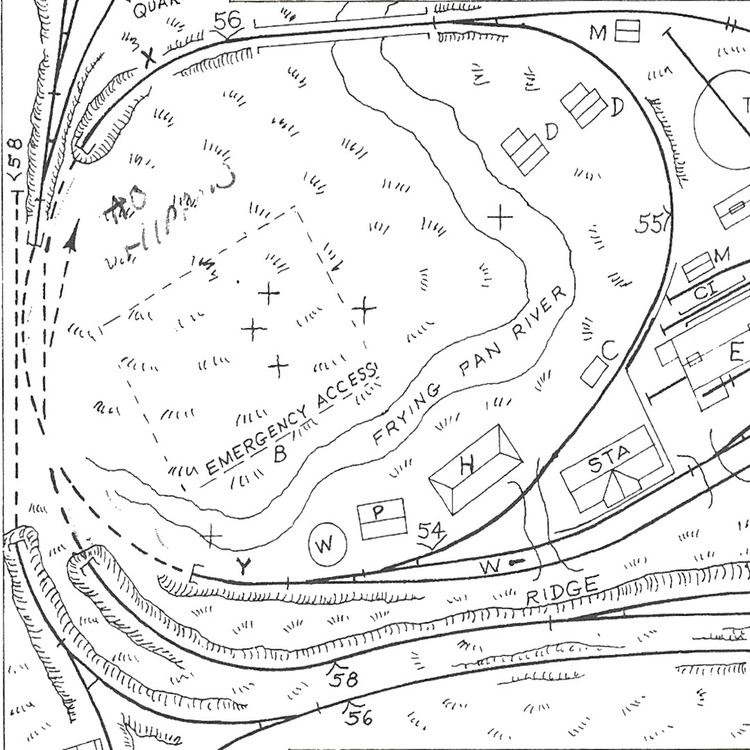
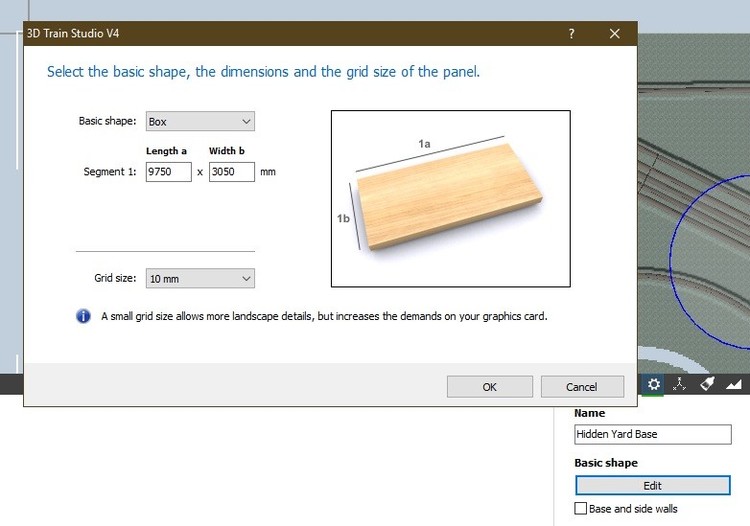
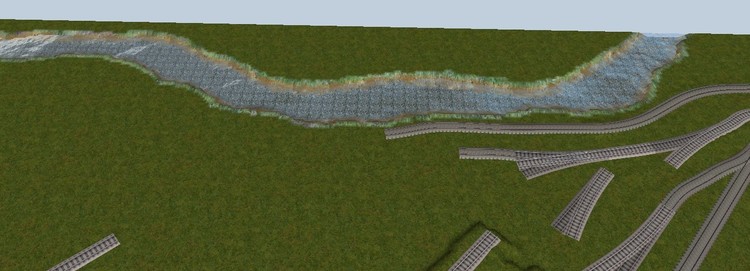
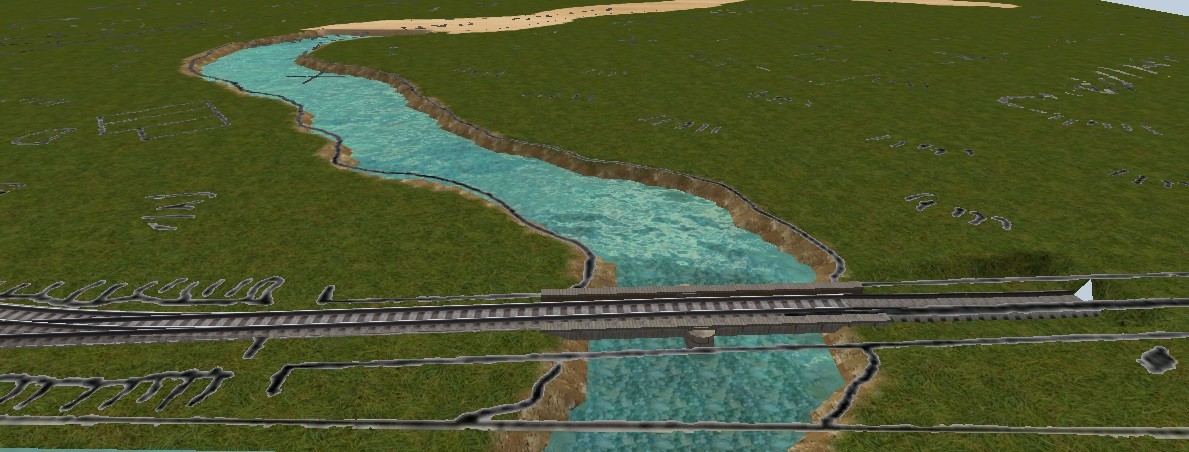
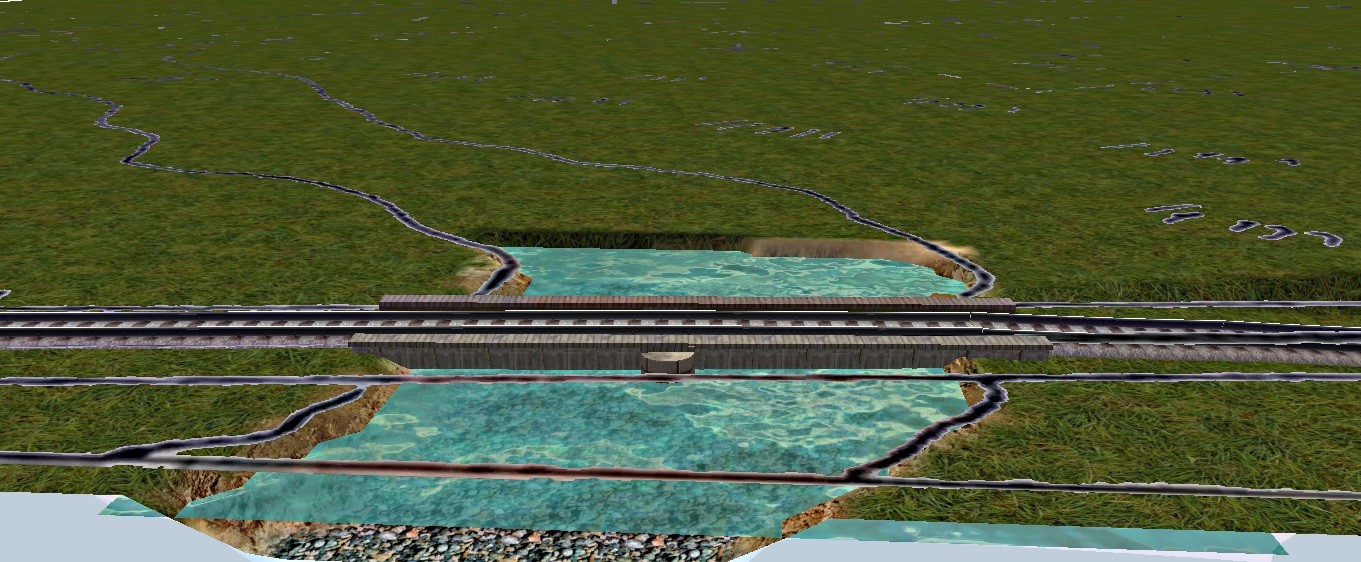
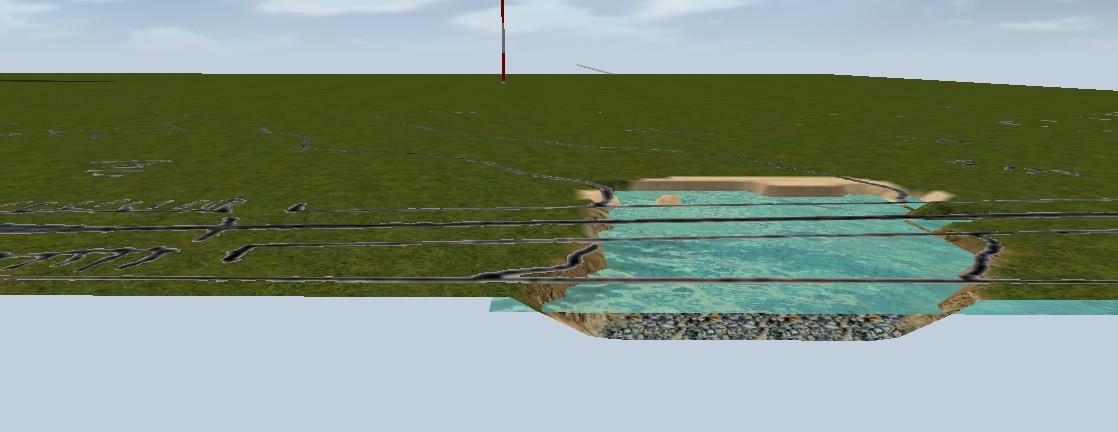
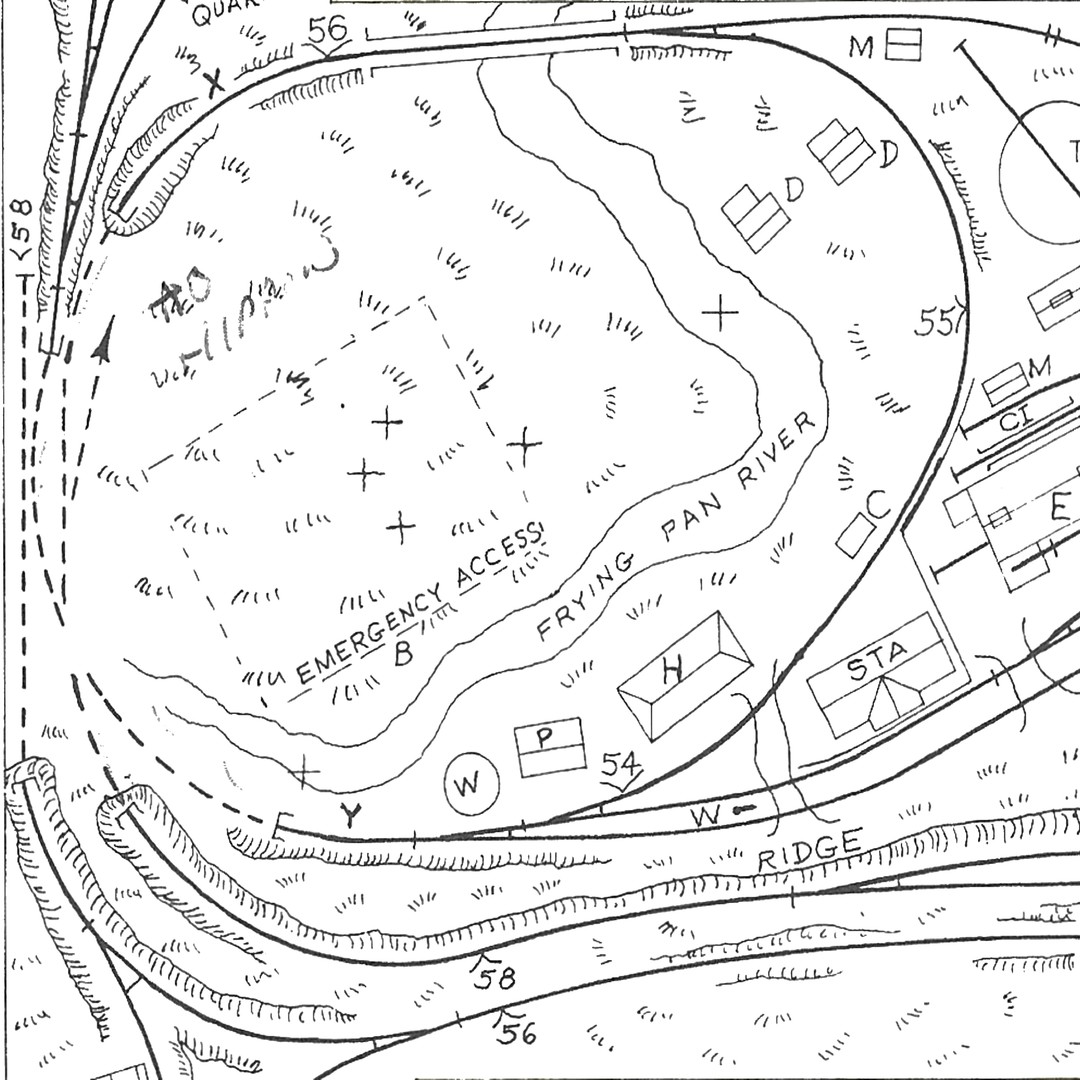
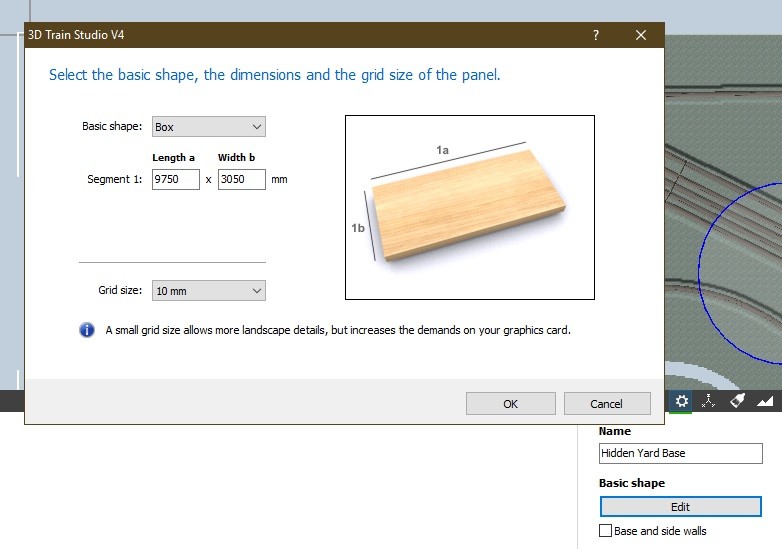
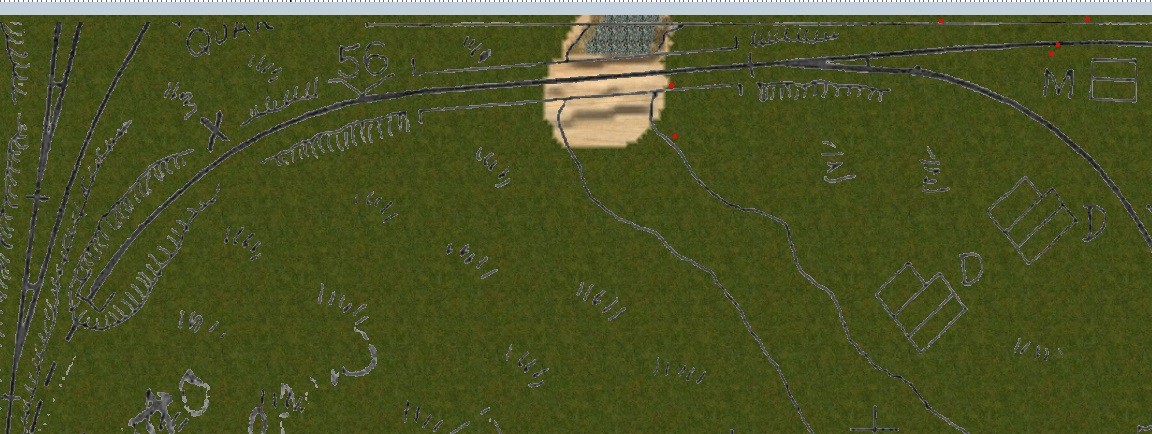
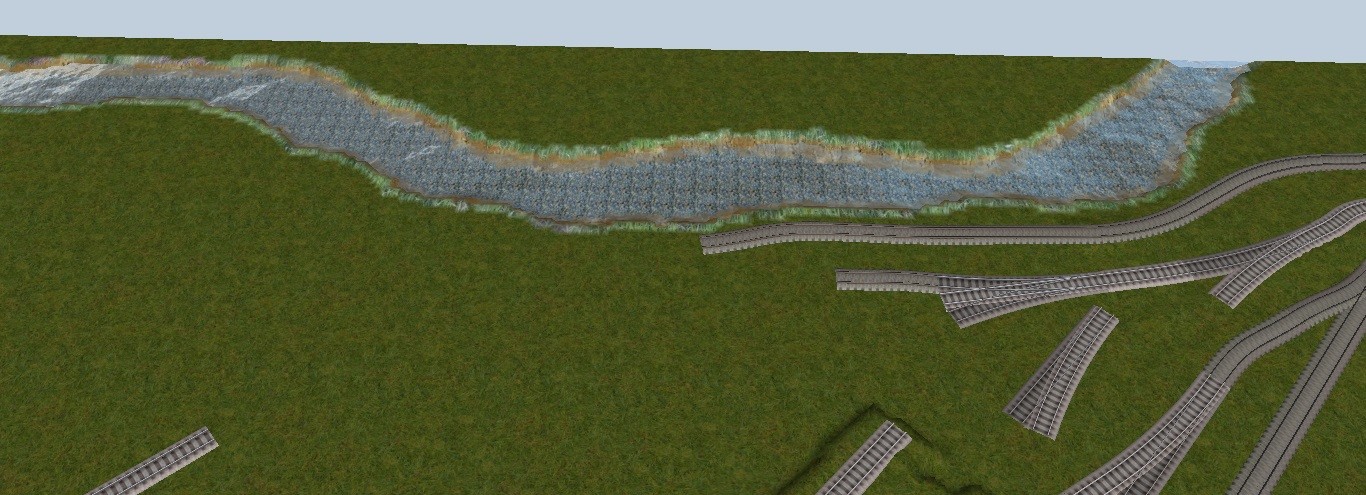
Sometimes when working from predrawn plans, you may want to place a river or other feature in your layout with as much accuracy and precision as possible. I am working from plans that include trackage, buildings and several rivers and creeks. Manchmal, wenn Sie nach vorgezeichneten Plänen arbeiten, möchten Sie vielleicht einen Fluss oder ein anderes Merkmal mit so viel Genauigkeit und Präzision wie möglich in Ihr Layout integrieren. Ich arbeite nach Plänen, die Gleisanlagen, Gebäude und mehrere Flüsse und Bäche umfassen. Here is a section of my plan that includes a river. I want to place this river as close to the plans as possible on my layout. I cropped the image to a section that just includes the river and surrounding trackage and terrain. You will want to crop the image so that X and Y are exactly the same. Using Paint.net, I highlighted the white areas, and erased them so that only the black areas remain. The image is then saved as .png after resizing to 4096 x 4096. Hier ist ein Teil meines Plans, der einen Fluss beinhaltet. Ich möchte diesen Fluss so plannah wie möglich auf meiner Anlage platzieren. Ich habe das Bild auf einen Abschnitt zugeschnitten, der nur den Fluss und die umliegenden Gleise und das Gelände beinhaltet. Sie werden das Bild so zuschneiden wollen, dass X und Y genau gleich sind. Mit Paint.net habe ich die weißen Bereiche markiert und gelöscht, so dass nur noch die schwarzen Bereiche übrig bleiben. Das Bild wird dann als .png gespeichert, nachdem die Größe auf 4096 x 4096 geändert wurde. You could also create an image of your layout, and manually add features like rivers and then do the conversion as above. Sie können auch ein Bild Ihres Layouts erstellen und manuell Features wie Flüsse hinzufügen und dann die Konvertierung wie oben beschrieben durchführen. next I measured the width of my ground plate to create an plane (Ebene) to use as a base for the texture created above (said texture was imported into MBS) The Plane (Ebene) is created in a new layer, and then aligned with the edges of the base plate. als nächstes maß ich die Breite meiner Grundplatte, um eine Ebene (Ebene) zu erstellen, die als Basis für die oben erstellte Textur verwendet werden kann (die Textur wurde in MBS importiert). Die Ebene (Ebene) wird in einer neuen Schicht erstellt und dann mit den Kanten der Grundplatte ausgerichtet. (the dimensions of the plane (Ebene) must be perfectly square and match the width of the base plate.) (Die Abmessungen der Ebene müssen perfekt quadratisch sein und der Breite der Grundplatte entsprechen.) Now you have an image from the plans overlaying the base plate. Jetzt haben Sie ein Bild von den Plänen, die die Grundplatte überlagern. greetings Curtis
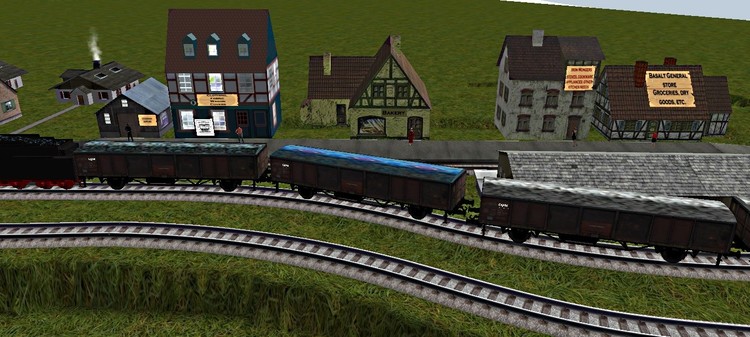
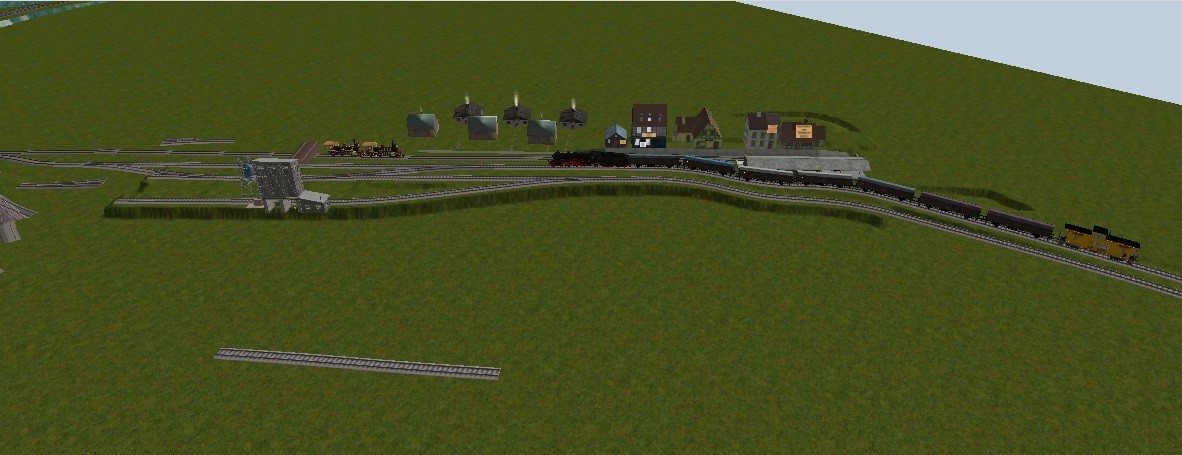
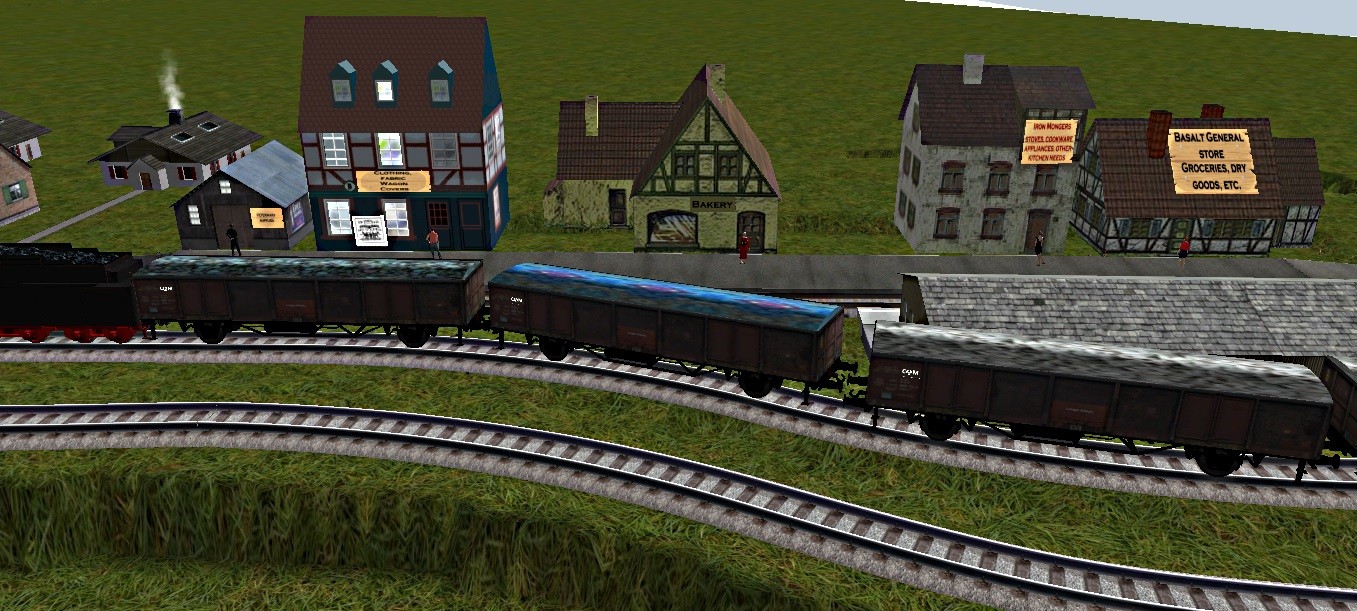
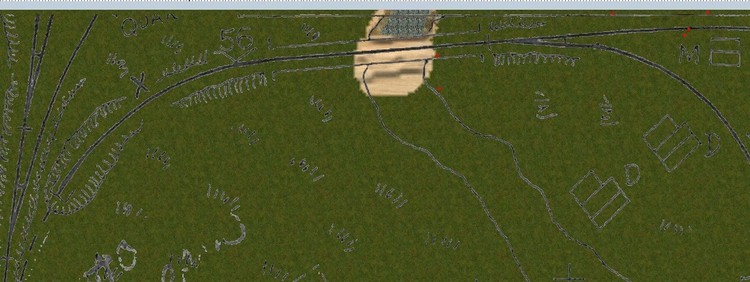 Another Update: ein weiteres Update: The River has been completed and I will soon be adding another. I have completed the local freight line and the stores and houses that go with it, and placed the coaling tower and Sand tower, but not landscaped. Placing track segments now Der Fluss ist fertiggestellt und ich werde bald einen weiteren hinzufügen. Ich habe die lokale Güterbahn und die dazugehörigen Geschäfte und Häuser fertiggestellt, und stellte den Kohleturm und den Sandstein auf, aber nicht landschaftlich gestaltet. Gleissegmente jetzt platzieren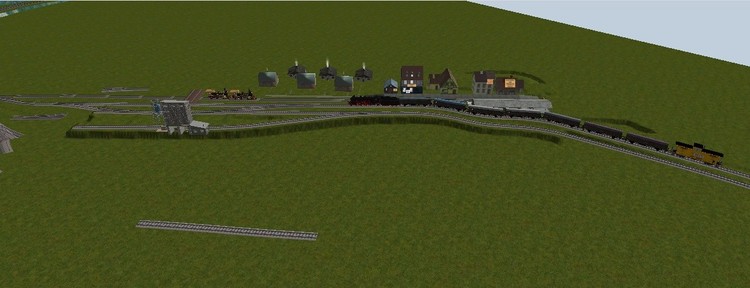
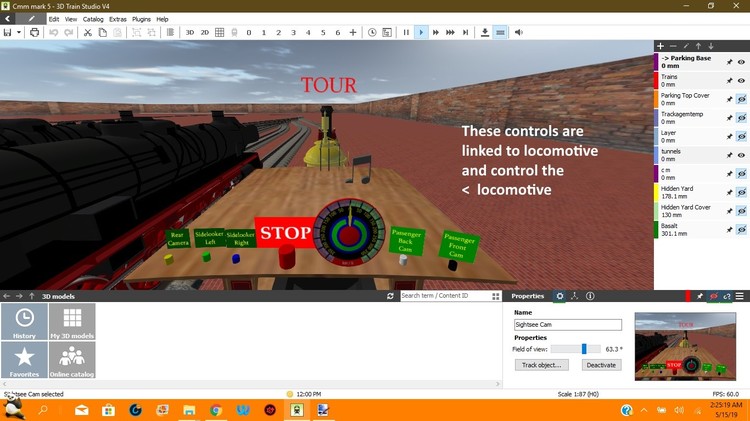
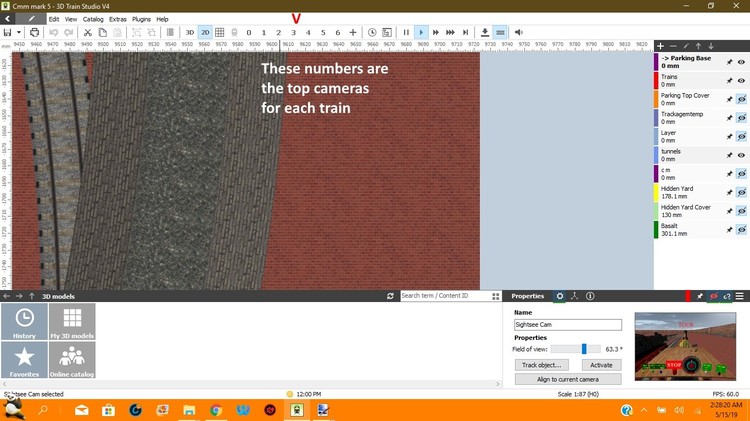
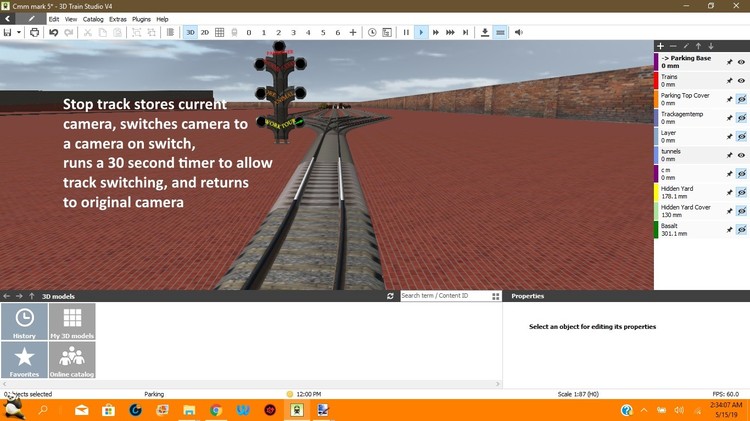
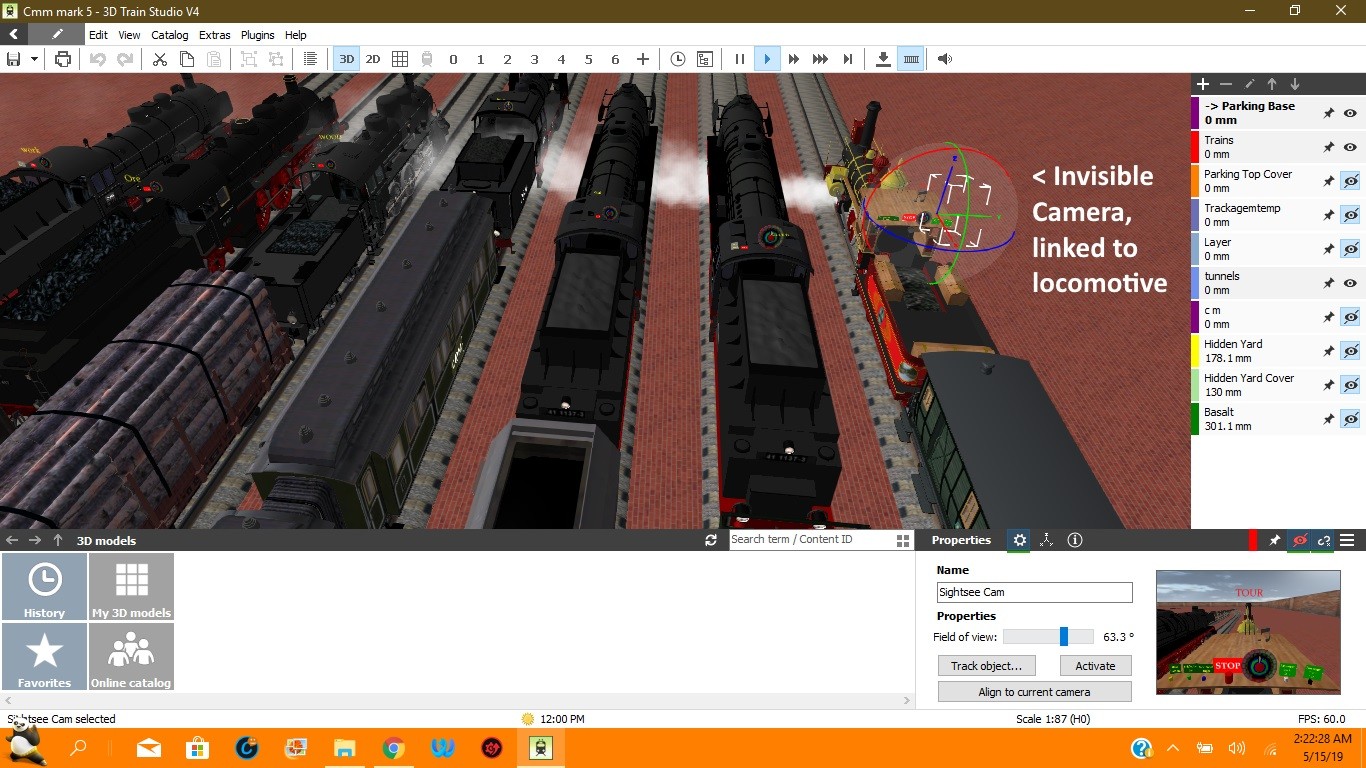
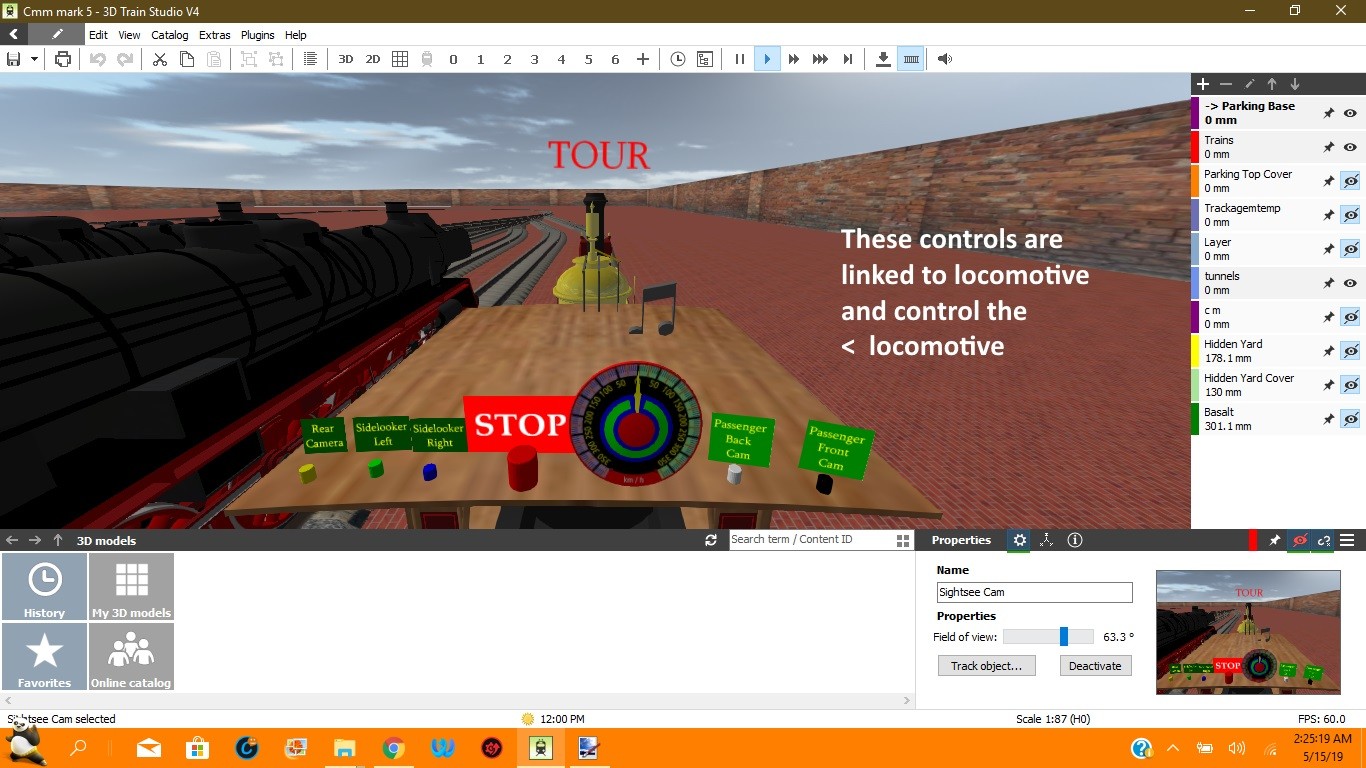
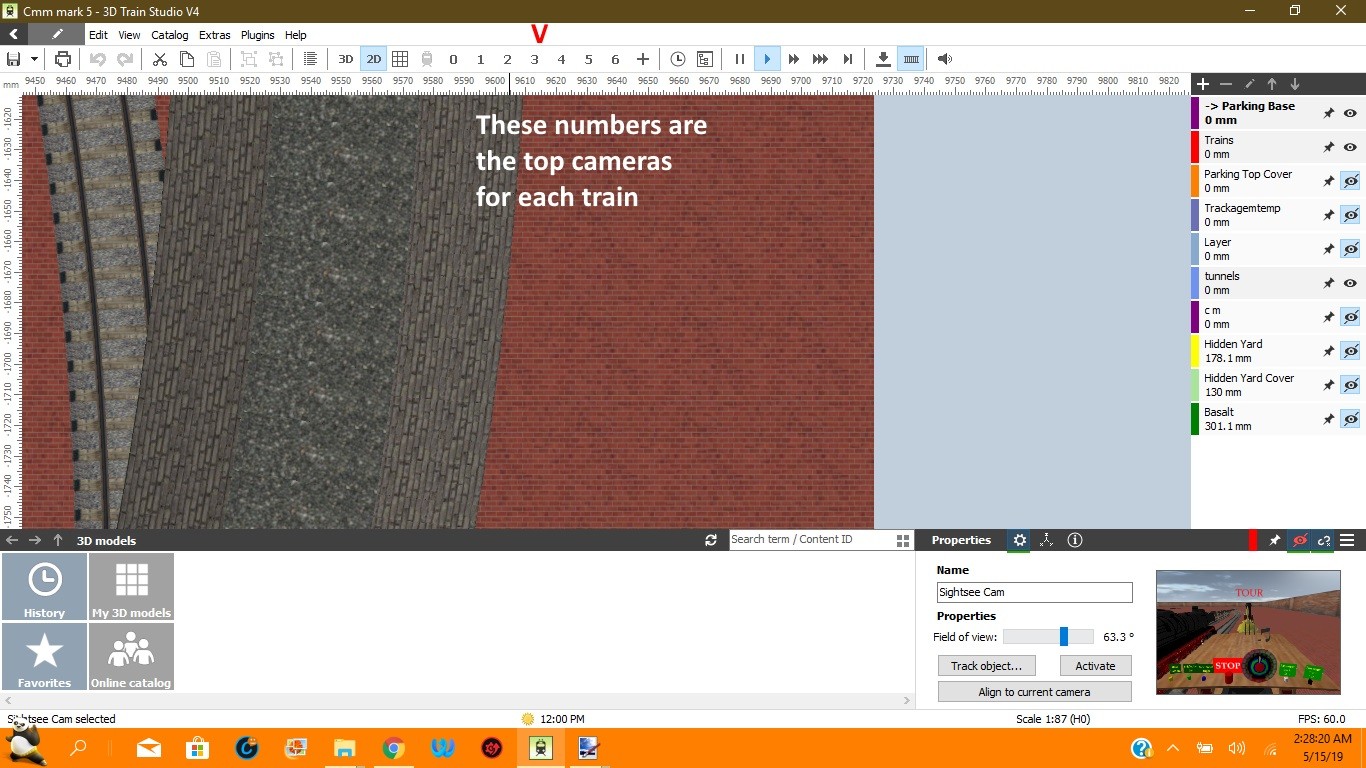
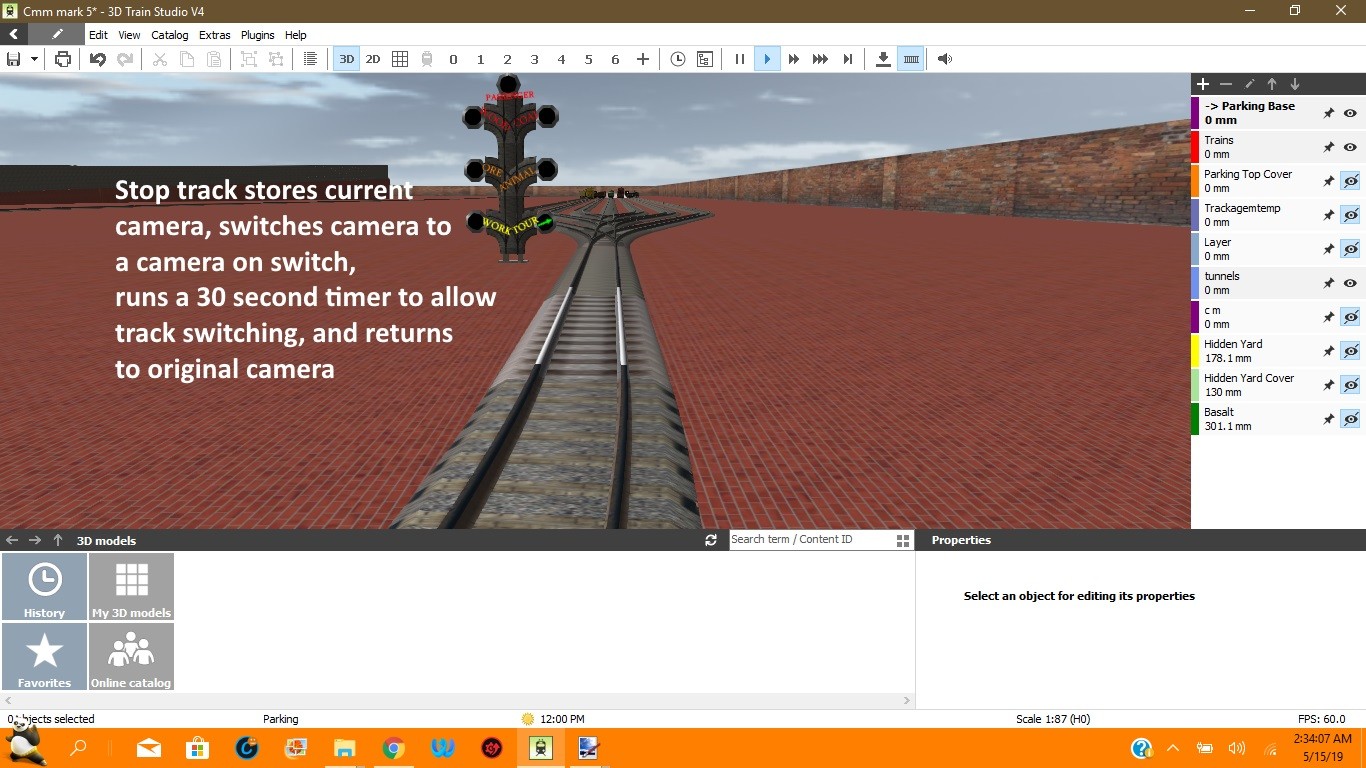
 a different method for controlling a locomotive anywhere in a layout. I place a camera above the loco to show the top and link it to follow the loco view through the camera atop the loco and controls to drive and stop the loco as well as camera controls each train in my layout has it's own camera and controls accessed from top bar EV switches from moving cameras to stationary cameras as needed and back. greetings curt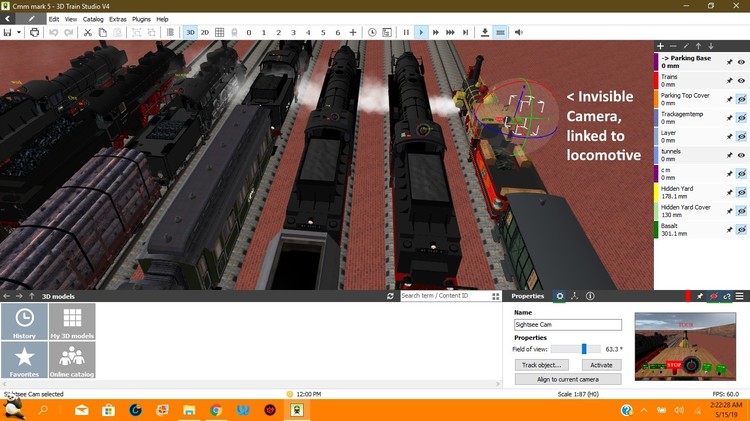
 Andy's method of transferring speed of SX1 to the main Loco is much cleaner than my method. You could also insert a turntable scaled to ,3 and it serves as a 24 position switch for changing variable values and controlling different trains.
Add a turntable, shrink it, and you have a 24 position switch
You could also add a flip switch that allows another train in the module to be controlled. when first train is stopped, flip switch to delete the stored name, and allow a 2nd train to enter the module and store it's name. creating 2 more variables would allow switching between the 2 trains
Brummi, change the name of the Hauplokomotive to _Trigger1 for controlling any Loco
Already got it done. Event is for the track that the real Lok enters so can be adjusted every time speed changes. Greetings Curtis
Brummi, Here is a possible solution to your problem Greetings, Curtis Brummi.mbp
I'll create one later today (4:00 PM My time) so about 6:00PM my time.
So, you could not connect the throttle to a dummy Lok that is invisible and runs on a tiny invisible track, then read that Lok speed and assign it to the train you want?
what if you assigned the throttle to a variable name like $train, and then read the real name of the locomotive as it entered the module. ($_Trigger1.name) Name being assigned by a global variable. It should then be able to have the Loco controlled by the module throttle. Just thinking....... Curtis
Are you referring to layout files (a project) or to user created files like custom textures etc? Neither is created automatically by MBS. Textures and etc are stored in the catalog as asset files. Layouts (projects) are stored in the main database. MBP files are created by export, and are stored wherever to specify.
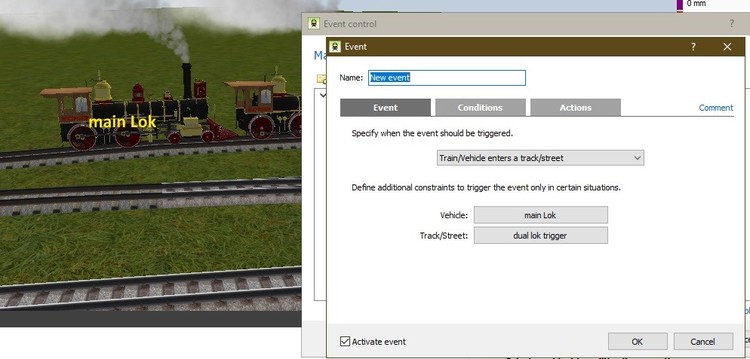
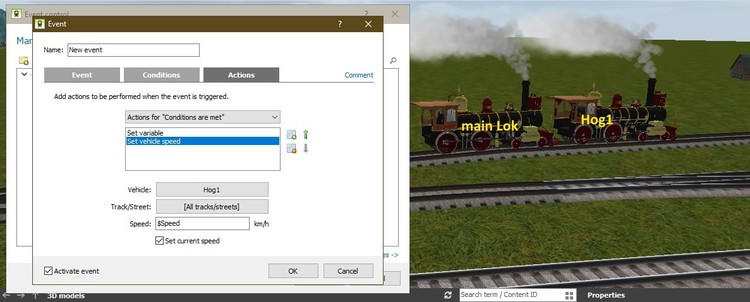
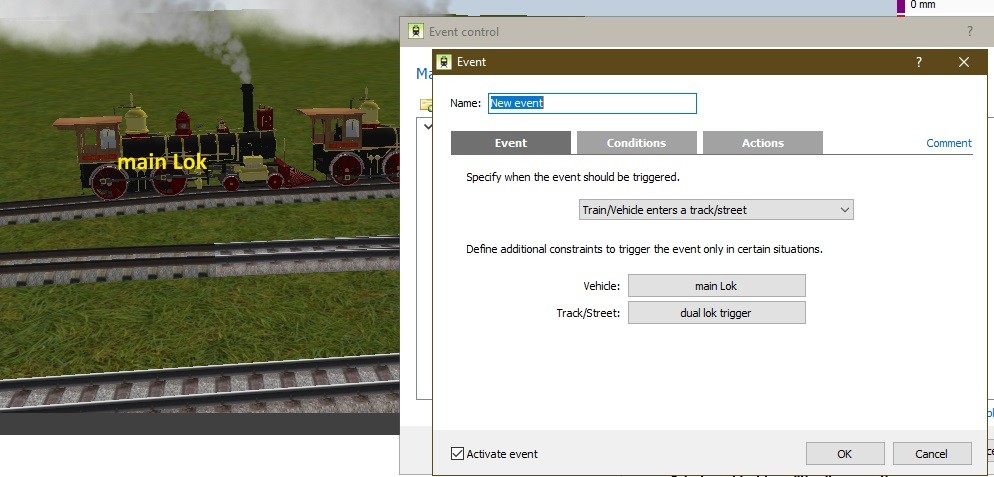
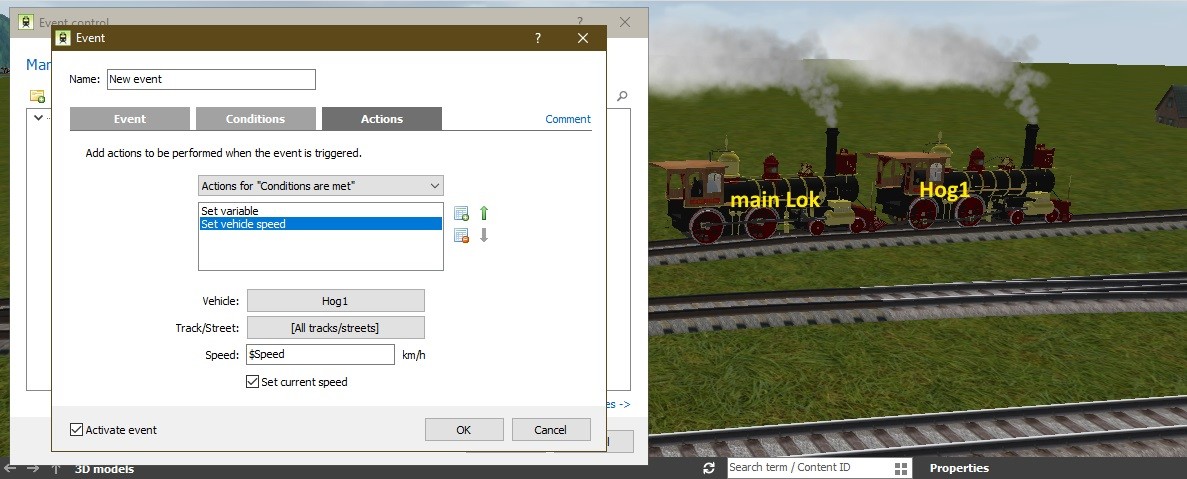
I'm still experimenting with this, but I'm using the speed of a second locomotive on the track, based on the speed of the primary locomotive. I gave the Locomotives different names, and read the current speed of the main Lok as it crosses a certain track. the actions for this include setting the variable for speed from the current speed of main Lok. I then set the vehicle speed for the Hog1 (American term for a helper locomotive) to the stored variable $Speed. this activates the smoke from Hog1. It's still a little buggy, but seems to work so far. greetings, Curtis
Andy's method of transferring speed of SX1 to the main Loco is much cleaner than my method. You could also insert a turntable scaled to ,3 and it serves as a 24 position switch for changing variable values and controlling different trains.
Add a turntable, shrink it, and you have a 24 position switch
You could also add a flip switch that allows another train in the module to be controlled. when first train is stopped, flip switch to delete the stored name, and allow a 2nd train to enter the module and store it's name. creating 2 more variables would allow switching between the 2 trains
Brummi, change the name of the Hauplokomotive to _Trigger1 for controlling any Loco
Already got it done. Event is for the track that the real Lok enters so can be adjusted every time speed changes. Greetings Curtis
Brummi, Here is a possible solution to your problem Greetings, Curtis Brummi.mbp
I'll create one later today (4:00 PM My time) so about 6:00PM my time.
So, you could not connect the throttle to a dummy Lok that is invisible and runs on a tiny invisible track, then read that Lok speed and assign it to the train you want?
what if you assigned the throttle to a variable name like $train, and then read the real name of the locomotive as it entered the module. ($_Trigger1.name) Name being assigned by a global variable. It should then be able to have the Loco controlled by the module throttle. Just thinking....... Curtis
Are you referring to layout files (a project) or to user created files like custom textures etc? Neither is created automatically by MBS. Textures and etc are stored in the catalog as asset files. Layouts (projects) are stored in the main database. MBP files are created by export, and are stored wherever to specify.
I'm still experimenting with this, but I'm using the speed of a second locomotive on the track, based on the speed of the primary locomotive. I gave the Locomotives different names, and read the current speed of the main Lok as it crosses a certain track. the actions for this include setting the variable for speed from the current speed of main Lok. I then set the vehicle speed for the Hog1 (American term for a helper locomotive) to the stored variable $Speed. this activates the smoke from Hog1. It's still a little buggy, but seems to work so far. greetings, Curtis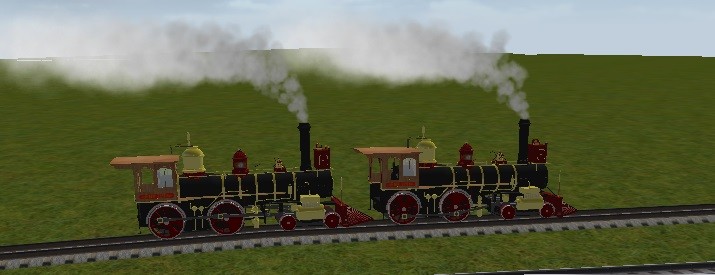
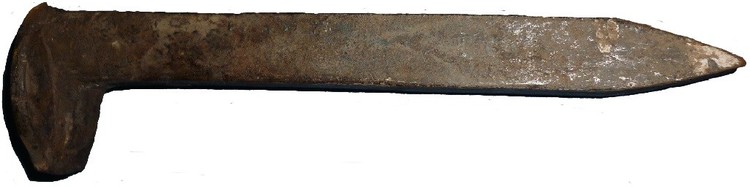
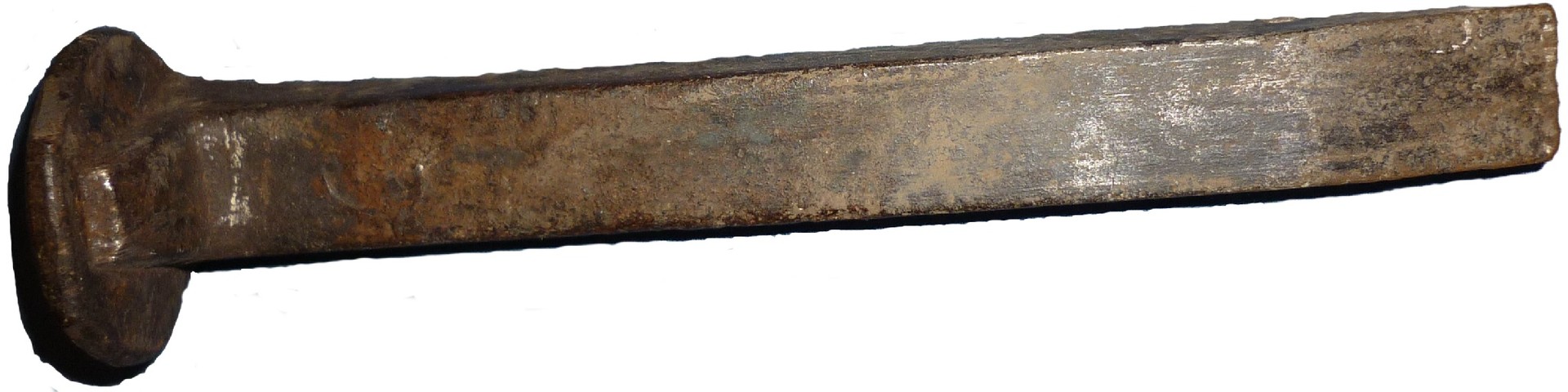
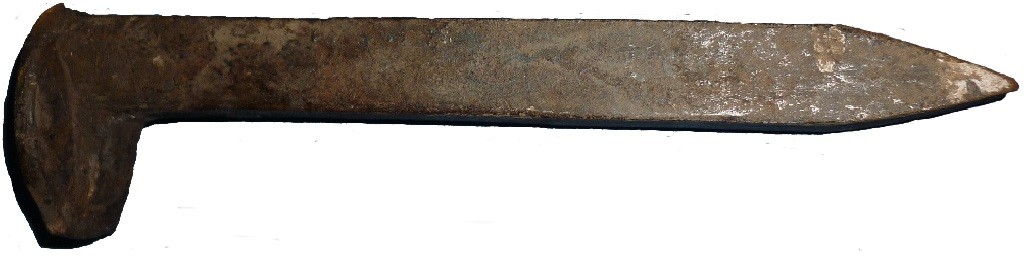
 here are 2 railroad spikes (and PNG suitable for reduction and creating textures) Spikes.zip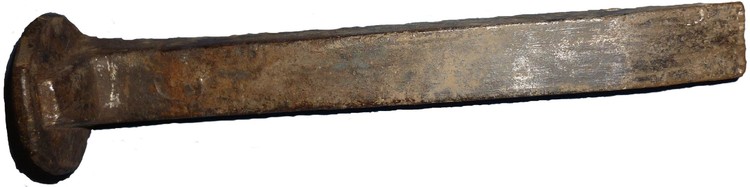
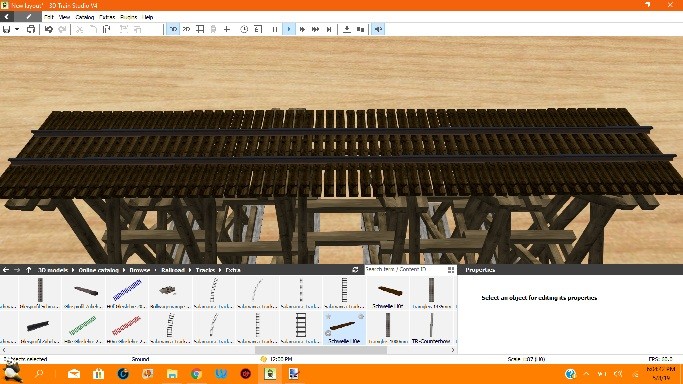
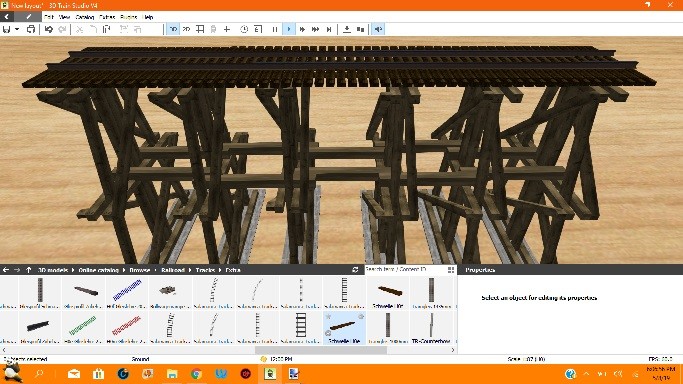
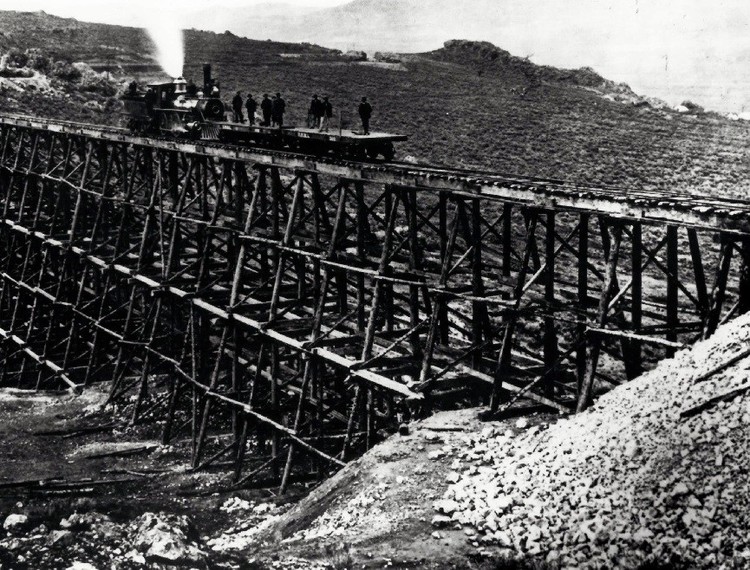
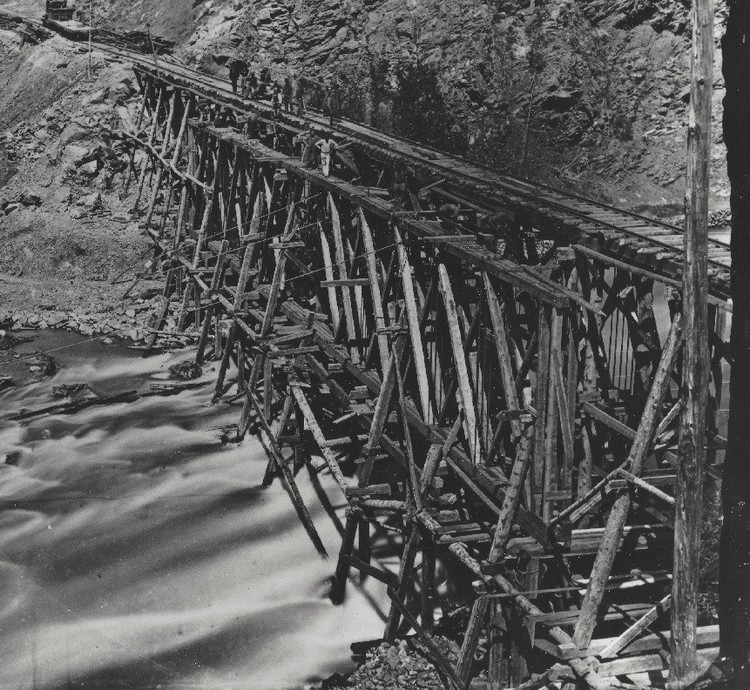
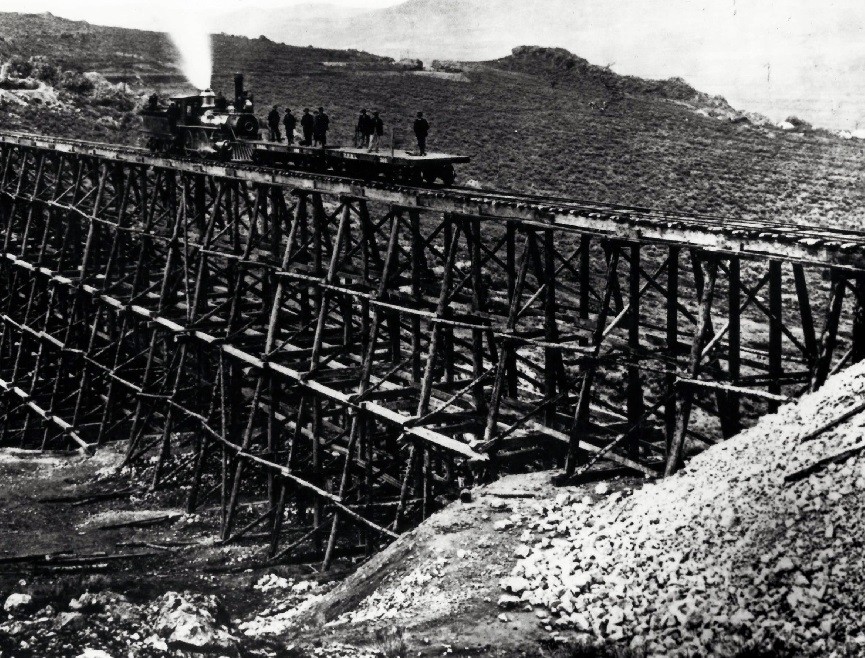
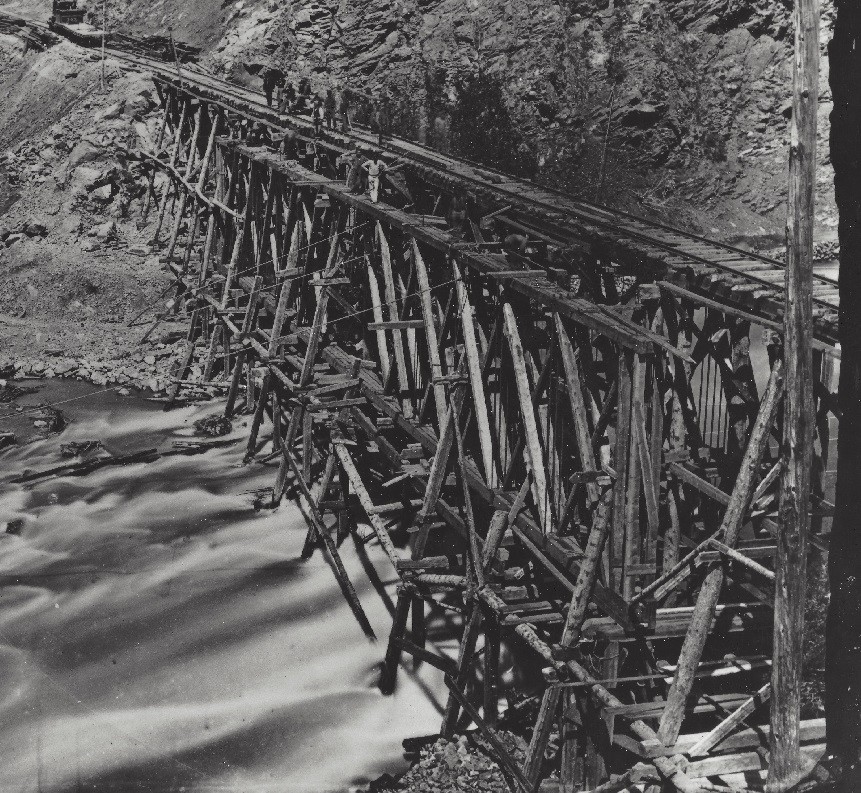
 First, let me make it perfectly clear. I think Roter Brummer did a fantastic job on his Wooden Trestle set. I have a few observations. 1st, ties were not always used on track that was crossing a trestle. Sometimes the rails were spiked directly to the top of the trestle 2nd, bracing parallel to the track, and within the pillars was totally mandatory. I would consider 2 beams to be minimum for MBS. Because of the pillar configuration, it makes it impossible to mount bracing on the diagonals of the pillars (Just an observation) Finally 2 old pictures, the first, Dale Creek Bridge, The Second, Devil's Gate Note the Cables bracing Devil's gate.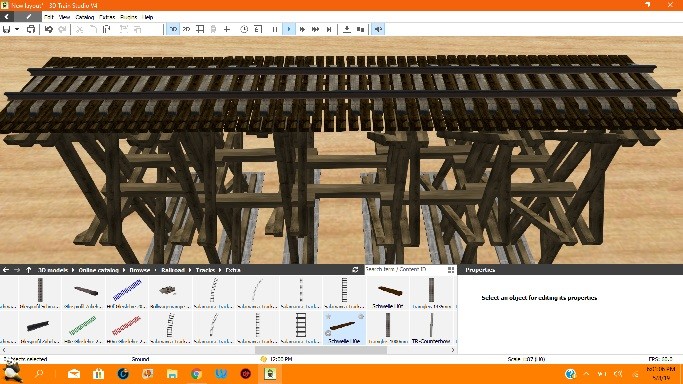




Account
Suche
Push-Benachrichtigungen konfigurieren
Chrome (Android)
- Tap the lock icon next to the address bar.
- Tap Permissions → Notifications.
- Adjust your preference.
Chrome (Desktop)
- Click the padlock icon in the address bar.
- Select Site settings.
- Find Notifications and adjust your preference.
Safari (iOS 16.4+)
- Ensure the site is installed via Add to Home Screen.
- Open Settings App → Notifications.
- Find your app name and adjust your preference.
Safari (macOS)
- Go to Safari → Preferences.
- Click the Websites tab.
- Select Notifications in the sidebar.
- Find this website and adjust your preference.
Edge (Android)
- Tap the lock icon next to the address bar.
- Tap Permissions.
- Find Notifications and adjust your preference.
Edge (Desktop)
- Click the padlock icon in the address bar.
- Click Permissions for this site.
- Find Notifications and adjust your preference.
Firefox (Android)
- Go to Settings → Site permissions.
- Tap Notifications.
- Find this site in the list and adjust your preference.
Firefox (Desktop)
- Open Firefox Settings.
- Search for Notifications.
- Find this site in the list and adjust your preference.